



Amazon Kindle Touch 3G Review
by Andrew Cunningham on November 28, 2011 11:00 PM EST- Posted in
- Amazon
- ereaders
- Kindle
- Kindle Touch
Amazon announced three new Kindles back in September: the fourth generation Kindle, the Kindle Touch (and Kindle Touch 3G, both of which are identical aside from the 3G antenna), and the Kindle Fire. The Kindle 4 was available on the same day, and we've already taken a good look at it. Our Kindle Fire review is forthcoming. That leaves the Kindle Touch, which we're going to talk about today.
The Kindle Touch is Amazon's first touchscreen e-reader - past Kindles have used nothing but buttons for navigation, even as competing products like Barnes & Noble's Nook Simple Touch began to incorporate touchscreens. At $99 and $149 for the wi-fi and 3G versions ($139 and $189 for the ad-free Kindles), the Kindle Touch is priced competitively, but how does the touchscreen actually impact your reading experience?
Before we get started: Many things we covered in our review of the non-touch Kindle (hereafter referred to as the Kindle 4, to avoid confusion), including screen quality, page refreshes, supported file formats, software updates, and general usage, are still applicable here. If you haven’t read it yet, you should look at our Kindle 4 review before continuing.
Hardware and Software
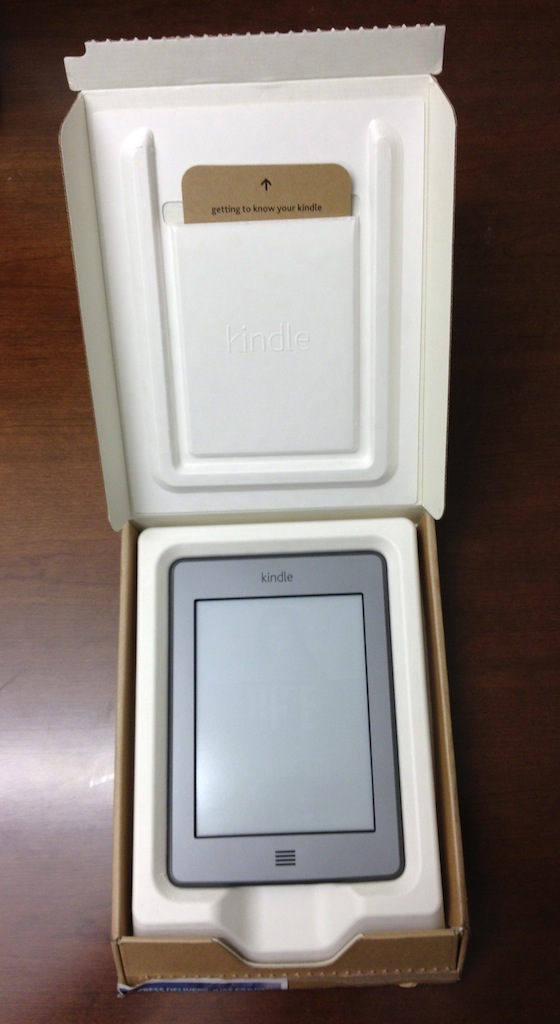
The Kindle Touch’s box is nearly identical to the Kindle 4's: an unadorned cardboard box containing just the Kindle, a micro USB cable, and a small cardboard insert with basic directions for powering on and charging the device. The manual proper, which has more detailed directions for using the Kindle’s touch controls and other features, is stored on the Kindle itself, and will be launched automatically at first startup.
The first thing you notice when comparing the Kindle Touch to the Kindle 4 is the lack of buttons, of which the Kindle Touch has just two: the Home button situated on the front of the device, which looks vaguely like a speaker grill, and the power/sleep button located on the bottom of the Kindle next to the charge light and headphone jack. Two speaker grills on the back provide basic stereo sound.
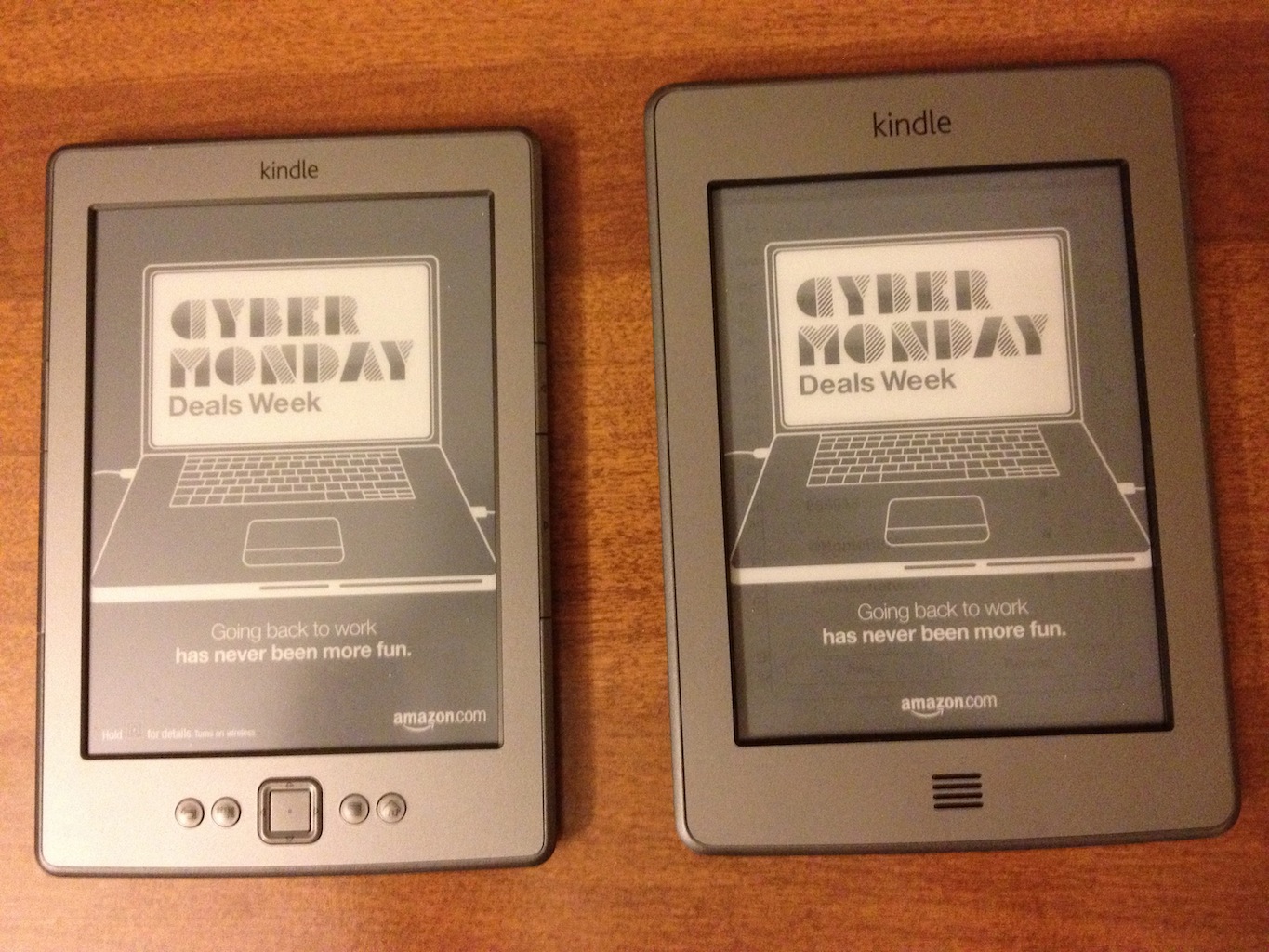
The Kindle Touch uses the same 800x600 E-Ink Pearl screen as the Kindle 3 and the Kindle 4 - contrast on my review unit was identical to the less expensive unit. At 6.8” (172mm) x 4.7” (120mm) x 0.40” (10.1mm) and 7.5 ounces (7.8 for the 3G version), the Kindle Touch is still smaller and lighter than the Kindle 3 (7.5" x 4.8" x 0.34" and 8.5 ounces), but is just a bit larger and heavier than the Kindle 4 (6.5" x 4.5" x 0.34" and 5.98 ounces) - the difference is noticeable, especially when the two devices are side by side, but it in no way impacts the reader’s ability to hold the Kindle comfortably in one hand for extended periods of time.
The Kindle Touch’s increased weight is partly due to the larger battery, which at 1420mAh (3.7v) is capable of up to two months of use with the wireless turned off (compared to one month for the Kindle 4).
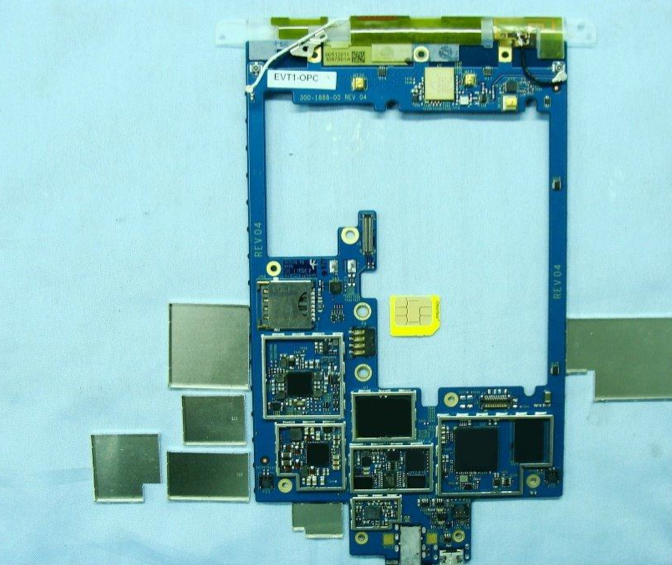
FCC Internal Photos - Note a microSIM, similar packages and arrangement to the Kindle 4
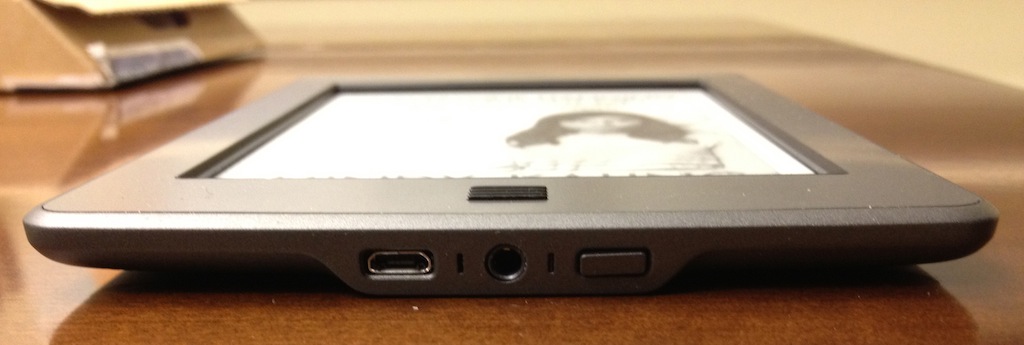
Micro USB, headphones, and sleep button
Unlike the 3G connectivity of Kindles past, the Kindle Touch 3G’s connection won’t give you free and unfettered access to the Internet. Here, it’s used solely for WhisperSync, for browsing the Kindle Store, downloading purchases, or for looking at Wikipedia - no other sites are available without a wi-fi connection. This move is probably a good business decision on Amazon’s part (and, given the uneven nature of the Kindle’s still-experimental web browser, probably not a terribly disruptive one), but if web surfing is something you do with your current Kindle 3G, prepare to make some adjustments before upgrading to this model.
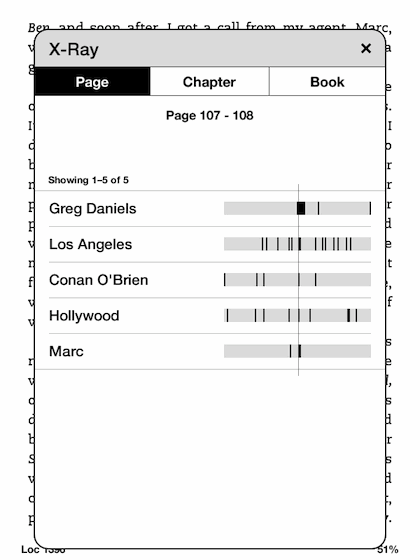
The Kindle Touch uses version 5.0 of the Kindle software (compared to 4.0 in the non-touch Kindle) - the layout and operation are mostly the same, but the implementation of the touch keyboard and controls and the new X-ray feature were apparently enough to merit the bump in numbering.


 Facebook
 Twitter
 RSS
RSS


31 Comments
View All Comments
The0ne - Monday, November 28, 2011 - link
I read quite a bit and find myself returning to the same books and materials over and over. The highlighting option is a plus because of my behavior :) You can never bookmark enough I say. Plus, I have a few audio books as well that feature will be used. All in all, I think it's perfect for a reader like myself, even for technical docs.MrDiSante - Monday, November 28, 2011 - link
I'm amazed that a review of an eREADER has no mention of the actual reading experience. How does flipping pages compare to Kindles/other devices with dedicated next/previous page buttons? Is it bothersome? Does it misintepret you accidentally brushing the screen? Or are there no issues?I would imagine that this is a far more pressing concern to just about everyone in the market for one.
Andrew.a.cunningham - Tuesday, November 29, 2011 - link
I added an extra sentence in the touchscreen section to clarify and to address the potential for accidental page turns (they'll happen, but no more often than you'd expect), but otherwise I thought I was pretty clear: reading on the Kindle Touch is comfortable, and if you're coming from another Kindle you'll have no trouble adapting. I wouldn't say that the touchscreen makes reading BETTER, but the other features you get with the Touch more than justify the extra $20 over the base unit.mmaestro - Wednesday, November 30, 2011 - link
It's funny because it seems pretty personal. I wanted a touch primarily so I could zoom easily when viewing pdfs (which it does... OK, not great). My wife used mine for 20 minutes and decided she found the touchscreen got in the way of reading, and bought a Kindle keyboard. Having played around with the Kindle 4, I have to say I do like the page turn buttons as well: it's a real shame they didn't include them on the Touch, but it doesn't for me get in the way of the experience. The Touch works pretty well for me, overall. On the other hand, if you go over to winsupersite and read Paul Thurrott's Touch review, he's absolutely damning. He hated it so much he returned it. It seems like different folks have very different experiences with the Touch. I think it's wise to go to Target or Best Buy and have a play around with one in person before ordering.Fergy - Tuesday, November 29, 2011 - link
The most reading I do is from webpages. How well does a touchscreen Kindle work for that? Let's say I read a thirty page Anandtech article ;)KoolAidMan1 - Tuesday, November 29, 2011 - link
E-paper is not good for scrolling content. For PDFs, webpages, etc, an iPad 2 is the best way to go. There's also the fact that the web browser on the Kindle is not good at all.For static content, nothing beats a Kindle, it is fantastic. So yeah, look at your usage. If you want to read books, get a Kindle. For webpages and such, stick with a tablet that uses an LCD.
kabelmk - Tuesday, November 29, 2011 - link
Nothing beats Kindle ... That is to much, i really think Nook Simple Touch is better reader. It is less expensive (compared to Kindle without adds), it can be rooted ... and with that said, you can have Kindle and Nook on the same device ...Obviously i'm on the side of the Nook, i would like to hear why people are choosing the Kindle ...
desibiker - Tuesday, November 29, 2011 - link
> Obviously i'm on the side of the Nook, i would like to hear why people are choosing the Kindle ...Perhaps in a DRM free world, the choice would be more difficult. I really wanted a Sony Touch (when I was shopping a year ago), but no one has the content that Amazon has, so I ended up getting the Kindle Keyboard. I have no complaints thus far.
alanh - Tuesday, November 29, 2011 - link
Note: I read somewhere (probably http://arstechnica.com/gadgets/news/2011/10/kindle... that the "Experimental browser" mode for the new e-paper Kindles is limited when using 3G connectivity. Apparently it can only load Wikipedia entries or the Kindle Store when connecting that way. WiFi connections are apparently not hamstrung in the same way.alanh - Tuesday, November 29, 2011 - link
Link broken from extra paren: http://arstechnica.com/gadgets/news/2011/10/kindle...