



Pulse-Eight USB CEC Adapter Review
by Ganesh T S on January 24, 2012 7:45 PM EST- Posted in
- Home Theater
- HDMI
- Pulse-Eight
- CEC
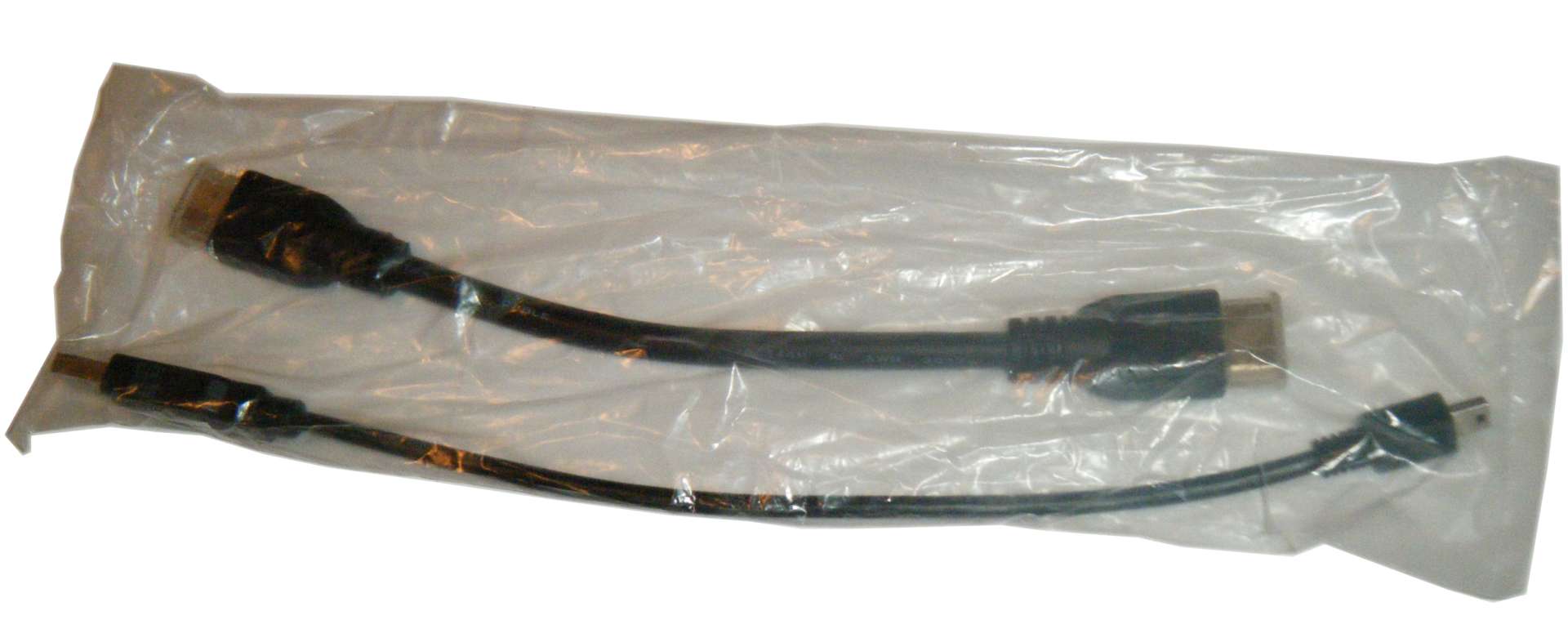
The Pulse-Eight USB CEC adapter comes in a spartan package with just three components:
- USB - CEC Adapter
- 15cm USB to mini-USB Cable
- 10cm HDMI Cable
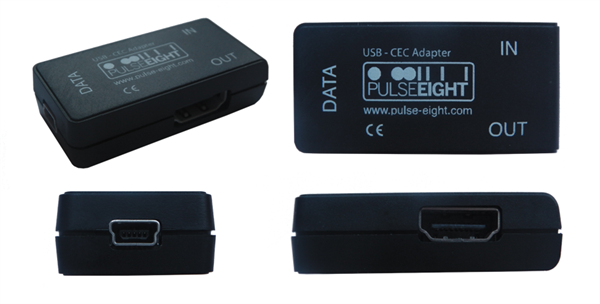
The adapter is pretty much self-explanatory in terms of getting the wiring right, but Pulse-Eight does provide a video demonstration of how to integrate the adapter into the setup
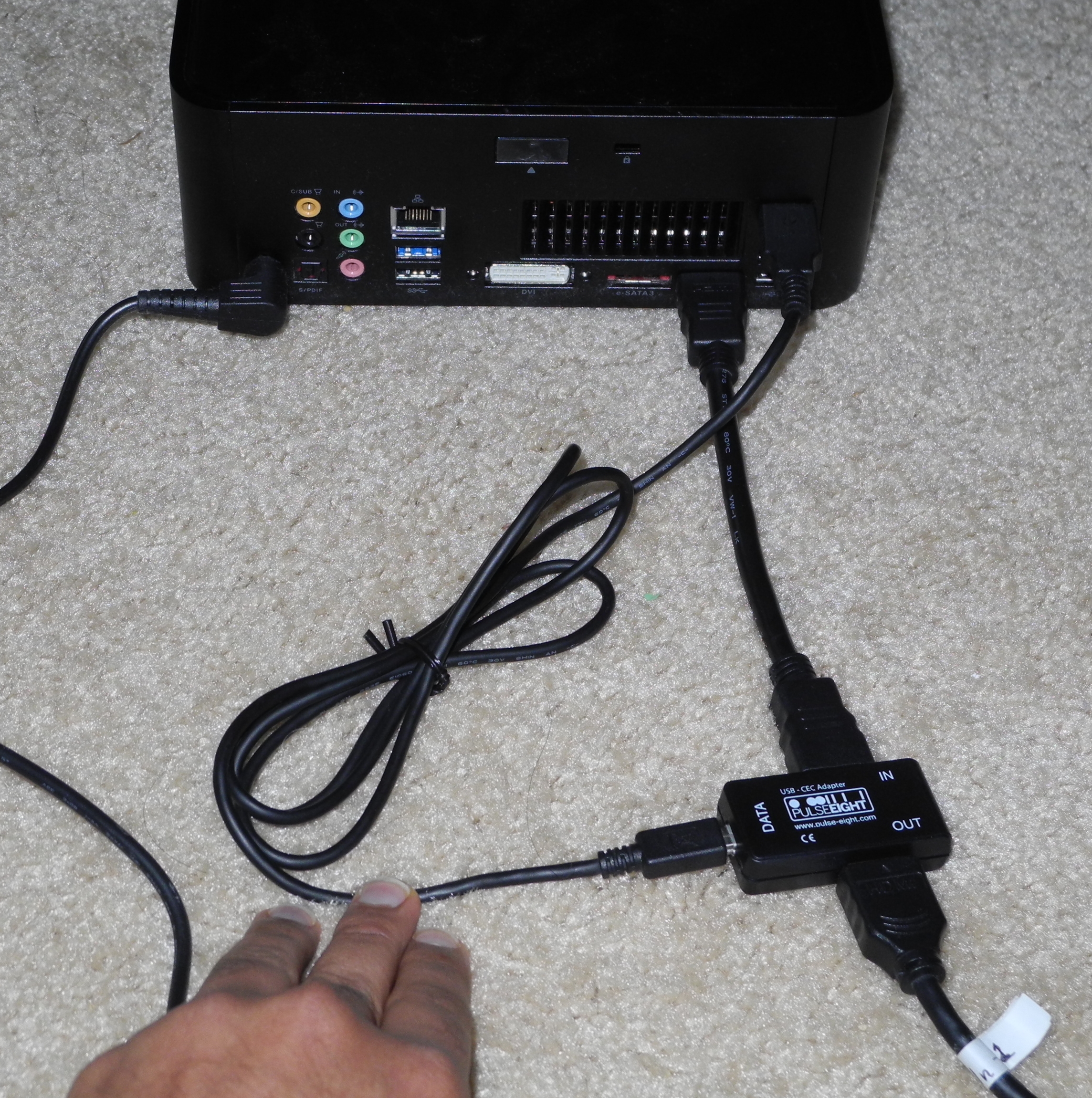
I had to use a different mini-USB cable since the one supplied in my review unit was damaged in transit.
For testing purposes, I used the ASRock Vision 3D 252B, running Windows 7 Ultimate x64. The HTPC is a compact 2.5L box with a mini-ITX motherboard housing a Core i5-2520M CPU and a NVIDIA GT540M GPU. The HDMI output was routed to HDMI1 input of a Pioneer Elite VSX-32 A/V receiver, and its output was connected to HDMI1 of a Sony KDL46EX720 television.
On connecting the adapter as shown in the picture above, the Windows Device Manager initially reported an Unknown Device. Manually installing the INF driver through the Device Manager was straightforward (though I had to put up with the unsigned driver warning) as shown in the gallery below.


In the first pass, I installed XBMC Eden Beta 1 downloaded from the official website. XBMC Eden has built-in support for the Pulse-Eight USB CEC adapter. Unfortunately, CEC wouldn't work except when the HDMI output from the adapter was connected directly to the television. A quick exchange with Pulse-Eight revealed that support for CEC through AVRs was only available in Pulse-Eight's custom Eden builds. Since the custom builds are built periodically and are functionally no different from the standard Eden build except for the CEC improvements, there should be no issue with users installing Pulse-Eight's version.


 Facebook
 Twitter
 RSS
RSS


22 Comments
View All Comments
NickB. - Tuesday, January 24, 2012 - link
Really appreciate the love and attention for the HTPC and XBMC world.shadowarachh - Tuesday, January 24, 2012 - link
it's mini USB.just sayin...
ganeshts - Tuesday, January 24, 2012 - link
oops! sorry, corrected nowr3loaded - Wednesday, January 25, 2012 - link
Why is this tech not integrated into any graphics cards (whether that be Intel/AMD/Nvidia)? It's so useful, a box like this shouldn't have been necessary in the first place.Malard - Wednesday, January 25, 2012 - link
lots of various reasons, mainly support, there are so many variants of the CEC implementation that it is not financially viable for all the vendors to re-roll the CEC library required each time, on top of that, then needing to expose it at the driver level.If they advertise that their GFX card supports CEC and it doesnt work with that particular TV as expected then the customer will return it, despite the graphics card being fine. Resulting in an expensive lost sale
mckirkus - Wednesday, January 25, 2012 - link
Hence "This is an unsupported beta feature"Malard - Wednesday, January 25, 2012 - link
Well, its not unsupported in our adapter, but GFX card vendors stay clear etcMobiusStrip - Saturday, April 7, 2012 - link
What percentage of TVs support CEC? And how is that distributed across models from the last few years? How new does a TV have to be for there to be a reasonable chance of it supporting CEC?Jsw98765 - Wednesday, January 25, 2012 - link
Im really hoping ivy bridge motherboards start including the htpc header. Ivy bridge sounds like a htpc wet dream. I'd love to get rid of the extra wires that my harmony rf extender brings into the picture.Growing up I was promised a future of flying cars and hover boards, but I'll settle out of court right now for the removal of wires. Induction power, and everything else communicating wireless. Maybe someday, but the cec stuff does sound pretty awesome until then.
nubie - Thursday, January 26, 2012 - link
If I read this correctly, all one needs to do is solder a single wire on the HDMI port to enable this on any motherboard or graphics card?Sign me up, I have plenty of re-work style wrapping wire. I don't need a lousy "htpc" header.
If the internal style would plug directly into the usb header and then I solder 1 wire, I would be completely set.
I don't own an HDMI TV unfortunately, but the day will come, and I will be ready.