



ASUS N61Jv-X2: Optimus GT325M Meets Arrandale
by Jarred Walton on March 13, 2010 10:00 PM ESTASUS N61Jv-X2: An Excellent All-Around Notebook
It's clear that ASUS did their homework in putting together a competitive midrange notebook. The $900 price point was probably set by Amazon from the start, and ASUS has done everything they can to provide a quality mobile solution while stretching the available budget as far as possible. There are laptops that are smaller with better battery life, but they're also slower. Other laptops provide similar performance and better battery life, but they cost more. The one thing that nearly every other option is currently missing is NVIDIA's Optimus Technology, and that gives the ASUS and the N61Jv a clear leg up over the competition. It looks like Optimus is able to improve battery life by around 20% compared to similar performance notebooks that lack the technology (and lack switchable graphics in general), which is a far bigger jump than we've seen from other platform updates in the past.
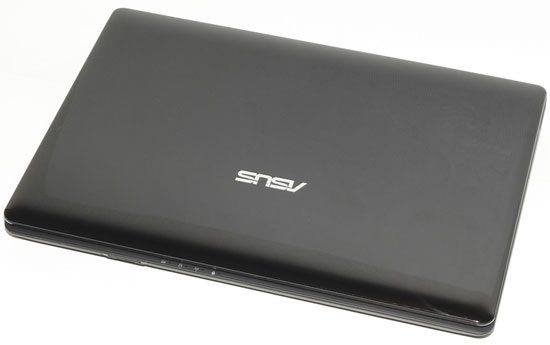
In terms of competition, the N61Jv runs into a variety of offerings from all the major brands. There's the Dell Inspiron 15, for example, and we've also got the Acer Aspire 5740G. We can state unequivocally that the N51Jv-X2 bests the Inspiron 15 in every important metric. With the same i5-430M CPU, the Dell 1564 costs $799 (with a current $95 instant rebate). $100 less gets you about half the graphics performance, no USB 3.0, and a 5400RPM hard drive; you also lose Gigabit Ethernet and 802.11n, instead getting 100Mbit and 802.11g. We like the appearance and build quality of the N61Jv more than the Inspiron 15 as well, making such a match a no brainer.
The more difficult match is the Acer Aspire 5740. If you don't care about graphics/gaming, you can pick up the 5740 with Blu-ray for $685. In that case, you get a 320GB 5400RPM drive and an i3-330M CPU, but the overall package is quite good. For the performance oriented crowd, the Aspire 5740G skips Blu-ray but adds an HD 5650 GPU for a total cost of $750. We can confirm that the HD 5650 is faster than the GT325M in the N61J, but the 5740G also ends up getting about 25% less battery life. The HDD is also a 5400RPM model and it doesn't include USB 3.0 or an ExpressCard slot, and the ASUS warranty is better as well. Build quality seems quite good, and we do like the keyboard layout a bit more on the 5740G, but the N61Jv looks better in our opinion and we like the "rubberized paint" coating on the palm rest. All told, the 5740G definitely offers some stiff competition and the DX11 support may be enough to sway some buyers.
 |
Ultimately, while there is plenty of competition, ASUS has done a lot to stand out from the crowd. Features like USB 3.0 support and Optimus make our "must have" list for any new laptop purchase. We can't point to any single area on the N61Jv and say, "wow… they messed up there!" The worst aspect is the mediocre LCD panel, but when everyone uses lousy LCD panels (at least in sub-$1000 laptops and notebooks), we can only complain so much. The LCD panel and somewhat small battery capacity prevent us from giving the N61Jv our top Gold award, and we'd like the same matte black coating on the cover and LCD bezel and not just the palm rest. Those are minor complaints at best, however, and we are presenting the N61Jv with our Silver Editors' Choice award for providing a superbly balanced package.
Like the recently ended Olympics, the difference between Gold and Silver often comes down to splitting hairs; unlike in the Olympics, though, we can have multiple winners and we don't actually have a competing laptop that we'd currently rate as the Gold standard. By that token, the N61Jv is the best midrange ($800 to $1000) notebook currently available. It's possible to match or surpass it with competing products, but not without sacrificing in other areas. What we want to see now are laptops that can match ASUS in all the good areas, and then add some other extras to sweeten the deal.


 Facebook
 Twitter
 RSS
RSS


44 Comments
View All Comments
avilella - Monday, March 22, 2010 - link
We are looking for students with basic Linux kernel/graphics notions interested in applying for the X.org Open Source PRIME multi-gpu support Google Summer of Code 2010:http://wiki.x.org/wiki/SummerOfCodeIdeas">http://wiki.x.org/wiki/SummerOfCodeIdeas
We are also looking for Linux users with Nvidia Optimus-enabled laptops willing to provide debugging information for Open Source PRIME multi-gpu support features being worked on. Please join the team by clicking on "Join" on the right, fill in this doodle:
http://www.doodle.com/63fyczzrxqaquhqx">http://www.doodle.com/63fyczzrxqaquhqx
and send an email to the mailing list specifying your laptop model with these commands:
sudo dmidecode -s system-product-name
sudo dmidecode -s system-version
lspci -vnnn | perl -lne 'print if /^\d+\:.+(\[\S+\:\S+\])/' | grep VGA
utkal - Monday, March 15, 2010 - link
I do not understand why the hell Asus only hosts 1366x768 resolution lcds in their laptops. They have ONLY ONE laptop of full HD upto 16" screen size with a price of $1440 (approx) ! wtf ! In a 16" laptop what can be worst than this resolution lcd.Sorry, but how AT reviewer said, we did not found anything bad about this laptop ? funny ! Do not you know the 1366x768 resolution makes the life hell if you use the laptop for work. Yes, if the laptop is bought ONLY TO GAME then its ok.
JarredWalton - Saturday, March 20, 2010 - link
RTFA. From the conclusion:"The worst aspect is the mediocre LCD panel, but when everyone uses lousy LCD panels (at least in sub-$1000 laptops and notebooks), we can only complain so much. The LCD panel and somewhat small battery capacity prevent us from giving the N61Jv our top Gold award...."
I've looked at dozens of laptops, and I've got a bunch more I'm working on reviewing. The ASUS Eee PC 1001P and the ASUS G73J are the ONLY laptops I have right now that don't have a similarly lousy LCD. Sure, you can get high-end laptops with good LCDs (Dell Precision M6500), but for consumer notebooks it's a lot harder than it should be.
jackwhitter - Monday, March 15, 2010 - link
"Today, we're reviewing our second Optimus notebook, but while the chassis isn't any smaller—in fact, it's slightly larger with a 16.0" LCD"it has a larger monitor with the same low resolution as a 11" monitor. why are companies so insistent to use such a low resolution on these larger screens? what happened to 1600x900?
JarredWalton - Monday, March 15, 2010 - link
One factor is cost and another is gaming performance. The GT325M will run most games at 1366x768 with Medium/High details at good frame rates. If the native LCD moved up to 1600x900, gaming performance would drop 37%. But the bigger issue is cost, I'm sure.utkal - Monday, March 15, 2010 - link
Dear, At least I do not think that people buys a laptop ONLY TO GAME. The primary purpose of laptop should not be gaming. And If you will work with applications like visual studio, you can hardly see few lines of code with a 1366x768 resolution where the vertical resolution will taken up by application titlebar, menubar, various toolbars, status bar and finally OS's taskbar !!! Now understand how difficult it to work with such low resolution laptop.No doubt other components are excellent with this price range, but they MUST have option for higher resolution screen, instead of making laptops for only GAMERS.
erple2 - Monday, March 15, 2010 - link
I'm sure that the only issue is cost. Many people will look at this computer at 900 dollars compared with 1200 for the one with higher resolution LCD and commensurate faster GPU and just buy the 900 dollar one.I would be more than happy to spend an additional fee for a better screen and faster discrete GPU (200-300 is about what I'd pay, I think, unless the GPU was _significantly_ faster, and/or the screen was _significantly_ higher quality/resolution).
jasperjones - Monday, March 15, 2010 - link
I refuse to buy products that don't have full Linux support. Linux support is much more important to me than a 10-15% difference in battery life.What happens if you try to install a recent Linux distro such as Ubuntu 9.10 on an Optimus laptop? Unfortunately, a quick Google search didn't provide any insights. (Btw, one of the top hits of my search was the launch article on Optimus here on Anandtech. There, Jarred asked virtually the same question.)
GeorgeH - Monday, March 15, 2010 - link
AFAIK an Optimus laptop should be considered a Win7 exclusive device, but confirmation would be nice; hopefully JW comes through.Quote from JW Feb 9:
"Some of you asked about Linux support ... at present, NVIDIA is focusing on Win7 ... we're not even sure what would happen if you try to install Linux ... we're going to quickly check and post the results."
http://www.anandtech.com/mobile/showdoc.aspx?i=373...">http://www.anandtech.com/mobile/showdoc.aspx?i=373...
Either we missed the promised update or our definitions of "quickly" are a little different. ;)
JarredWalton - Monday, March 15, 2010 - link
I did actually try Linux on the UL50Vf, but I neglected updating the article. Here's what I just put in there:I did actually test what happens with Optimus laptops and Linux. Even using an older 9.04 installation of Ubuntu, everything works as expected... which is to say, you can run Linux but you won't get the Optimus GPU. Since there's no direct connection of any display to the GPU, Optimus is required to move rendered content from the G210M to the GMA 4500MHD display buffer. As noted above, NVIDIA is currently focusing their efforts on making Optimus work on Windows 7; it's possible they will move to other OSes down the road, but they are not committed to doing so. If you want to run Linux and you want to use a discrete GPU, Optimus Technology won't work. Perhaps some skilled Linux community folks can figure out a way to do Optimus-like technology on their own, but given the level of detail required to interface with the GPU and IGP we see that as unlikely.
If you're one of the few people that want to run Linux and use a discrete GPU, then Optimus is definitely not going to make you happy. If all you want is to dual-boot Linux and you're okay with running it off the Intel IGP, you'll be fine.