AMD has had switchable graphics technology with their mobile GPUs for a while now, with solutions like the original HP Envy 13 from two years back and Lenovo’s T400 in late 2008. NVIDIA’s switchable graphics was first seen in Sony’s VAIO SZ around August 2008, requiring a reboot when switching modes. Since then, we’ve gone from hardware-based switching with a required reboot, to software-based switching on-the-fly, and now we’ve got dynamic switching based on application needs in the form of NVIDIA’s Optimus Technology (first launched in early 2010 and now seen in over 100 different laptops from every major OEM). AMD also has a dynamic graphics switching technology, called AMD Dynamic Switchable Graphics (and apparently doing away with the PowerXpress brand), debuting with the HD 6000M series and supporting CPUs with integrated graphics in the form of AMD’s own Llano laptops as well as Intel Sandy Bridge offerings. The question is: are these two technologies equal, or does one of them work better than the other?
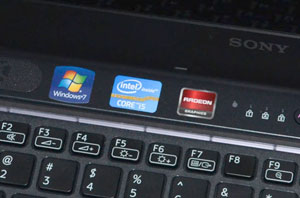
Prior to now we haven’t had a chance to test AMD’s Dynamic Switchable Graphics with Intel IGPs, and we only briefly toyed with the technology in our original Llano notebook review. The drivers in the Llano notebook felt a bit raw, so we didn’t want to dwell on the technology too much, but now we have a Sony VAIO CA laptop with an i5-2410M CPU and HD 6630M GPU to add to the mix. We have looked at dozens of laptops with NVIDIA’s Optimus Technology since it first launched, but we also have a newcomer in the form of Acer’s TimelineX 3830TG, which uses the same i5-2410M CPU with a GT 540M GPU. Our focus today will be on the switchable graphics technology, however, with detailed benchmarks for the two laptops coming in a future article.
Curious about how the two technologies stack up to each other? Read on for our head-to-head comparison.
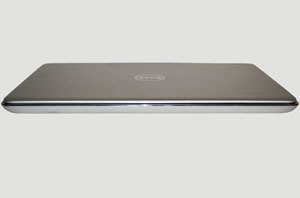
With the relaunch of their XPS branding, Dell has released quite a few interesting laptops during the past three quarters. Their latest addition to the line is the thin XPS 15z, and if you haven’t read or heard about it yet let’s be clear: it takes more than a few design cues from Apple’s MacBook Pro 15. We could also look at the HP Envy line and say that Dell borrows a few ideas there as well—though admittedly, "let's make a thin laptop with an aluminum exterior" isn't exactly a revolution in industrial design concepts. The result is still something different than what Apple and HP offer, but if imitation is a form of flattery, Apple in particular should be feeling quite pleased right now. When we get to the details, however, the outward similarities start to disappear.
The 15z might look something like a MacBook Pro 15, but the options are different from what you’ll get out of Cupertino. Some of the changes are for the better, some are merely a different take on what hardware works best, and others are for the worse. We also need to point out the major advantage Dell holds over the MBP15: the base model 15z starts at just $999; even with the 1080p upgrade, it’s only $1099. Pricing as usual isn’t somewhere that Apple competes. The result is a laptop that might just be everything you’ve been looking for as you prepare to head back to school, or it might leave you wanting more. Which category you fall into will depend on how you want to use your laptop, so join us as we dig into the 15z and find out what makes it tick.
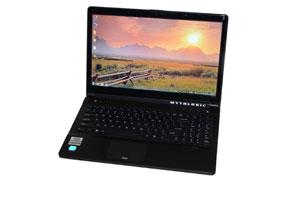
The past year has seen the vast majority of mainstream notebooks with discrete graphics shift to NVIDIA's Optimus, and with the W150HR Clevo makes the move as well. Equipped with GT 555M DDR3 graphics and sporting an i7-2720QM and Intel 510 SSD, MYTHLOGIC's Pollux 1400 variant packs in a lot of performance. What's more, it has one of the best LCD's we've tested: a matte 1080p LCD with high color gamut and great viewing angles. If you've been looking for a laptop that can handle just about anything, this could be it.
Of course, there's more to a laptop than the raw specs, and build quality and keyboard layout have been issues on Clevo designs for as long as I've been testing them. They're not the worst in the business, but considering the cost and target market there are certainly other alternatives. So how does MYTHLOGIC's offering stack up to the competition? Let's find out.
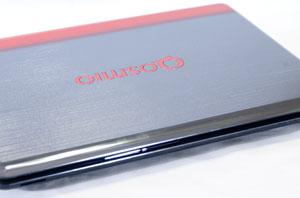
Toshiba's flagship Qosmio line of notebooks have been, for the longest time, big, flashy, red and black beasts. These juggernauts sported 18" screens with high-end graphics and processing power, but at the same time they were...well, probably not the most attractive notebooks on the market. But Toshiba's success with the 13" Portege has led to some design changes, and the Qosmio has gone under the knife. It's still a substantial desktop replacement notebook, but it's shed a couple pounds, an inch off of the display, and some of the gloss. Is Toshiba's major redesign a success?
We've been keeping track of Alienware's M11x series since the very first one landed and have had the privilege of testing each one. The move from Penryn to Arrandale in the R2 netted a substantial boost in performance at the cost of some battery life, though that issue was mitigated somewhat by the introduction of NVIDIA's Optimus graphics switching, replacing the more finicky software-based GPU switching in the first generation model. With the vastly improved power consumption and efficiency of Sandy Bridge, do we have a true successor to the last two models?
Understanding that many users would just as soon want to be able to game on the go without having to lug a ten pound land monster with them, Alienware offers the M14x, a notebook that offers portable performance without breaking your back in the process. Featuring support for quad-core Sandy Bridge mobile processors and a reasonably fast GeForce GT 555M, the M14x promises an awful lot of power in a reasonably small package. But at what cost?
Our collective wishes have been granted by the fine folks at NVIDIA: you can now buy a notebook with high-end graphics that supports Optimus and thus is capable of offering excellent battery life. NVIDIA is refreshing their GeForce GTX 460M with the 560M. This will be a faster GPU, naturally, ...
Toshiba has spent the last half a decade carving out an interesting niche as a notebook manufacturer, with many consumer-grade notebooks that are ostensibly budget offerings but often feature a markedly different look and feel from the kinds of laptops vendors like Dell, HP, and Acer produce to serve this market segment. Oftentimes they can feel stylistically behind the curve, but every so often they produce a big winner as they did with their Portege R700 series.
Now, a trickle-down of style couples with modern hardware in a respectable new entrant in their venerable Satellite line: the M645. Our review unit features a shiny new Sandy Bridge mobile dual-core processor along with a healthy amount of memory, an Optimus-enabled NVIDIA GeForce 500M series GPU, and a Blu-ray combo drive, all in a reasonable 14-inch chassis. But it threatens to set you back a grand: is it worth it?
We first encountered NVIDIA’s Optimus Technology in February of last year. It has done wonders for laptop battery life on midrange systems, where manufacturers no longer need to worry about killing mobility by including a discrete GPU. Over the past fourteen months, we have seen the number of Optimus enabled ...
One of our favorite mainstream notebooks last year was Dell’s XPS 15—provided you purchased the upgraded 1080p LCD. It managed to hit the market before talk of Sandy Bridge completely eclipsed the outgoing Arrandale offerings, and it provided a good blend of performance, battery life, build quality, and most important price. There are other laptops with good LCDs floating around, but try finding a high-quality 1080p LCD in a laptop for under $1000. That’s what the original L501x provided; now Dell has upgraded the design with Sandy Bridge processors.
Outwardly, very little has changed, so if you liked (or disliked) the original then you’ll probably feel the same with the L502x. However, the CPU change brings quite a few other tweaks along for the ride. Previously, the XPS line had versions with dual-core Arrandale CPUs and an Optimus-enabled GPU, or you could upgrade to a quad-core Clarksfield processor and get a GPU upgrade as well, unfortunately losing out on Optimus in the process. Sandy Bridge CPUs come in both dual-core and quad-core varieties, and since all of them come with Intel’s latest IGP they all support Optimus. That’s the good news, but is there a downside? Read on for our full analysis.
The past week shook up the whole computer industry with Intel’s announcement that a potential flaw in their Cougar Point chipset required a respin to fix. In the ensuing chaos, we’ve had quite a few reviews put on hold or pulled altogether as we await the revised chipset. We also have a few other items to discuss in regards to the mobility sector, so if you’re debating purchasing a new laptop/notebook vs. waiting for “fixed” hardware, we hope to shed some light on the situation.
Just four months ago, NVIDIA released their top-to-bottom 400M lineup. Since the announcement, it took about a month but we then got the ASUS G73Jw (460M), Dell XPS L501x (420M), Clevo B5130M (425M), and ASUS N53JF (425M) in rapid succession. All of these were decent offerings, with a nice blend of performance and features at reasonable prices. Of course, Core 2010 products are last year’s news, and with the launch of Sandy Bridge the whole industry is moving to 2nd Generation Intel Core Processors (aka Core 2011). With an improved IGP threatening low-end discrete GPUs, what better time for NVIDIA to refresh their mobile parts?
Unlike the desktop GTX 580, the new 500M mobile parts are all using existing architectures; there are even a couple of new 400M parts to round things out. The major change is that we’re getting higher clock speeds, both on the GPU cores/shaders as well as the memory. In a few cases we also have additional shaders available, as well as clearing up some potentially confusing part names (really!). Read on for details on this year’s NVIDIA laptop offerings—coming soon to a Sandy Bridge laptop near you!
Stop me if you’ve heard this one before: a 15.6” notebook walks into the AnandTech labs, sporting NVIDIA’s GeForce GT 425M and a 1080p display…. Yes, for the fourth time in under two months, we have a midrange 15.6” 1080p notebook on our test bench. So far, we’ve praised the displays as being universally great, though other design elements have been lacking. Now ASUS offers up their N53JF, with a Blu-ray combo drive and Bang & Olufsen ICEpower speakers. On paper at least, this looks like a notebook that could even topple the Dell XPS 15 L501x from its lofty perch. As always, the devil is in the details, but let’s see if this devil is willing to make a deal.
When we first looked at the ASUS Eee PC 1201N last year, we thought it was a unique take on the netbook idea, and possibly one of the first acceptably performing netbooks on the market. Fast forward to 2010, and we have the Eee PC 1215N, basically an updated 1201 with a dual-core Atom D525 and Next-Generation ION. But with the release of the dual-core Atom N550 for netbooks and smaller netbooks releasing with NG-ION in tow, does the $499 1215N still have enough appeal to capture the niche market it had before? Read on to find out.
Finding a mainstream notebook with a high resolution screen can be harder than pulling teeth. Outside of the new Dell XPS 15 and the odd business-class machine, a resolution higher than the dismal 1366x768 on a 15.6" screen can be extremely difficult to locate and may even force you to compromise and buy a bigger machine than you'd intended. Fortunately there are options and we've tracked one down in the form of the Clevo B5130M. Sporting NVIDIA's new GeForce GT 425M and a 1080p high-resolution screen, is this notebook enough to steal the crown from the Dell XPS 15?
Back when ASUS released the UL80Vt last year, we gave it a glowing review, praising its balance of performance and battery life without breaking the bank. The UL80Vt had an overclocked Core 2 Duo SU7300, an NVIDIA G 210M with a manually switchable option, and ASUS’ now standard 84Wh battery. This gave it pretty solid performance, on par with larger mainstream notebooks, and close to 13 hours of ideal-case battery life, even with turbo mode enabled. Today, we’ve got the UL80Jt, an updated version running the new Core i3-330UM processor and NVIDIA’s Optimus-enabled G 310M graphics. Does it measure up to the reputation its predecessor had, or will it ultimately be overshadowed by newer and equally well rounded notebooks? Read on to find out.
As we discussed a couple weeks back, Dell has relaunched their XPS brand for laptops, with a focus on quality and "mainstream performance". The latter means that unlike previous XPS laptops, you won't find the highest performing GPUs in the new models—Dell will continue to serve the needs of mobile gamers with the Alienware brand. The former is the more interesting aspect, as Dell's XPS laptops will have better build quality and improved LCD panels. Dell sent us their new L501x, the 15.6" chassis with NVIDIA's Optimus Technology and a new GeForce 420M GPU (our first look at the mainstream 400M parts!), and they included the upgraded 1080p B+GR LCD panel. Read on to find out just how good the new XPS is, and whether it's worth the price of admission.
Dell's first XPS system debuted way back in 1993, with the first XPS laptops coming a decade later. The past several years have been quiet on the XPS front, while Dell pushed their Alienware brand into the high performance segment. Now, Dell is ready to relaunch the XPS brand with ...
Gateway certainly isn't the first brand you think of when you're looking for a stylish, classy, well-rounded notebook, but that's just what they aim to bring to the table with the ID49C series. Does a dash of aluminum and backlighting blended with a svelte build and mainstream hardware elevate the ID49C beyond the usual consumer fare, or are the engineers at Gateway solving the wrong problems? We take a look inside the ID49C and see if it deserves to be on your shortlist.