



Computex 2006: 300W GPUs, Conroe, HDMI Video Cards and Lots of Motherboards
by Anand Lal Shimpi on June 5, 2006 10:24 PM EST- Posted in
- Trade Shows
Albatron Offers mini-ITX Athlon 64 Motherboard
Like many other graphics card and motherboard vendors, Albatron had a passively cooled 7600GT at Computex that its representatives were kind enough to share with us:
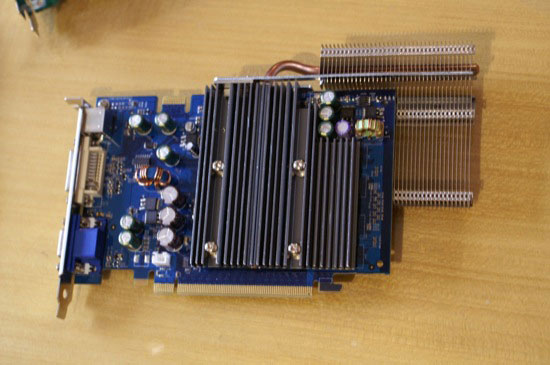
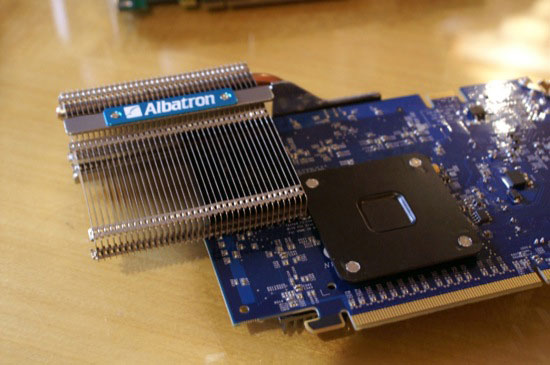
We're planning on working on a roundup of passively cooled GPUs as soon as we get back to the US, so stay tuned for coverage on all of these silent graphics cards in the future.
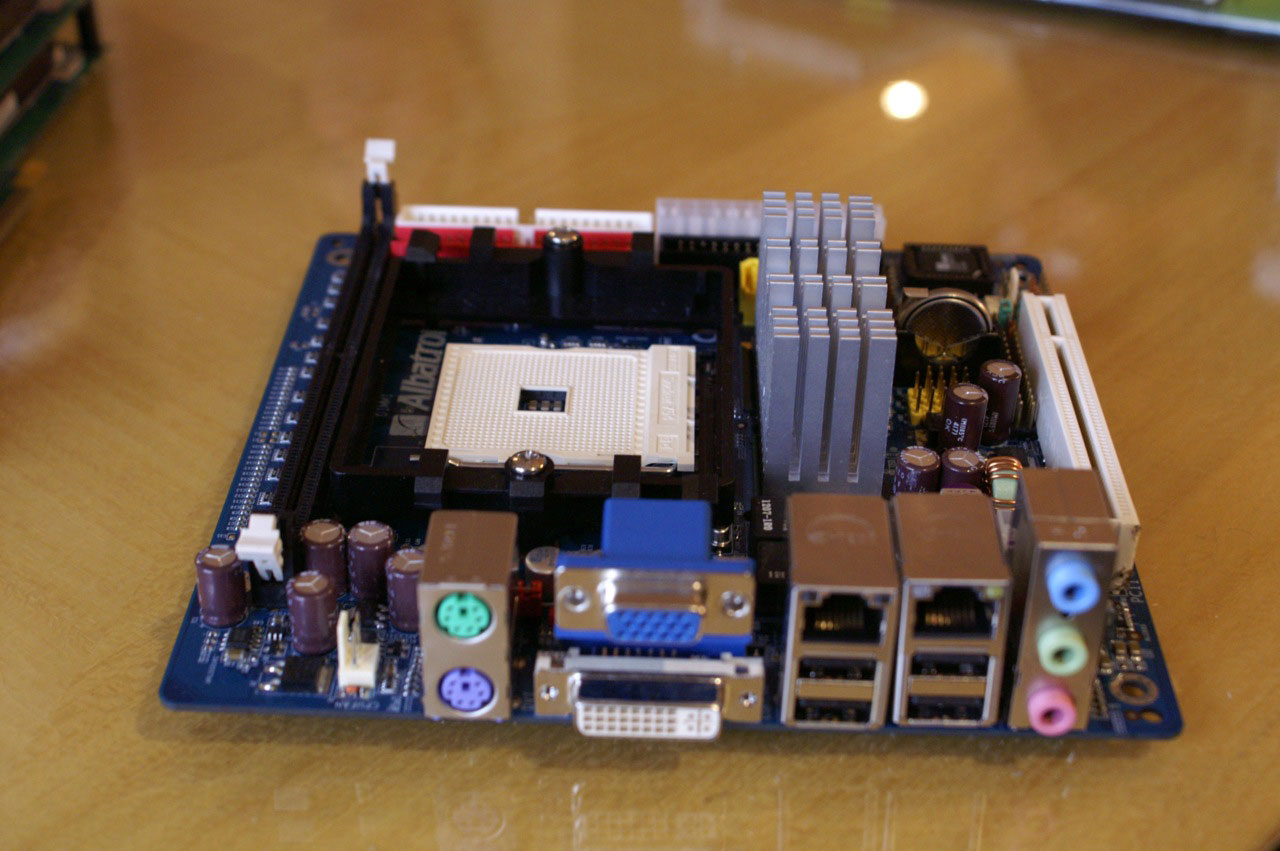
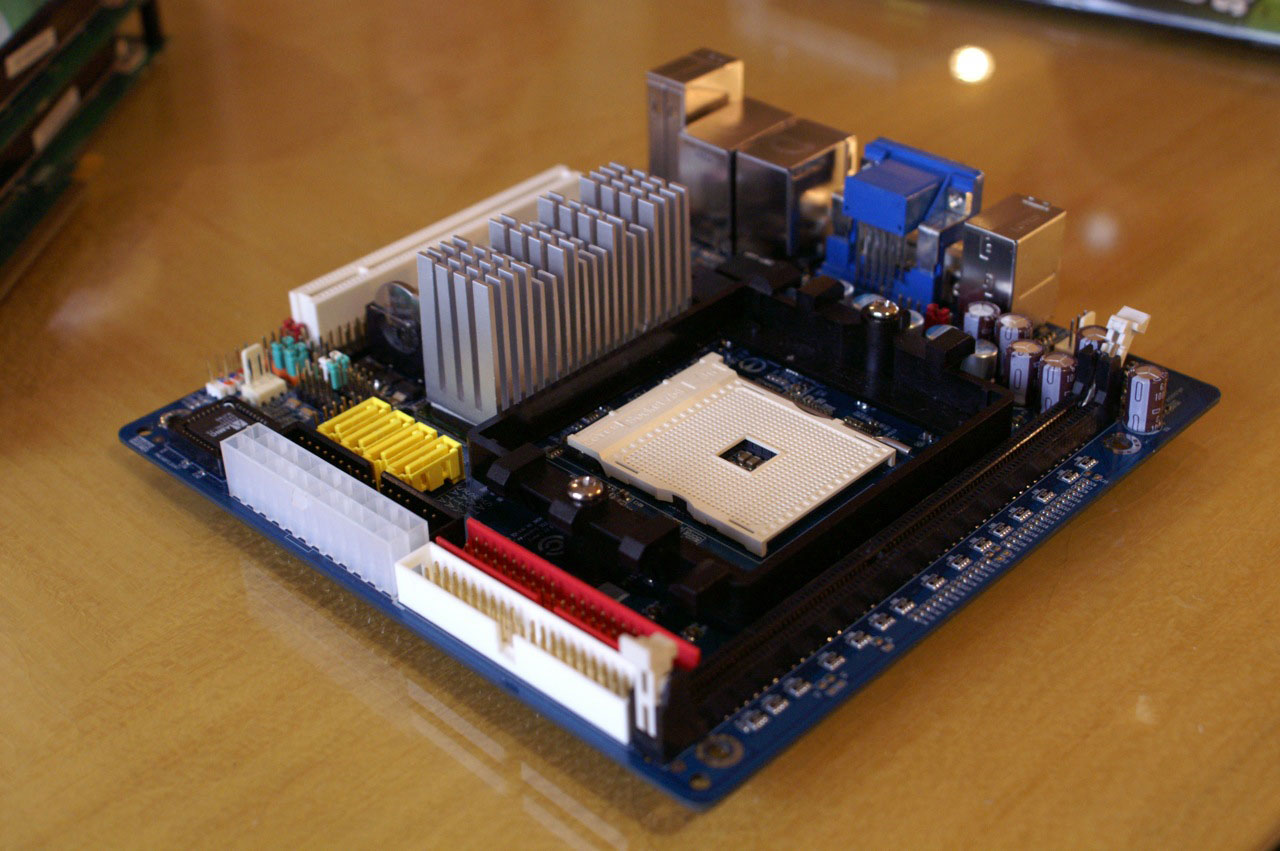
The highlight of our meeting with Albatron was most definitely its mini-ITX Socket-754 Athlon 64 motherboard based on the nForce 6150 chipset:
 |
| Click to enlarge |
Albatron says that a Socket-AM2 version is in the works and should be out by the end of this year. Coupled with an Energy Efficient Small Form Factor Athlon 64 or X2 processor, the Socket-AM2 version of this motherboard should be a very attractive option for a HTPC among other things. Kudos to Albatron on doing something different.
 |
| Click to enlarge |


 Facebook
 Twitter
 RSS
RSS


61 Comments
View All Comments
mindless1 - Wednesday, June 7, 2006 - link
Nice coverage. These new toys leave me drooling. Now off I go to find a smallish nuclear reactor to power everything. LOL.sri2000 - Friday, June 9, 2006 - link
You just need to get yourself a "Mr. Fusion" and you'll be all set.http://en.wikipedia.org/wiki/Mr._Fusion">http://en.wikipedia.org/wiki/Mr._Fusion
bespoke - Tuesday, June 6, 2006 - link
Too bad the new DFI boards still have that hideous fan on the NF chipset - that little bugger runs at 4,000 to 5,000 and is terribly loud.I can't wait to upgrade to Conroe, ditch NF4 and get back to a quiet (yet nicely performing) PC.
Griswold - Wednesday, June 7, 2006 - link
Duh.. newsflash, there are also NF4 boards without fans - just not from DFI. What really sucks about the fan on the DFI board is, that it breaks after 3 months and you end up replacing it with a better fan.Stele - Wednesday, June 7, 2006 - link
Although that's not much of a use if you're aiming to get a DFI board - which I think is where he was coming from. :)
For one reason or another DFI does not seem to be interested, or at least eager, to implement more/more effective passive cooling solutions on their products. Besides the lack of noise, passive cooling's greatest advantage is the fact that it doesn't have moving parts that are prone to failure like fans... as you found out.
At least they did take a unique step in implementing a digital integrated VR design on their board... its remarkable compactness and 'clean' layout without large electrolytic capacitors makes it really worth looking at for motherboard power circuits. Can't wait till more details of their implementation and tests thereof surface.
R3MF - Tuesday, June 6, 2006 - link
was the ECS miniITX A64 motherboard with an nForce chipset.i would love to see a AM2 MCP61-S variant with two dimm slots and PCI-E 16x card!
bldckstark - Tuesday, June 6, 2006 - link
Dual redundant power supplies in the Asus 1U server would seem to indicate that there are three or four power supplies housed within, but I believe the actuality is that there are only two right? Redundant means secondary as I understand it. Dual redundant means two secondaries. Therefore dual redundant PS's include a backup power supply and then a backup of the backup power supply. Which is it? Are there 2 or 3 power supplies in that thing?hoppa - Tuesday, June 6, 2006 - link
God I am so sick of hearing about x new card that is "even better than" the already $500 dual x1950.9 XFIRE XLI+ v2.0 ZI miss the days when those cards, the best cards, maxed at $300, the awesome stuff was at $200, and you could do quite well for $150. Now $150 is a joke.
One43637 - Tuesday, June 6, 2006 - link
is it just me or does the GB motherboard offerings remind you of the Asus motherboards (A8N32 & P5N32) that were released last year...Griswold - Tuesday, June 6, 2006 - link
High time the dorks at Nvidia and ATI start working on the power saving front. At least they seemm to have that in mind for the follow-up generations... This only means that R600 and G80 wont make it into my computer until the following cards reduce the power envelope by quite a bit.*shakes fist*