



TN
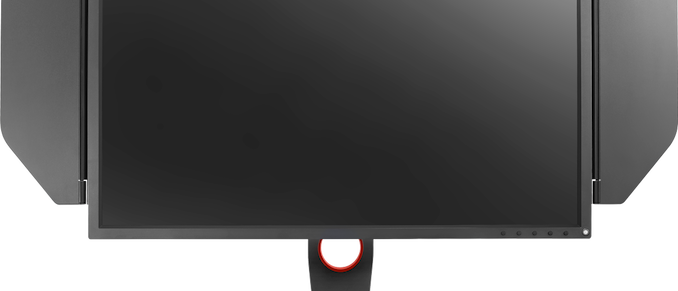
IPS technology has recently evolved to the point where 240 Hz refresh rates have started enter the territory of displays for hardcore gamers that were previously dominated by TN panels. However, TN technology still has a trick up its sleeve, and that is a very low grey-to-grey response times. Taking advantage of this last technical superiority, BenQ this week introduced its latest gaming display for e-sports professionals, the Zowie XL2746S. As expected from a Zowie monitor, it has a host of features aimed at gamers, going beyond just capabilities of its panel. BenQ’s Zowie XL2746S LCD uses a 27-inch Full-HD TN panel featuring up to 320 nits brightness, a 1000:1 contrast ratio, a 240 Hz maximum refresh rate, and a 0.5 ms GtG response time...
A 27-Inch 240 Hz 2560x1440 Monitor: AOC Reveals Agon AG273QZ
For gamers who demand the maximum refresh rate and the lowest Moving Picture Response Time (MPRT) possible, AOC has introduced its new 27-inch display. The Agon AG273QZ happens to...
14 by Anton Shilov on 2/25/2020
HP's Omen X 27: A 240Hz QHD Monitor with FreeSync 2 HDR
Among the monitor announcements to come out this week, HP has introduced a new display aimed at hardcore gamers and esports professionals. With a 240 Hz max refresh rate...
52 by Anton Shilov on 8/23/2019
Acer Launches Predator XN253QX Monitor with 240 Hz & 0.4 ms G2G Response Time
Acer has introduced its new Predator XN253QX display, which is aimed at professional gamers who are looking for top-tier response times. The Predator XN253QX has a maximum refresh rate...
9 by Anton Shilov on 8/14/2019
AOC Introduces Its G2868PQU Monitor: An Inexpensive 4K Gaming Display with FreeSync
AOC this week introduced its first entry-level 4K gaming display. The G2868PQU monitor boasts with numerous firmware-based features designed for gaming, as well as a 1 ms response time...
21 by Anton Shilov on 3/8/2019
IO Data Launches GigaCrysta 24-inch 1080p Monitors at 240 Hz with HDR10 Support
IO Data, a Japanese display vendor, has quietly started to sell gaming monitors featuring a sub-1 ms response time. The GigaCrysta family of displays are currently available only in...
14 by Anton Shilov on 12/20/2018
AOC Expands G90-Series Monitors: 144 Hz and FreeSync
AOC has announced a new addition to its G90-series of inexpensive gaming monitors with a new model with FreeSync capabilities and a high refresh rate. The new AOC G2590FX...
6 by Anton Shilov on 5/31/2018
Cheap 75-144Hz FreeSync: AOC Unveils G90 Gaming Monitors from €179
AOC has introduced its new family of entry-level displays that offer a refresh rate up to 144 Hz, a 1 ms response time, and AMD’s FreeSync technology. The G90...
25 by Anton Shilov on 12/28/2017
Smooth As 240 Hz Butter: LG's 27GK750F-B, a 27-inch eSports Monitor with FreeSync, Launched for $550
LG has greatly expanded its lineup of monitors for gamers over the past few years. The company targets mainstream and premium segments of the market, but this month it...
22 by Anton Shilov on 12/21/2017
AOC to Launch Curved QHD Displays with 0.5 ms Response Time in 2018
In a surprising move, AOC has announced plans to launch a new series of AGON gaming displays with a 0.5 ms response time in Q2 of next year. The...
29 by Anton Shilov on 8/26/2017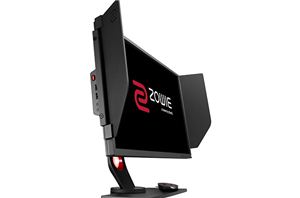
BenQ Announces ZOWIE XL2546 ‘eSports’ Display: 24'', FHD, 240 Hz, DyAc ULMB Tech
BenQ this week introduced a new version of its ZOWIE XL2540 ultra-fast gaming display it launched last year. The improved device carrying the XL2546 model number has the same...
41 by Anton Shilov on 7/22/2017
ASUS Adds Entry-Level VP28UQG to Gaming LCD Lineup: 28”, 4K, FreeSync, 1ms
Without making any formal announcements, Asus has quietly added a new gaming display to their product lineup. The VP28UQG features a 4K resolution, a 1 ms response time, as...
17 by Anton Shilov on 7/15/2017
ASUS Launches VG245Q 'Console' Gaming Monitor: 1080p with FreeSync, $200
ASUS has introduced another monitor positioned specifically for console gaming that allows console owners to take their games out of the living room. The new display offers Full-HD resolution...
37 by Anton Shilov on 4/4/2017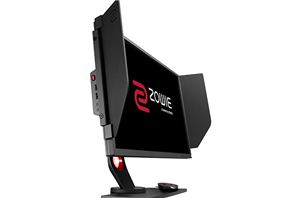
BenQ Announces the ZOWIE XL2540: 24-Inch 240 Hz Full-HD Display 'for e-Sports'
BenQ this week introduced its new display aimed specifically at professional gamers. The new monitor belongs to the ZOWIE family of BenQ’s products designed for e-Sports and features Full-HD...
35 by Anton Shilov on 11/10/2016
Nixeus NX-VUE24A 144Hz FreeSync Monitor Set to Ship
We briefly covered the launch of the Nixeus NX-VUE24A FreeSync monitor as part of our write-up on AMD's FreeSync demonstrations at Computex 2015. Nixeus today sent news that the...
40 by Ganesh T S on 8/14/2015
ASUS ROG Swift PG278Q Monitor Released in APAC/EU, North America Coming September
One of ASUS’ many releases during Computex was for their new ROG Swift PG278Q monitor that boasted a number of impressive specifications all at once. The PG278Q combines a...
74 by Ian Cutress on 7/24/2014
BenQ XL2720T Gaming Monitor Reviewed
On the very first monitor review I did for AnandTech, I skipped over the input lag tests. I didn’t have a CRT I could use for a reference, and...
79 by Chris Heinonen on 6/17/2013
ViewSonic V3D231 3D Display - The Passive Approach
Almost all of us have gone to see a movie in 3D at the theaters at this point. Unlike most 3D designs at home, movie theaters use a passive...
42 by Chris Heinonen on 12/30/2011
Samsung S23A750D 3D LCD Display
The big push in movies and displays has been 3D the past few years. In movies it’s ranged from well designed and executed (Avatar) to a gimmick to charge...
82 by Chris Heinonen on 12/17/2011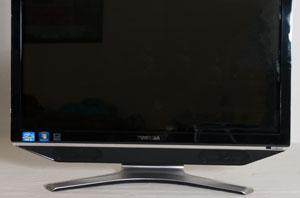
Toshiba DX735 All-in-One: Notebooks Without Batteries
So far we've tested HP's TouchSmart 610 all-in-one and Dell's Inspiron One all-in-one, and in both cases we've found things to like along with aspects that left us wanting...
30 by Dustin Sklavos on 11/22/2011
 Facebook
 Twitter
 RSS
RSS


