



The SandForce Roundup: Corsair, Kingston, Patriot, OCZ, OWC & MemoRight SSDs Compared
by Anand Lal Shimpi on August 11, 2011 12:01 AM ESTThe SF-2281 BSOD Bug
A few weeks ago I was finally able to reproduce the SF-2281 BSOD bug in house. In working on some new benchmarks for our CPU Bench database I built an updated testbed using OCZ's Agility 3. All of the existing benchmarks in CPU Bench use a first generation Intel X25-M and I felt like now was a good time to update that hardware. My CPU testbeds need to be stable given their importance in my life so if I find a particular hardware combination that works, I tend to stick to it. I've been using Intel's DH67BL motherboard for this particular testbed since I'm not doing any overclocking - just stock Sandy Bridge numbers using Intel's HD 3000 GPU. The platform worked perfectly and it has been crash free for weeks.
A slew of tablet announcements pulled me away from CPUs for a bit, but I wanted to get more testing done while I worked on other things. With my eye off the ball I accidentally continued CPU testing using an ASUS P8Z68-V Pro instead of my Intel board. All of the sudden I couldn't complete a handful of my benchmarks. I never did see a blue screen but I'd get hard locks that required a power cycle/reset to fix. It didn't take me long to realize that I had been testing on the wrong board, but it also hit me that I may have finally reproduced the infamous SandForce BSOD issue. The recent Apple announcements once more kept me away from my CPU/SSD work but with a way to reproduce the issue I vowed to return to the faulty testbed when my schedule allowed.
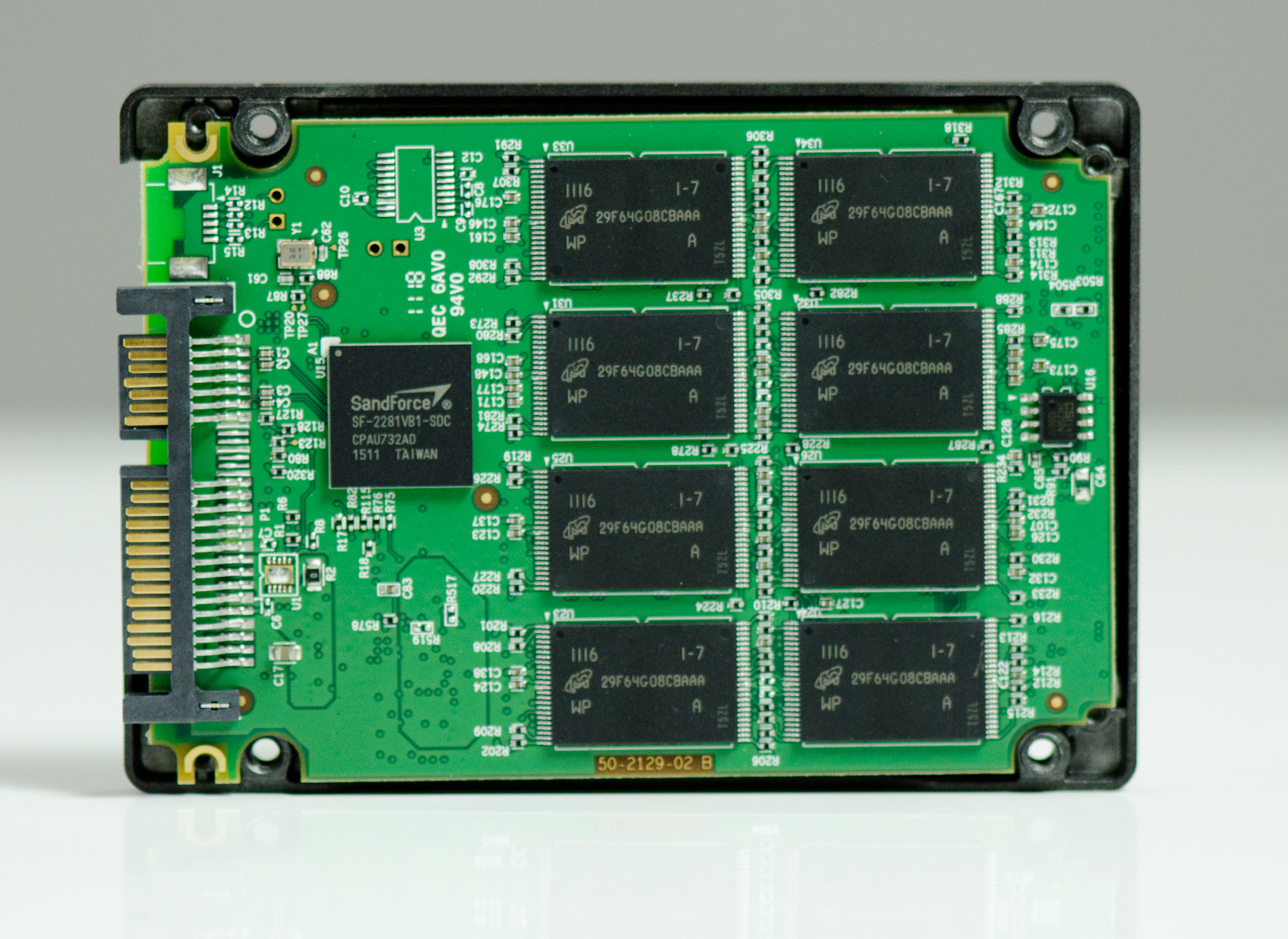
Even on the latest drive firmware, I still get hard locks on the ASUS P8Z68-V Pro. They aren't as frequent as before with the older firmware revision, but they still happen. What's particularly interesting is that the problem doesn't occur on Intel's DH67BL, only on the ASUS board. To make matters worse, I switched power supplies on the platform and my method for reproducing the bug no longer seems to work. I'm still digging to try and find a good, reproducible test scenario but I'm not quite there yet. It's also not a Sandy Bridge problem as I've seen the hard lock on ASRock's A75 Extreme6 Llano motherboard, although admittedly not as frequently.
Those who have reported issues have done so from a variety of platforms including Alienware, Clevo and Dell notebooks. Clearly the problem isn't limited to a single platform.
At the same time there are those who have no problems at all. I've got a 240GB Vertex 3 in my 2011 MacBook Pro (15-inch) and haven't seen any issues. The same goes for Brian Klug, Vivek Gowri and Jason Inofuentes. I've sent them all SF-2281 drives for use in their primary machines and none of them have come back to me with issues.
I don't believe the issue is entirely due to a lack of testing/validation. SandForce drives are operating at speeds that just a year ago no one even thought of hitting on a single SATA port. Prior to the SF-2281 I'm not sure that a lot of these motherboard manufacturers ever really tested if you could push more than 400MB/s over their SATA ports. I know that type of testing happens during chipset development, but I'd be surprised if every single motherboard manufacturer did the same.
Regardless the problem does still exist and it's a valid reason to look elsewhere. My best advice is to look around and see if other users have had issues with these drives and have a similar system setup to you. If you do own one of these drives and are having issues, I don't know that there's a good solution out today. Your best bet is to get your money back and try a different drive from a different vendor.
Update: I'm still working on a sort of litmus test to get this problem to appear more consistently. Unfortunately even with the platform and conditions narrowed down, it's still an issue that appears rarely, randomly and without any sort of predictability. SandForce has offered to fly down to my office to do a trace on the system as soon as I can reproduce it regularly.


 Facebook
 Twitter
 RSS
RSS


90 Comments
View All Comments
bobbyh - Thursday, August 11, 2011 - link
FIRST!Are you going to talk about synchronous vs asynchronous NAND and the benefits of one vs the other?
bobbyh - Thursday, August 11, 2011 - link
nevermind lol!bobbyh - Thursday, August 11, 2011 - link
very nice roundup A+ would read againArnulf - Thursday, August 11, 2011 - link
FIRST what ? FIRST idi0t to tag himself ? You got that right !ARoyalF - Thursday, August 11, 2011 - link
The estimated cost breakdown sure gave me an appreciation of what goe$ on behind the scenes.Sagath - Thursday, August 11, 2011 - link
Firstly, I'd state I always appreciated you bringing these issues to the front page to allow the consumer to see these issues in a public venue, while also berating manufacturers for selling us junk. Thank you, Anand.That being said; I fully understand that the new Sandforce chips allow SATA6 connectivity, and are thus the fastest possible drives on the market...yet I have to ask, is it worth it? I don't see you mentioning these issues with last gens drives like the aforementioned X25-m, or Sandforce v1.
Any SSD sold today is plainly 'fast', and order of magnitudes faster then magnetic-based storage. Is the incremental upgrade (of microseconds at best?) really worth sacrificing the reliability associated with last generations drives?
My X25-M and Vertex 2's across multiple computers, laptops and friends computers are all running flawlessly. I have had zero complaints about random BSOD's or lockups. I also have 2 friends with whom purchased Vertex 3's on their own, and are both experiencing the famous Sandforce v2 issues...
I'll stick with my 'slower' (lol?) X25-m's and V2's, then deal with these issues.
bobbyh - Thursday, August 11, 2011 - link
I have an older x25-m it still works flawlessly, this generation of drives has had an insane amount of problems.tbanger - Thursday, August 11, 2011 - link
Can anyone shed some more light on the Intel 320 series firmware problem that Anand mentions?I've experienced it recently myself with my work machine's 300GB model resetting itself to an 8MB partition with all data lost. Not a huge problem (good backup scheme) but still annoying. At least Intel kindly replaced my drive with a new one fairly quickly. However, given I had already ordered a bunch more drives for the company (before the failure), I would like to see a firmware update that fixes this problem. I'm getting nervous that we're going to experience a bunch of failures.
Is there any official plan to fix this from Intel? I haven't found much from Googling other than user complaints with little response from Intel.
Nickel020 - Thursday, August 11, 2011 - link
Just follow the link in the article ;)http://communities.intel.com/message/133499
They've reproduced the issue and are validating the firmware fix. I got not clue how long their validating could take, but a new FW could be out any day, or maybe it'll take another month. They might find some issues during validation, which need further fixes and then further validating, so not even someone from Intel could give you a definite ETA.
tbanger - Thursday, August 11, 2011 - link
That'll teach me to only skim the article :)Thanks for the link. Nice to see Intel to offer a little official feedback.