



Investigating Intel's Turbo Memory: Does it really work?
by Anand Lal Shimpi on June 19, 2007 3:39 PM EST- Posted in
- Laptops
Over a month ago Intel finally unveiled its fifth and most recent update to the Centrino platform, codenamed Santa Rosa.
Architecturally, Santa Rosa didn't offer much over its predecessor, Napa. The new platform bumped the FSB frequency to 800MHz, as well as introduced a new lower power FSB state (400MHz) to help keep power consumption in check while raising the peak performance bar. CPU clock speeds improved slightly due to the higher FSB, the fastest chip going from 2.33GHz to 2.40GHz, but overall performance hasn't been improved noticeably. Santa Rosa was the second Centrino platform to add 802.11n support, as its predecessor (Napa) was refreshed to include support for the new wireless standard.
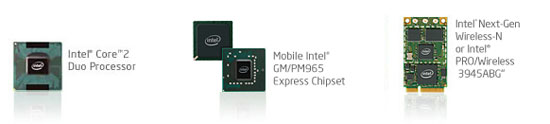
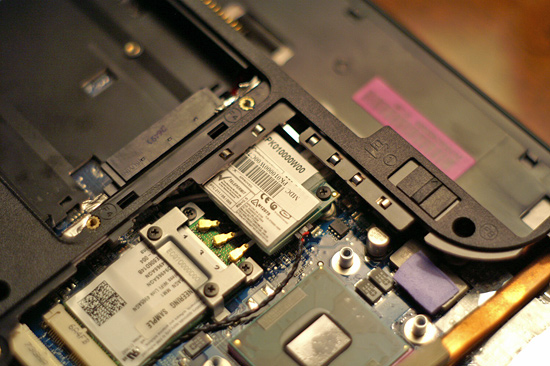
The one unique feature that Santa Rosa offered that no other competing mobile platform, Intel or not, could bring to the table was a technology called Turbo Memory. An on-motherboard flash card, Intel's Turbo Memory is designed to act as another layer in the memory hierarchy, caching data where possible and improving performance/battery life in notebooks. A version of Turbo Memory will also be released for the desktop, but we're most interested in what it can do for notebooks.
In our Santa Rosa preview we found that Turbo Memory did very little in fact. Performance didn't improve (in some cases it got worse), we couldn't find any measurable reduction in power consumption and in the end we found absolutely no use for the technology. Notebook makers echoed our sentiments, with both HP and Sony declining to use Intel's Turbo Memory in their Santa Rosa lineups, but Intel insisted that there was an upside to the technology.
We met with Intel engineers to understand a bit more about Turbo Memory and why we weren't able to see any positive results out of it. Intel's explanation and the resultant lightbulb that lit in our heads, led to the production of this article.


 Facebook
 Twitter
 RSS
RSS


31 Comments
View All Comments
Alyx - Thursday, June 21, 2007 - link
It seems readyboost only helps with subsequent reads rather than the initial read, so it makes no sense as to why it would help in the case of watching a movie because the data is never repeated. I guess it just keeps the drive from idling because its farther between reads.I think this would help a lot for students, when I sit in class for an hour or two taking notes I'm only using one program so theoretically it would never have to access the hard drive for the whole class time. If a student had classes back to back without a way to charge (which is often the case) this technology could make a noticeable difference.
BigLan - Thursday, June 21, 2007 - link
It could help with movies if it's used as a read-ahead cache. Once the OS sees that the movie file has been read, it loads the whole of the movie into flash (or as much as would fit.)Also, if you're working in class with just word (or onenote) open, your hard drive should be pretty inactive anyway. Once the program is loaded into ram then the drive isn't read from. If you have an autosave feature turned on then that would hit the HD, but having the file on an external flash drive would get around that anyway.
xanderman - Saturday, November 7, 2009 - link
I have a 4GB Turbo Memory card installed, $65.I think the article could use a little update to reflect on the availability of faster and larger Turbo Memory cards at lower prices, to examine their overall effectiveness in this (newer?) format and pricing.
I don't know if there was any performance boost, never did any benchmarks and all I've been doing is setting up this new computer, then install i-ram and continue customizations.
I can tell you, however, that the installation was easy, one reboot, so the article is definitely way off in regards to installation, OUTDATED and UNRELIABLE.
Glad I never beleived them n the first place and bought the card despite their opinion.
casket - Thursday, June 21, 2007 - link
"However, adding 1GB of actual RAM won't improve battery life at all, and in fact it should reduce it slightly."-- What are the power requirements of Flash vs. Ram vs. Hard Drive?
I would have liked to have seen Anand test the power benchmarks on the additional 1 GB ram as well.
burnley - Thursday, June 21, 2007 - link
Wouldn't it be cool if the manufacturers could load safe drivers on something like this so when your mum gets a virus and you have to reload everything you don't have to either hunt for the driver disk, or hunt for the drivers online, just access them from an internal read-only drive?On-board network is great unless you don't have the motherboard driver disk and a fresh boot, then that loverly external USB flash drive is a godsend.
strikeback03 - Thursday, June 21, 2007 - link
Isn't that the point of these "hidden" hard drive partitions that so many computers have these days?burnley - Thursday, June 21, 2007 - link
Unless the hard drive fails, or you want to upgrade it, etc. Also that is only applicable on pre-built machines.A simple flash device with drivers could be put on add-in cards like graphics, etc.
Only an idea...
xsilver - Thursday, June 21, 2007 - link
1gb of ram can be had for a lot less than $100
JarredWalton - Thursday, June 21, 2007 - link
ReadyBoost capable USB Flash sticks are available for something like $15 for 1GB, $24 for 2GB, or a whopping $40 for 4GB. Turbo Memory modules on the other hand are not merely a USB device that you plug in, so they currently cost more. Of course, there seems to be a healthy price premium for the technology right now....Adding a 1GB ReadyBoost device is cheap and easy. Adding 1GB of Turbo Memory seems pointless as it will cost more than 1GB of actual RAM. However, adding 1GB of actual RAM won't improve battery life at all, and in fact it should reduce it slightly. So, you're paying $100 for slightly improved performance along with potentially better battery life.
BigLan - Thursday, June 21, 2007 - link
It seems like an extra $100 for this stuff would be better spent on an extra battery for your laptop which would double the battery life (though you have to switch them out and recharge them.) You could probably also afford a 1 gig flash drive for readyboost.