



A Month with Apple's Fusion Drive
by Anand Lal Shimpi on January 18, 2013 9:30 AM EST- Posted in
- Storage
- Mac
- SSDs
- Apple
- SSD Caching
- Fusion Drive
Meet Fusion Drive
Available as a build-to-order option on both the new Mac mini and the new iMac is Apple’s own take on SSD caching, Fusion Drive. In true Apple fashion there are only two Fusion Drive configurations available: 1TB and 3TB. The 1TB option is only available on the upgraded Mac mini ($799) or any of the iMacs, while the 3TB Fusion Drive is a 27-inch iMac exclusive.
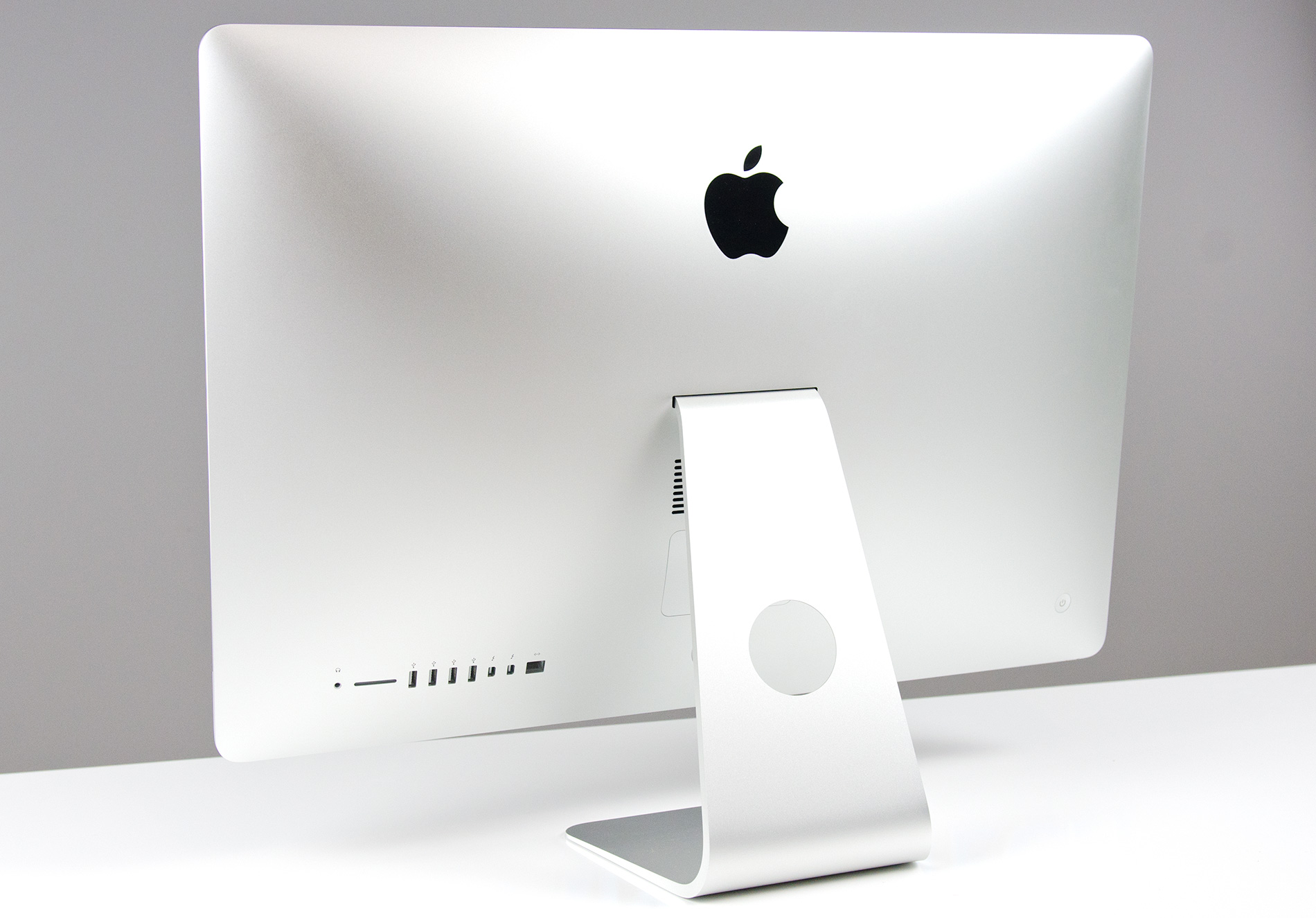
In all of these cases, the Fusion Drive is a combination of a 1TB or 3TB hard drive (2.5” or 3.5”) and a 128GB Samsung PM830 based SSD. In the Mac minis this SSD is a 2.5” drive, while in the iMacs it’s the same custom interface that’s used in the MacBook Air and MacBook Pro with Retina Display. For my testing I used a 1TB Fusion Drive in a 27-inch iMac.
| Fusion Drive Options | |||||||
| Mac mini (2012) | Mac mini (2012) | Mac mini server (2012) | 21.5-inch iMac (2012) | 27-inch iMac (2012) | |||
| Base System Cost | $599 | $799 | $999 | $1299/$1499 | $1799/$1999 | ||
| 1TB Fusion Drive | - | +$250 | - | +$250 | +$250 | ||
| 3TB Fusion Drive | - | - | - | - | +$400 | ||
| Largest Standalone SSD | - |
256GB (+$300) |
2x256GB (+$600) |
- |
768GB (+$1300) |
||
The size of the SSD used in Apple’s Fusion Drive is much larger than what we usually find in a caching setup. Most OEMs ship with 8 - 24GB of NAND, and even then the drives rarely use a good controller. In the case of Apple’s Fusion Drive, Samsung’s PM830 continues to be one of the best combinations of performance and reliability we’ve ever tested. While I would’ve personally picked something like the Link A Media or Intel S3700 controller due to their excellent performance consistency, the PM830 is probably a more proven and/or affordable option for Apple.
Right off the bat Fusion Drive is different than most of the hybrid/caching solutions we’ve seen, but where it really diverges from the norm is in the software component. This isn’t simply Intel’s Smart Response Technology running under an Apple brand, instead we’re looking at virtualized storage courtesy of OS X’s Core Storage. First introduced in Lion, Core Storage is a logical volume manager that allows the OS to treat multiple physical disks as a single volume.
Apple originally used Core Storage to enable full disk encryption in Lion, but its use has been expanded to Fusion Drive in Mountain Lion. The creation of a Fusion Drive is simple. If you have multiple drives you can create a Fusion Drive yourself using some simple Terminal commands. When you buy a Fusion Drive equipped Mac, Apple does everything for you. Subsequent system and backup restores on your Mac with FD will maintain the Fusion Drive facade, even if you’ve purposefully destroyed the array.
Unlike traditional SSD caching architectures, Fusion Drive isn’t actually a cache. Instead, Fusion Drive will move data between the SSD and HDD (and vice versa) depending on access frequency and free space on the drives. The capacity of a single Fusion Drive is actually the sum of its parts. A 1TB Fusion Drive is actually 1TB + 128GB (or 3TB + 128GB for a 3TB FD).
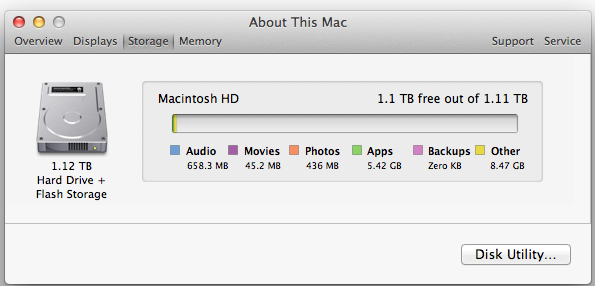
The latest version of Disk Utility will present a Fusion Drive as a single drive, labeled Macintosh HD from the factory. Apple doesn’t attempt to hide the FD underpinnings however, looking at System Report or using a third party utility like iStat Menus you’ll get statistics on both drives:
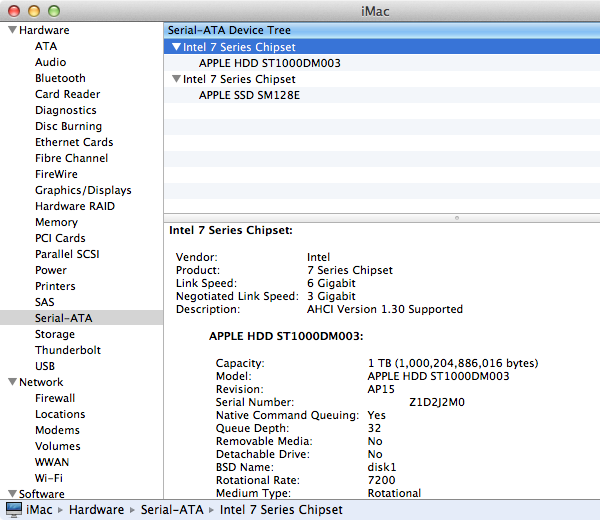
If you’ll notice, the 128GB SSD is reported as having a 121.33GB capacity. Since OS X 10.6, Apple has reported capacities in base 10 but if you do the math based on the capacity in bytes you’ll get an idea of how much space is set aside as spare area:
| Apple Fusion Drive, SSD Spare Area | |||||
| Total NAND | Exposed Capacity | Spare Area | |||
| Apple Fusion Drive 128GB SSD | 128 GiB | 113 GiB | 15 GiB | ||
Approximately 11.7% of the 128GiB of NAND is set aside as spare area, which is no different than what you get with a 128GiB SSD in a standard Mac, but a bit higher than the usual 6.7% spare area you get with most of these drives. The added spare area will help improve performance consistency, but it’s still a bit shy of what I like to see on Samsung SSDs (~25%).
You can create Boot Camp or other additional partitions on a Fusion Drive, however these partitions will reside on the HDD portion exclusively.


 Facebook
 Twitter
 RSS
RSS


127 Comments
View All Comments
Richard Fairbanks - Saturday, January 19, 2013 - link
Thanks, Anand, for yet another timely article!I do almost all my work in code (i.e. text) with few graphics. I want to ensure reliability in case of disk failure.
Thus I am considering getting a 2012 Mac mini, opening it up, and adding a 256GB Samsung 840 Pro, in addition to the default 1TB HDD. (The 256GB capacity would allow me a 25+% spare area.) This is my ideal configuration for many reasons.
If I partition the HDD to match the 256GB SSD (leaving ~750MB for random, non-critical data), is it possible to create a RAID 1 array between the SSD and the 256GB HDD partition? (Full backups are made daily.)
In theory, this would allow all the array reads to come from the SSD for fastest response, and still maintain a mirrored HDD that could be booted from should the SSD fail. (If only the HDD partition could be a ZEVO ZFS format! ;-) )
Thoughts? Thanks!!
NCM - Saturday, January 19, 2013 - link
Richard asks: "If I partition the HDD to match the 256GB SSD (leaving ~750MB for random, non-critical data), is it possible to create a RAID 1 array between the SSD and the 256GB HDD partition?"That's an interesting question. I think the problem would be that there is no "master" disk in a RAID 1 array. Each slice is treated equally. You're hoping that read/write activity would be first served by the faster SSD, with the HD slice catching up in the background on its own time. I don't know that there's any evidence it would work like that, or, putting it another way, that anyone has written a RAID controller to make it happen that way.
It would be interesting to try it out.
We have some Mac Pro towers that I've set up SSD boot/application drives, but we rely on conventional Time Machine backups to an internal HD rather than a RAID mirror.
name99 - Saturday, January 19, 2013 - link
It is possible to create a RAID 1 in the way you are thinking using AppleRAID.What you want to do is simple enough that you can do it in DIsk Utility using the GUI.
If you really insist on going hardcore, hit Terminal and look at diskutil.
And you can boot off such an AppleRAID system.
HOWEVER I suspect you will be very unhappy with the results. A system like that can deliver snappy reads (because they'll mostly come from the SSD) but writes will be gated by the HD, and the system will frequently feel an HD system.
It is ALSO possible that you won't even get the read speeds you imagine.
When I used AppleRAID in this way (mirroring two HDs) a few years ago, it seemed to me that reads were also slower, and my assumption was that the system, assuming you cared primarily about data correctness (that's why you were mirroring rather than striping), performed both reads and compared the results before passing them up to the file system. Which suggests that your reads will ALSO be gated by the HD performance.
I'm also not sure what problem you believe you are solving with this. SSD failures are simply not that common. You can protect against them using Time Machine. If you REALLY are scared, you can have Time Machine alternate between two (or more) different backup drives.
It seems like a huge amount of pain to solve a problem that barely exists and that can be protected against much better in other ways.
name99 - Saturday, January 19, 2013 - link
To add to what I said, the AppleRAID mirroring stuff DOES work in terms of reliability, in that if one disk dies, you can just pop it out, replace it, and have the other disk copy to it. But, as I said, you pay a substantial hit in performance for this privilege.cjb110 - Saturday, January 19, 2013 - link
Gaming would have been an interesting 'use' case for the Fusion. When your playing you obviously want the fast access of SSD, but unless its your favourite game, it might not get used much and moved to the HDD.Also Games being much larger 'applications' would quickly fill the SSD if the Fusion just had a simple 'If App = On SSD" rule.
klaudyuxxx - Saturday, January 19, 2013 - link
They reinvented the wheel. 128 GB flash + 1-3TB HDD fused into a single volume?! AKA HYBRID SAMSUNG HARD DRIVESNCM - Saturday, January 19, 2013 - link
You really haven't bothered to read the article, have you? Or perhaps it's a reading comprehension issue.nerd1 - Saturday, January 19, 2013 - link
Typical apple - charging $$$$ for non-tech-savy people.It's way better to have a proper SSD (most laptops and desktops now have mSATA port) in terms of both performance and cost. Yes, I know that swapping the HDD of any apple device kills the warranty and most apple customers don't know how to upgrade a single component.....
Andhaka - Monday, January 21, 2013 - link
Nope, swapping the HDD with a SSD does not kill the warranty and many Apple users do that (I have done it on a 4 years old Macbook).But if other people find it better to pay for the Fusion solution (and a good solutions it seems to be) good for them.
Cheers
pichemanu - Saturday, January 19, 2013 - link
Hi Anand,i saw that in order to test a "pure ssd" setup you connected a 830 ssd to the imac over USB 3. As far as i know the best transfer rate over USB 3 is around 250 MB/s and the worst is well... terrible.
Considering the best case scenario for the iMac:
-USB 3 connected SSD would do 250 MB/s
-SATA 3 connected SSD would do 322 MB/s (taken from your article)
The performance would be 6.94 for fusion drive and 10.19 for a "pure SSD". This is an increase from 114% advantage for the "pure SSD" to 147% advantage for the "pure SSD".
If on the other hand your USB connected SSD did not write at max and a SATA 3 connected SSD would (that is 350 for the samsung 830 on an intel Z77 SATA 3 port) that difference would skyrocket.
Did you check that on your particular workload the USB 3 connection was not a bottleneck?
Thank you.