



Acer Iconia A500 - Honeycomb on a Budget
by Vivek Gowri & Jarred Walton on June 24, 2011 4:00 AM ESTThe Software
So the Iconia was my first real extended experience with Honeycomb, and I must say that while I’m impressed with what Google has going here, they’ve got some work to do. For the first time, Google’s UX is a cohesive, attractive, and polished experience. Really, it feels like all of a sudden they figured out what good UI design actually looked like. I suspect hiring away Matias Durante from the webOS team made a big difference here. Also, if the TRON: Legacy art direction team wasn’t paid a consulting fee for their contribution to the design, they really should ask for one.
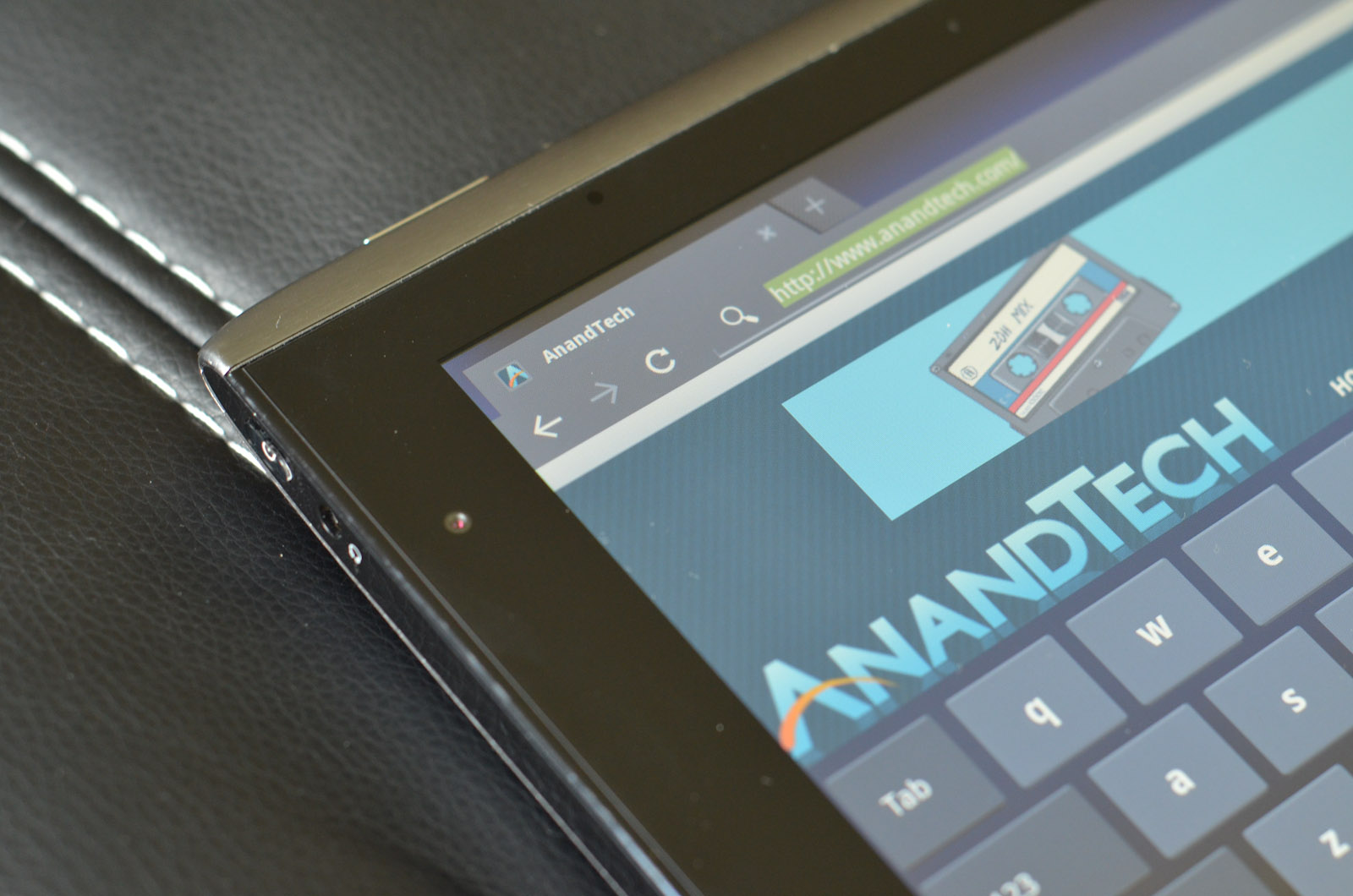
It’s like a sci-fi retake on what a touch-friendly Windows would look like. And before anyone gets off on me for the comparison, I’d like to direct you to the systray in the bottom right, and the basic function keys in the bottom left. All they need to do is move the app launcher into the bottom left corner for the analogy to be complete.
I like the way Google went here, basically creating a UI similar to most full-fledged operating systems and integrating some elements of a smartphone operating system, instead of just scaling up a smartphone experience the way some other companies are doing it. For the first time using a tablet, I felt like I could be reasonably productive on it.
Most of the time when I’m writing, I have three things open—browser, IM, and music. Most of my writing is done in Google Docs, which makes it really convenient to hop from device to device as I’m writing. The Google Docs app for Android is still a smartphone app, so the UI in Honeycomb is mediocre at best, but it works for quick documents. Google Talk and Music are both very well integrated into Honeycomb, and the new notifications system makes it really easy to control them. Given the multitasking menu, switching between the browser, Google Docs, Talk, and music is relatively easy. The entire OS feels less limiting than any previous tablet operating system, which plays a big role in being more productive.
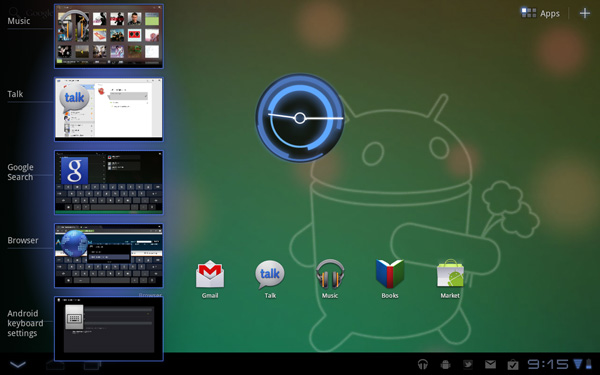
There’s a couple of missed opportunities with regards to the multitasking menu. A way to close apps would be brilliant, and being able to scroll through more than 5 preview windows would make the menu more useful (Google added this into Android 3.1, so it'll come to the Iconia soon.) The closing apps part of it seems like a no brainer; Google is the only one to give you a task manager with no way to terminate running processes. WebOS, iOS (yes, that’s a task manager, whether His Jobsness will call it that or not), QNX (which is similar to webOS in this regard), and even the upcoming version of Windows Phone 7 all let you kill apps from the multitasking menu. Why Google doesn’t let you remains an unsolved mystery, because it makes killing tasks a pain in the rear end. Why make me go through the hassle of getting a task killer and using that when everything else required for a visual task manager is already built into the OS? It’s my chief complaint with Honeycomb, by far.
I’m fairly reliant on Google services, including Gmail, Google Talk, and Google Docs, which makes me love the Gmail/Talk apps in Honeycomb. They’re seriously awesome if you use those services. The Google Docs app, not so much. It was designed for Android smartphones, it doesn’t scale up well, and ends up being much better for viewing documents as opposed to editing them. If Google puts out a Honeycomb specific version, it’d absolutely turn Honeycomb into a decent mobility solution for me.
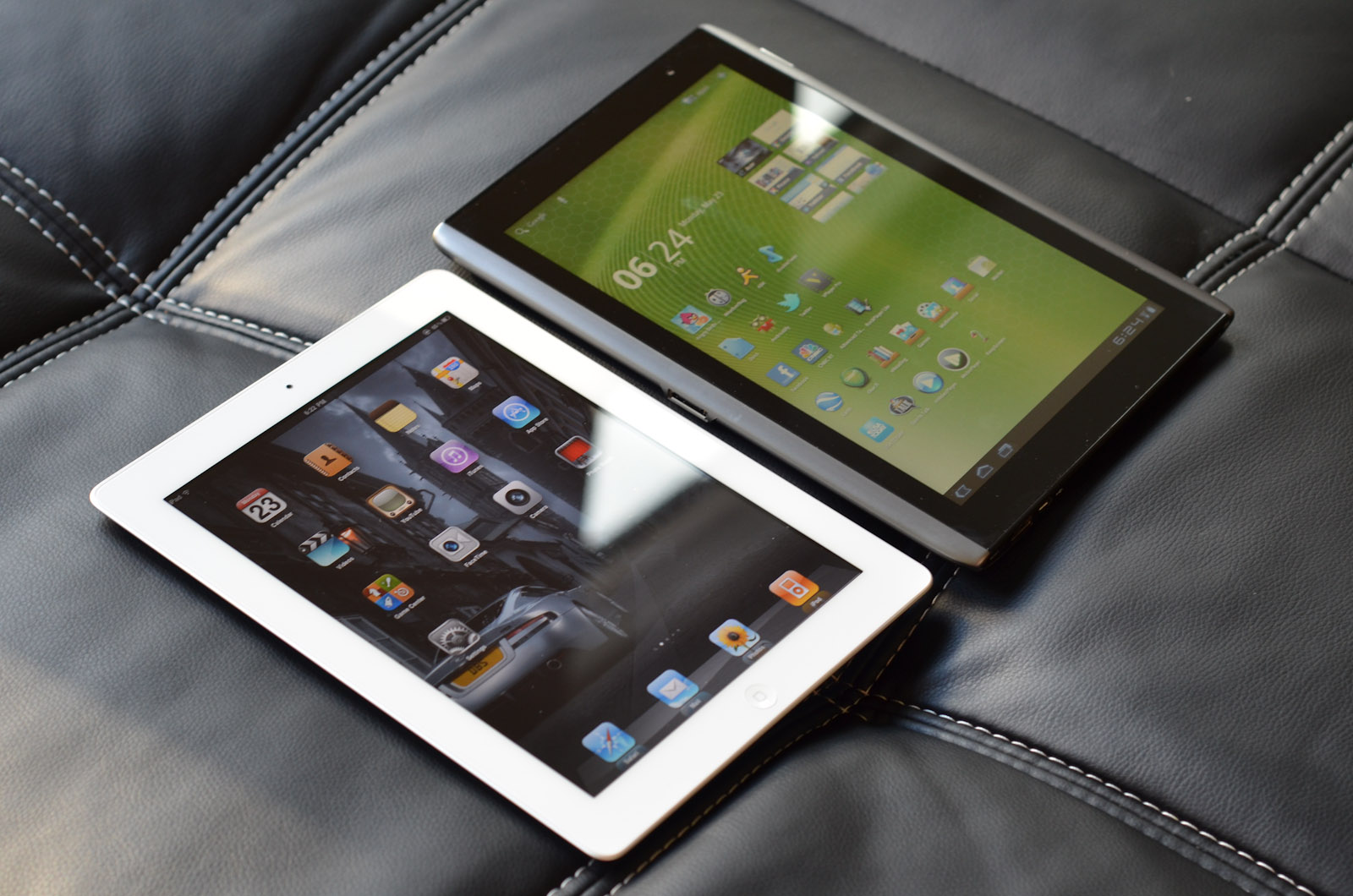
Third-party apps, too, are a problem, mostly in that there aren’t very many of them built for Honeycomb specifically. Yes, you can use Android phone apps, but the UI scaling just doesn’t work right. It doesn’t look as stunted as original iPhone apps running on the iPad, but it’s getting there. There are roughly 175 apps optimized for Honeycomb tablets, about 50 of which are just games. For comparison, the iPad hit the 60,000 app milestone this January. Note, that’s apps designed specifically for the iPad, not iPhone apps. And yes, I agree, they’re not all good apps—there’s probably a ton of iBeer and other worthless apps, but even if you take 1% as being high quality apps, that’s four times the total number of Honeycomb apps. Make it 10%, and you're looking at about forty times the number of apps that Honeycomb has. Think about that. If 90% of the iPad apps in the App Store are absolute garbage, there's still 40 times more quality iPad apps than Honeycomb apps in total. 1% is an exceedingly low percentage, one that’s simply not realistic, but I’m giving exaggerated numbers to show the difference in sheer magnitude. It’s not close. Google needs to get developers to port apps over to Honeycomb, and fast.
But the overall takeaway from Honeycomb is that it’s pushing tablet operating systems to something much more PC-like, in stark contrast to Apple and Microsoft, who are pushing their desktop operating systems to be more tablet-like. I like that approach; it feels like Apple is dumbing down their OS significantly, but we'll see how it plays out in the long run.
Acer’s software preload on the Iconia is relatively light, focusing on things like Acer’s own LumiRead eReading app and Zinio reader for magazines, as well as a social networking application. In addition, Acer has included full versions of Need for Speed: Shift and Let's Golf. We'll get to those last two right now.


 Facebook
 Twitter
 RSS
RSS


45 Comments
View All Comments
theyard - Friday, June 24, 2011 - link
Agree...but even Acer can't seem to figure that out. Saw this post on their mktg genius http://diglr.tumblr.com/kmmatney - Friday, June 24, 2011 - link
Agreed - Tablets are, for the most part, a luxury item. You buy them to quick browse the web, check email etc, while sitting on the couch or in bed. Exactly the things I'm doings with my phone, but with a much bigger screen. I was holding off buying one until iPad2 came out, but it looks like iPad3 is close enough to wait for - this is a luxury item for me - I can wait.bplewis24 - Friday, June 24, 2011 - link
Exactly.A common misconception regarding Android is that you need to constantly kill tasks running in the background.
I think it was actually pointed out here in a review that the underlying linux kernel manages memory and tasks on it's own and does not require the OS to do it itself. But consumers and reviewers alike often think that they have to kill background tasks as if they are running in full and eating up all of their RAM.
ViLB - Friday, June 24, 2011 - link
Great comment and you beat me to the punch. Its annoying to no end to read people complain that there isn't a dedicated task killer on android when they don't understand how Android works. Reading that in a Anandtech review is a bit of a letdown.ViLB - Friday, June 24, 2011 - link
I test drove the A500 and didn't like it because of the build quality for many of the reasons stated here. I disagree with the usefulness of tablets thoughts or the lack thereof in the review. I'm a graphic artist and I've found my Xoom to be invaluable for creating quick sketches and some finished renders using Autodesks Sketchbook Mobile. Being able tto output psd files, jpegs, create layers etc is a godsend. I've been able to create small animations with my Xoom as well using Movie studio. Add this to the movie/music/reading/gaming functions, USB and Bluetooth m/KB support, apps like Documents to Go, ezPDFreader, Adobe PDF creator etc and there are tasks I perform on my tablet before I touch my laptop. Of course tablets arent a replacement for laptops and notebooks and won't be for a few years at least but depending on the user and their needs, tablets can be very important to workflow.To suggest, as a commentor has, that tablets are only good for document reading is ignorant at best.
coolhardware - Friday, June 24, 2011 - link
Dear Anand et al., could you guys start doing some additional video playback tests on the Android tablets and phones? Similar to the lists here about high-res MKV capabilities of various devices:http://www.jdhodges.com/2011/06/can-android-do-108...
I think a lot of readers enjoy "alternative" video/container formats like MKV etc and it is nice to know which devices are capable of playing what... I would love to see your thorough review techniques applied to a topic like that! Thx.
Shadowmaster625 - Friday, June 24, 2011 - link
It looks warmer to me. A lot warmer.VivekGowri - Friday, June 24, 2011 - link
Hmm, it yellows out at angle, but you may be right. Let me rerun the numbers and get back to you, but the difference isn't nearly as big as that picture would suggest - that was more to show the difference in viewing angle and how early discolouration starts in the Acer vs the IPS displays.crispbp04 - Friday, June 24, 2011 - link
i am anxious to see what your thoughts are on the windows based iconia tab.While you're at it, get your hands on an MSI Windpad 110W and compare the two generations of brazos!
VivekGowri - Friday, June 24, 2011 - link
I've been running Android basically since the EVO came out last year, I know how it works. Just because I don't technically need to manage memory doesn't mean I don't want to manage the apps I have running in the background. It's a control thing, I think. There's a reason why ATK and other app killers are so popular on the Android Market...I know it's not a task manager, it's just that it really easily could be. It literally has everything it needs to be a task manager, except for the kill task button.