



Acer Iconia A500 - Honeycomb on a Budget
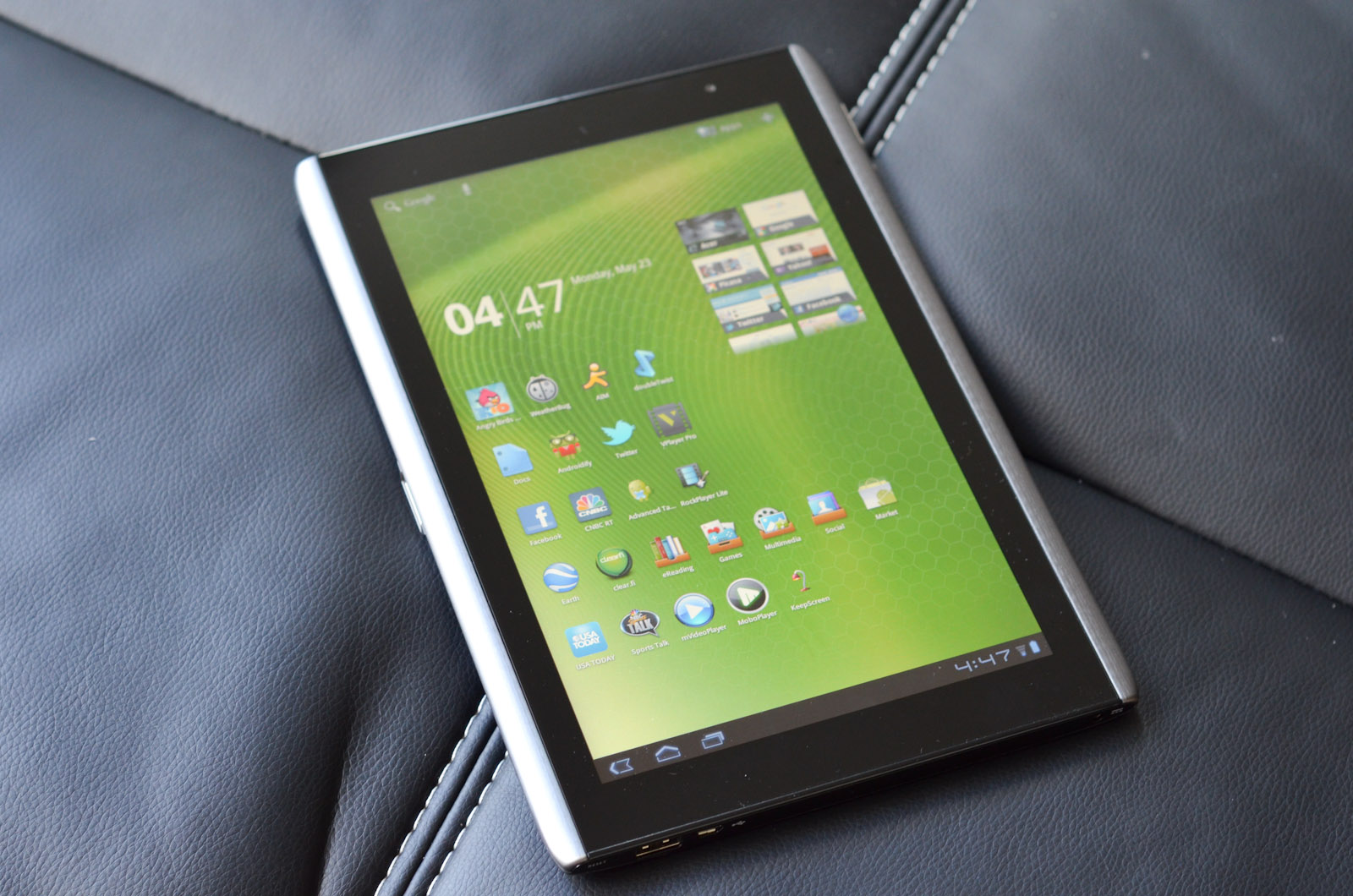
by Vivek Gowri & Jarred Walton on June 24, 2011 4:00 AM ESTNext in our series of Honeycomb tablet reviews is the Acer Iconia Tab A500. The A500 was the second Honeycomb tablet to go on sale, and is one of four on the market at present, all of which are very similar. They share basic specs—10.1” 1280x800 displays, NVIDIA’s Tegra 2 underhood, 1GB LPDDR2 RAM, 16-64GB onboard NAND, front and rear facing cameras with HD video capture, basic wireless connectivity options, and stock versions of Android 3.0/3.1 Honeycomb (albeit with different preloaded software packages). The hardware similarities makes things like design and price that much more important, and the latter is where Acer seemed to have an edge.
| 2011 Tablet Comparison | ||||||
| Apple iPad 2 |
Asus Eee Pad Transformer |
Motorola Xoom WiFi | Samsung Galaxy Tab 10.1 | Acer Iconia Tab A500 | ||
| SoC | Apple A5 (Dual ARM Cortex A9 @ 1GHz) | NVIDIA Tegra 2 (Dual ARM Cortex A9 @ 1GHz) | NVIDIA Tegra 2 (Dual ARM Cortex A9 @ 1GHz) | NVIDIA Tegra 2 (Dual ARM Cortex A9 @ 1GHz) | NVIDIA Tegra 2 (Dual ARM Cortex A9 @ 1GHz) | |
| GPU | PowerVR SGX 543MP2 | NVIDIA GeForce | NVIDIA GeForce | NVIDIA GeForce | NVIDIA GeForce | |
| RAM | 512MB | 1GB | 1GB | 1GB | 1GB | |
| Display | 1024 x 768 IPS | 1280 x 800 IPS | 1280 x 800 | 1280 x 800 PLS | 1280 x 800 | |
| NAND | 16GB | 16GB | 32GB | 16GB | 16GB | |
| Dimensions | 241.2mm x 185.7mm x 8.8mm | 271mm x 175mm x 12.95mm | 249.1mm x 167.8mm x 12.9mm | 256.6 x 172.9 x 8.6mm | 260 x 177 x 13.3mm | |
| Weight | 601g | 695g | 730g | 565g | 730g | |
| Price | $499 | $399 | $599 | $499 | $449 | |
Long a sales leader in the budget notebook market, Acer jumped into the tablet game with a price advantage—the Iconia A500 came in at $449, in comparison to $499 for the iPad and $599 for the WiFi-edition Motorola Xoom (though it is worth mentioning that the Xoom comes with twice as much onboard storage as the Iconia and iPad). ASUS released the $399 Eee Slate Transformer soon afterwards, but supply issues meant that the Acer was the cheapest readily available Honeycomb tablet for some time. More recently, some retailers have dropped the prices of the Iconia, with MacMall selling it on their eBay store at one point for just $379. On paper, that’s a screaming deal, but most of the time it sells for closer to its $449 MSRP. Outside of pricing, though, how does the Acer hold up in real life?
The Hardware
Since the software and internal components are so similar between devices, the price, design, and screen tend to be the largest differentiating factors, in that order. Alas, the A500’s design isn’t on the same level as Apple, or really anyone else. Of the four Honeycomb tablets right now, the Iconia probably has the weakest design.
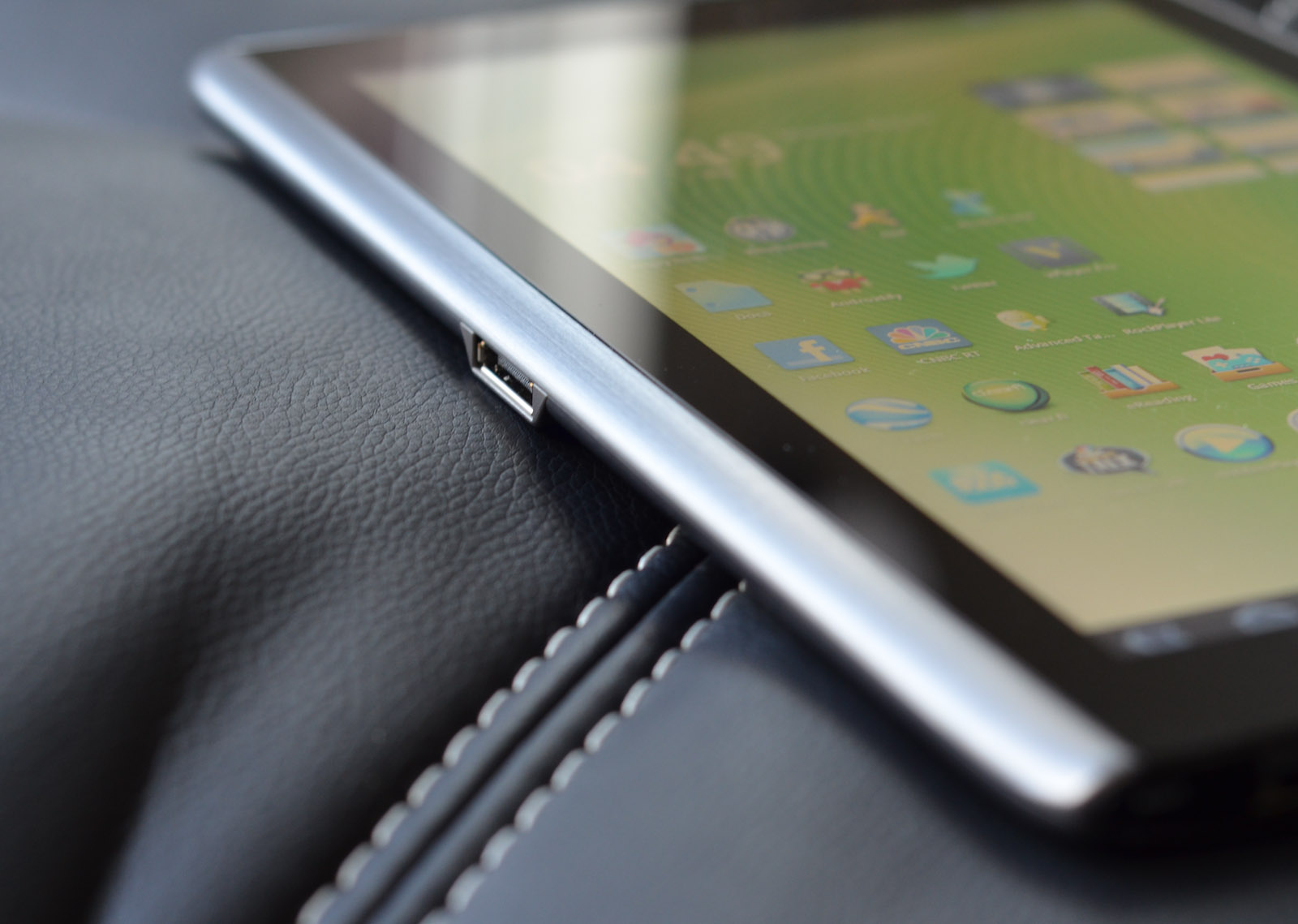
Acer’s design team went with the metal-and-glass approach, with an aluminum chassis wrapped around the screen capped by black plastic on both sides. That’s a good way to go on paper—similar designs have been implemented by Apple, Nokia, and HTC to great success. The main benefit is that it allows for nearly seamless construction around the body, as seen in the iPod mini and iPod nano, as well as the Nokia N8 to a lesser extent (the N8 has a more complex design that necessitates some seams for the sloping end-pieces, but the main body has a similar wraparound style).
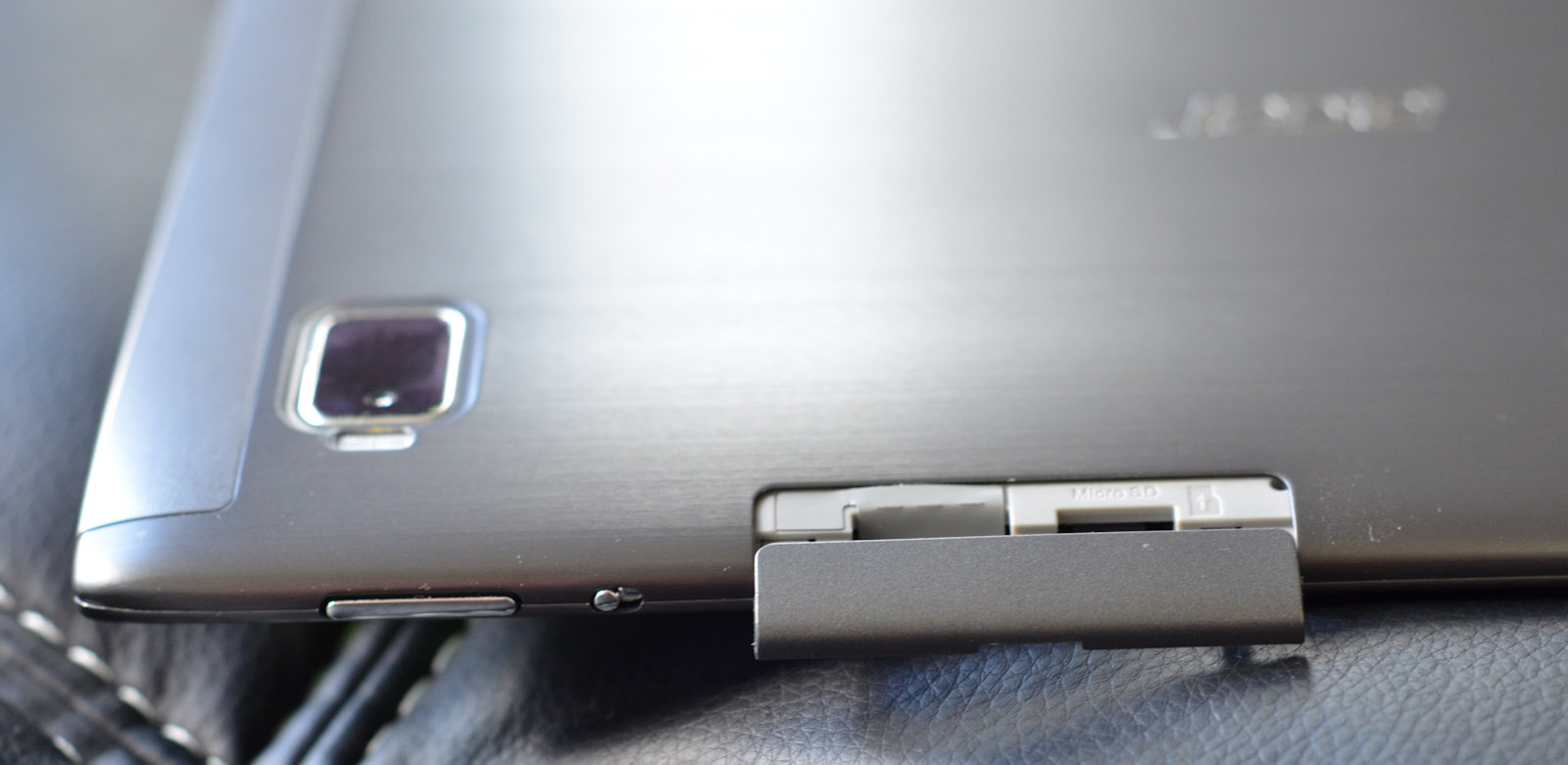
Unfortunately, Acer lost the plot a little by putting a seam down the top and bottom edges of the device. So much for a unibody construction. As a mechanical engineer, I understand the complexities of manufacturing the entire body as a single part, but it’s the kind of thing that makes a device feel like a premium product. There are some good things going for the Acer here—the design itself is attractive, and the brushed aluminum finish is great (I’d have personally preferred a lighter silver color rather than gunmetal, but still), and little details like the speaker grills look great. But by and large, I see areas where the hardware just doesn’t have the polish of the other big names.
There's minor flex and creaking in various parts of the chassis, large panel gaps (1mm), seams in places you don’t expect to find seams, the SD card door that feels like it might snap at any second, the screen not sitting flush with the aluminum bezel—these are all minor things, but that kind of attention to detail is necessary for any company that wants to seriously challenge Apple from a hardware perspective. Acer also has to contend with ASUS, given that ASUS is currently priced lower and comes with an IPS panel and better overall construction.
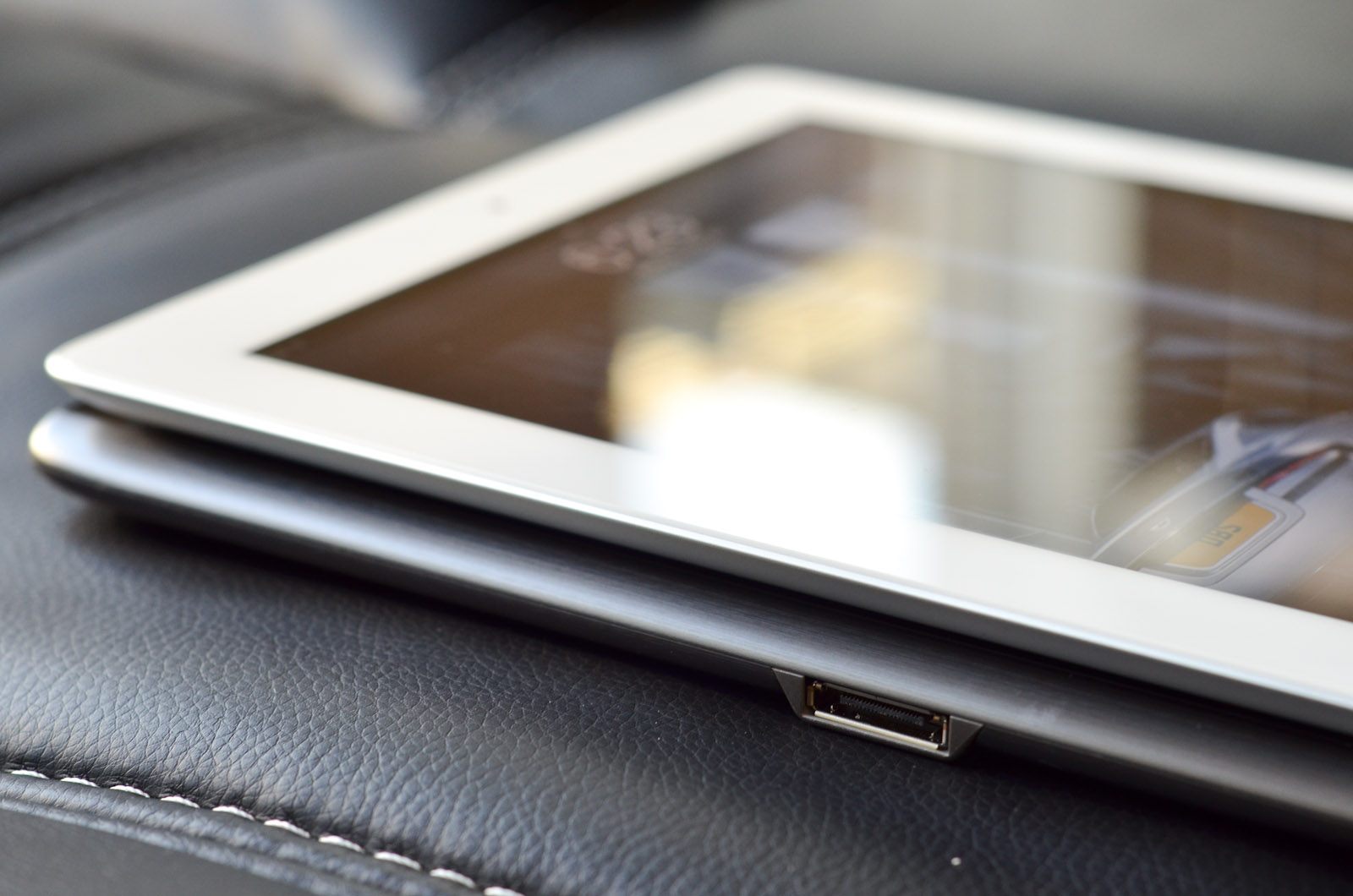
At 13.3mm thick, the A500 is definitely on the chubby side—it’s only a hair larger than the Transformer and the Xoom (both at 12.9mm) but significantly thicker than the sub-9mm iPad and Galaxy Tab 10.1. The Iconia is slightly narrower and taller than the Transformer, but both have a larger footprint than the Xoom and Galaxy Tab 10.1. The Iconia matches the Xoom at 730g (1.61lbs) and comes close to matching the 695g Transformer, but none of the Honeycomb tablets can come close to the Galaxy Tab 10.1’s positively anorexic 565g (1.25lb) figure.


 Facebook
 Twitter
 RSS
RSS


45 Comments
View All Comments
theyard - Friday, June 24, 2011 - link
Agree...but even Acer can't seem to figure that out. Saw this post on their mktg genius http://diglr.tumblr.com/kmmatney - Friday, June 24, 2011 - link
Agreed - Tablets are, for the most part, a luxury item. You buy them to quick browse the web, check email etc, while sitting on the couch or in bed. Exactly the things I'm doings with my phone, but with a much bigger screen. I was holding off buying one until iPad2 came out, but it looks like iPad3 is close enough to wait for - this is a luxury item for me - I can wait.bplewis24 - Friday, June 24, 2011 - link
Exactly.A common misconception regarding Android is that you need to constantly kill tasks running in the background.
I think it was actually pointed out here in a review that the underlying linux kernel manages memory and tasks on it's own and does not require the OS to do it itself. But consumers and reviewers alike often think that they have to kill background tasks as if they are running in full and eating up all of their RAM.
ViLB - Friday, June 24, 2011 - link
Great comment and you beat me to the punch. Its annoying to no end to read people complain that there isn't a dedicated task killer on android when they don't understand how Android works. Reading that in a Anandtech review is a bit of a letdown.ViLB - Friday, June 24, 2011 - link
I test drove the A500 and didn't like it because of the build quality for many of the reasons stated here. I disagree with the usefulness of tablets thoughts or the lack thereof in the review. I'm a graphic artist and I've found my Xoom to be invaluable for creating quick sketches and some finished renders using Autodesks Sketchbook Mobile. Being able tto output psd files, jpegs, create layers etc is a godsend. I've been able to create small animations with my Xoom as well using Movie studio. Add this to the movie/music/reading/gaming functions, USB and Bluetooth m/KB support, apps like Documents to Go, ezPDFreader, Adobe PDF creator etc and there are tasks I perform on my tablet before I touch my laptop. Of course tablets arent a replacement for laptops and notebooks and won't be for a few years at least but depending on the user and their needs, tablets can be very important to workflow.To suggest, as a commentor has, that tablets are only good for document reading is ignorant at best.
coolhardware - Friday, June 24, 2011 - link
Dear Anand et al., could you guys start doing some additional video playback tests on the Android tablets and phones? Similar to the lists here about high-res MKV capabilities of various devices:http://www.jdhodges.com/2011/06/can-android-do-108...
I think a lot of readers enjoy "alternative" video/container formats like MKV etc and it is nice to know which devices are capable of playing what... I would love to see your thorough review techniques applied to a topic like that! Thx.
Shadowmaster625 - Friday, June 24, 2011 - link
It looks warmer to me. A lot warmer.VivekGowri - Friday, June 24, 2011 - link
Hmm, it yellows out at angle, but you may be right. Let me rerun the numbers and get back to you, but the difference isn't nearly as big as that picture would suggest - that was more to show the difference in viewing angle and how early discolouration starts in the Acer vs the IPS displays.crispbp04 - Friday, June 24, 2011 - link
i am anxious to see what your thoughts are on the windows based iconia tab.While you're at it, get your hands on an MSI Windpad 110W and compare the two generations of brazos!
VivekGowri - Friday, June 24, 2011 - link
I've been running Android basically since the EVO came out last year, I know how it works. Just because I don't technically need to manage memory doesn't mean I don't want to manage the apps I have running in the background. It's a control thing, I think. There's a reason why ATK and other app killers are so popular on the Android Market...I know it's not a task manager, it's just that it really easily could be. It literally has everything it needs to be a task manager, except for the kill task button.