



Acer Iconia A500 - Honeycomb on a Budget
by Vivek Gowri & Jarred Walton on June 24, 2011 4:00 AM ESTThe Software
So the Iconia was my first real extended experience with Honeycomb, and I must say that while I’m impressed with what Google has going here, they’ve got some work to do. For the first time, Google’s UX is a cohesive, attractive, and polished experience. Really, it feels like all of a sudden they figured out what good UI design actually looked like. I suspect hiring away Matias Durante from the webOS team made a big difference here. Also, if the TRON: Legacy art direction team wasn’t paid a consulting fee for their contribution to the design, they really should ask for one.
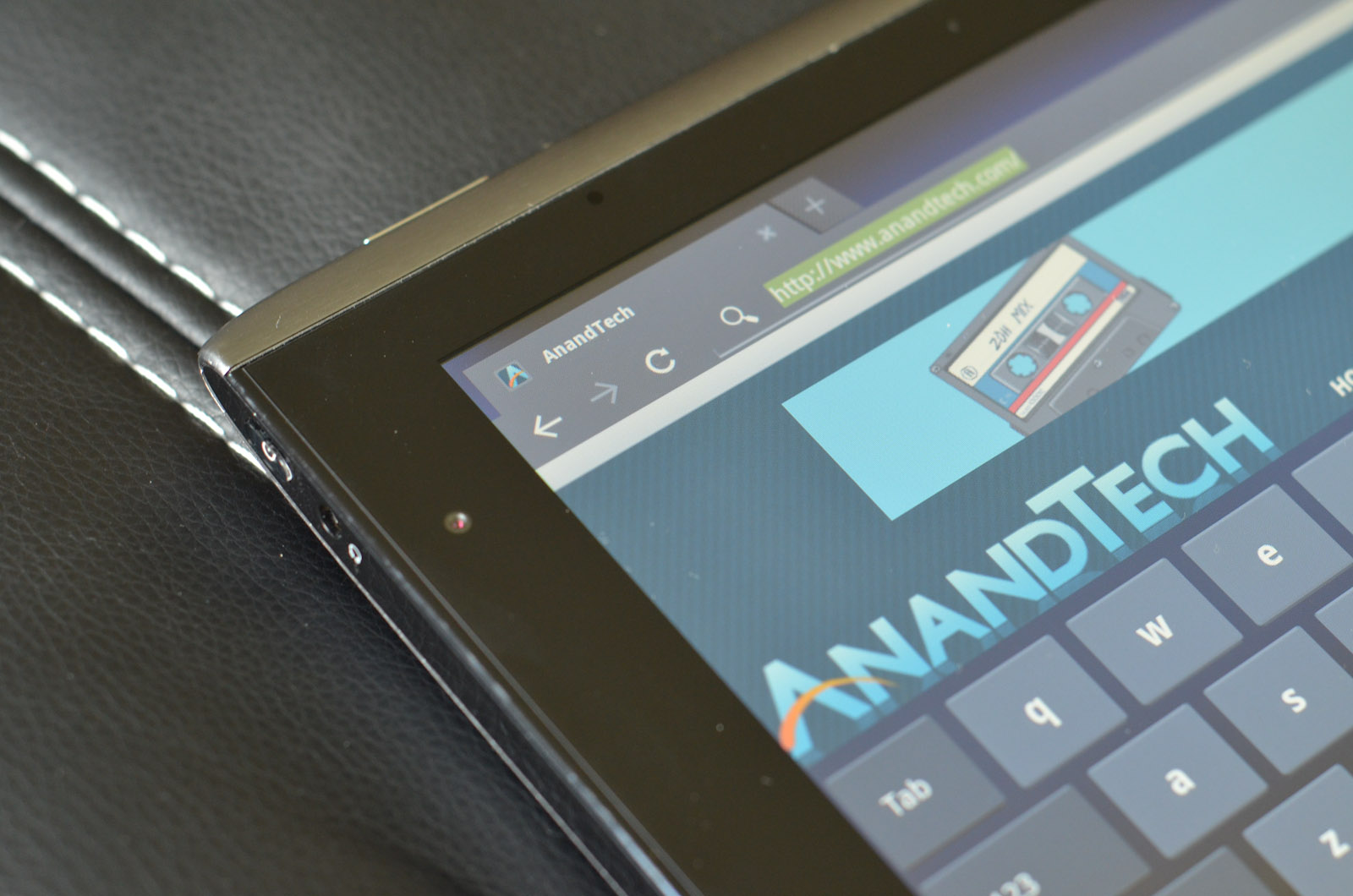
It’s like a sci-fi retake on what a touch-friendly Windows would look like. And before anyone gets off on me for the comparison, I’d like to direct you to the systray in the bottom right, and the basic function keys in the bottom left. All they need to do is move the app launcher into the bottom left corner for the analogy to be complete.
I like the way Google went here, basically creating a UI similar to most full-fledged operating systems and integrating some elements of a smartphone operating system, instead of just scaling up a smartphone experience the way some other companies are doing it. For the first time using a tablet, I felt like I could be reasonably productive on it.
Most of the time when I’m writing, I have three things open—browser, IM, and music. Most of my writing is done in Google Docs, which makes it really convenient to hop from device to device as I’m writing. The Google Docs app for Android is still a smartphone app, so the UI in Honeycomb is mediocre at best, but it works for quick documents. Google Talk and Music are both very well integrated into Honeycomb, and the new notifications system makes it really easy to control them. Given the multitasking menu, switching between the browser, Google Docs, Talk, and music is relatively easy. The entire OS feels less limiting than any previous tablet operating system, which plays a big role in being more productive.
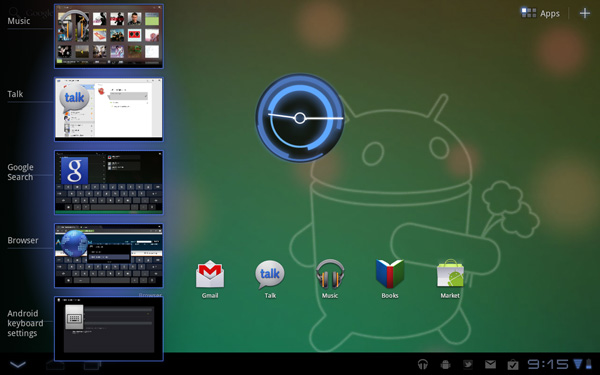
There’s a couple of missed opportunities with regards to the multitasking menu. A way to close apps would be brilliant, and being able to scroll through more than 5 preview windows would make the menu more useful (Google added this into Android 3.1, so it'll come to the Iconia soon.) The closing apps part of it seems like a no brainer; Google is the only one to give you a task manager with no way to terminate running processes. WebOS, iOS (yes, that’s a task manager, whether His Jobsness will call it that or not), QNX (which is similar to webOS in this regard), and even the upcoming version of Windows Phone 7 all let you kill apps from the multitasking menu. Why Google doesn’t let you remains an unsolved mystery, because it makes killing tasks a pain in the rear end. Why make me go through the hassle of getting a task killer and using that when everything else required for a visual task manager is already built into the OS? It’s my chief complaint with Honeycomb, by far.
I’m fairly reliant on Google services, including Gmail, Google Talk, and Google Docs, which makes me love the Gmail/Talk apps in Honeycomb. They’re seriously awesome if you use those services. The Google Docs app, not so much. It was designed for Android smartphones, it doesn’t scale up well, and ends up being much better for viewing documents as opposed to editing them. If Google puts out a Honeycomb specific version, it’d absolutely turn Honeycomb into a decent mobility solution for me.
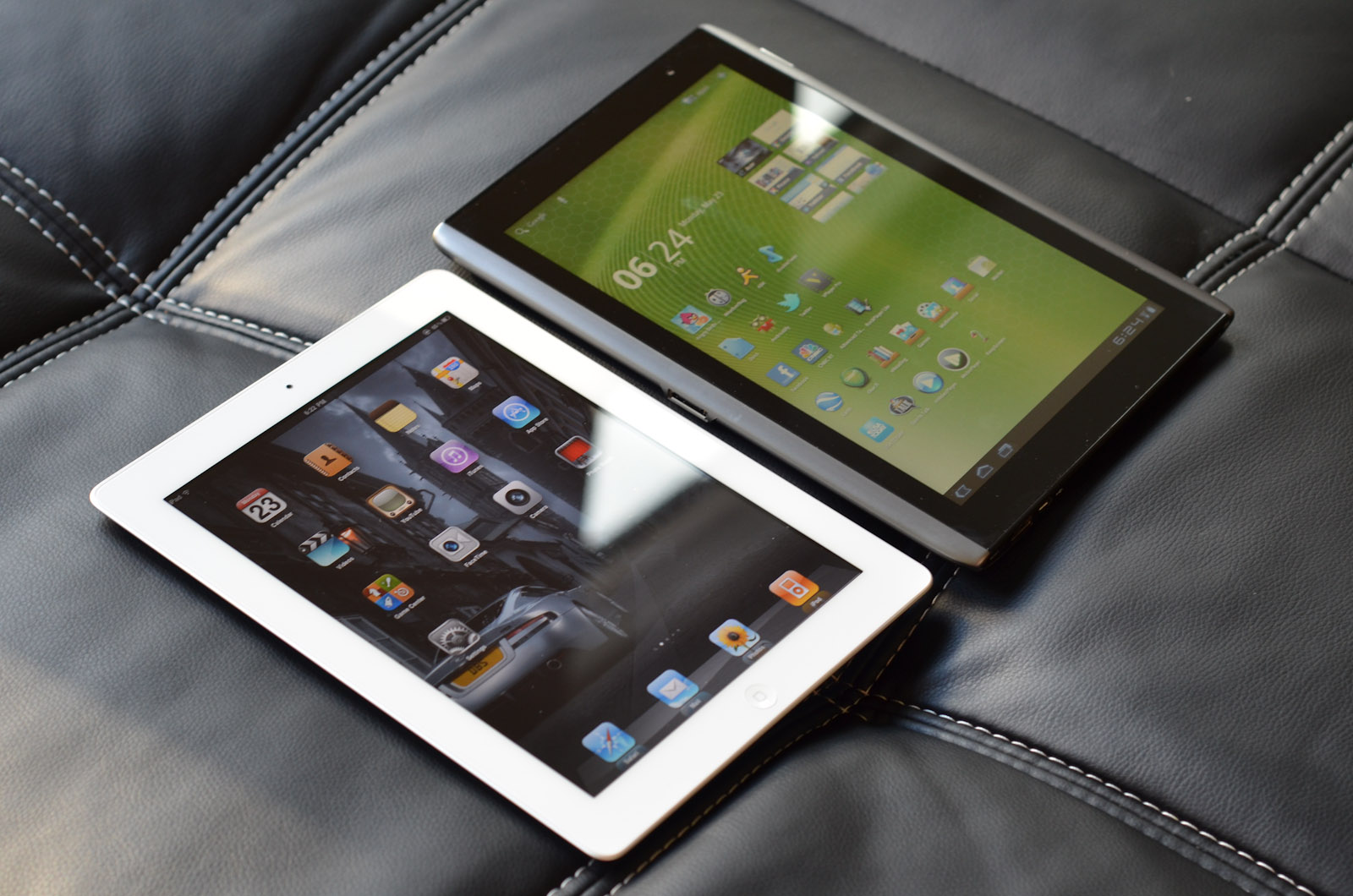
Third-party apps, too, are a problem, mostly in that there aren’t very many of them built for Honeycomb specifically. Yes, you can use Android phone apps, but the UI scaling just doesn’t work right. It doesn’t look as stunted as original iPhone apps running on the iPad, but it’s getting there. There are roughly 175 apps optimized for Honeycomb tablets, about 50 of which are just games. For comparison, the iPad hit the 60,000 app milestone this January. Note, that’s apps designed specifically for the iPad, not iPhone apps. And yes, I agree, they’re not all good apps—there’s probably a ton of iBeer and other worthless apps, but even if you take 1% as being high quality apps, that’s four times the total number of Honeycomb apps. Make it 10%, and you're looking at about forty times the number of apps that Honeycomb has. Think about that. If 90% of the iPad apps in the App Store are absolute garbage, there's still 40 times more quality iPad apps than Honeycomb apps in total. 1% is an exceedingly low percentage, one that’s simply not realistic, but I’m giving exaggerated numbers to show the difference in sheer magnitude. It’s not close. Google needs to get developers to port apps over to Honeycomb, and fast.
But the overall takeaway from Honeycomb is that it’s pushing tablet operating systems to something much more PC-like, in stark contrast to Apple and Microsoft, who are pushing their desktop operating systems to be more tablet-like. I like that approach; it feels like Apple is dumbing down their OS significantly, but we'll see how it plays out in the long run.
Acer’s software preload on the Iconia is relatively light, focusing on things like Acer’s own LumiRead eReading app and Zinio reader for magazines, as well as a social networking application. In addition, Acer has included full versions of Need for Speed: Shift and Let's Golf. We'll get to those last two right now.


 Facebook
 Twitter
 RSS
RSS


45 Comments
View All Comments
VivekGowri - Friday, June 24, 2011 - link
Fair point, I'll stop saying that.TrackSmart - Monday, June 27, 2011 - link
I was walking by Staples today and saw lots of banners advertising tablets Motorola Xoom, Blackberry Playbook, and Acer Iconia 500 among them). I couldn't help but stop in for a hands-on test. At first glance, the Iconia looked nice, but in the hand the Xoom sitting right next to it felt like a much more premium device. The Iconia was priced at $450. The Xoom at $600. So I guess that's what 1/3 higher price buys you. The Iconia was less sleek and had flex to it that nearby Xoom didn't show any signs of.My main impression is that these 10" tablets are much larger than I'd like them to be. The 7" playbook felt like a better size. If they could have kept the 7" screen size on the Playbook, but shrunk the huge bezel by 75%, it would have been portable enough for day-to-day usage as an internet portal and as an ereader. And if they then dropped the price down to about $300 (netbook prices), I might even be tempted to buy one.
For now, they hold limited appeal (for me personally) due to large size and high prices relative to what you get in terms of performance and functionality. Maybe the next generation will get there.
TrackSmart - Monday, June 27, 2011 - link
Looking at my post, I can see why the Nook Color is doing so well. It's priced right and still feels like a fairly premium device despite that low price.MrMilli - Friday, June 24, 2011 - link
quote: "The GeForce ULP used in Tegra 2 packs the same number of shaders (eight) as the old GeForce 8100, but they’re running at 300MHz (compared to 1200MHz on the 8100); that means it has about 25% of the horsepower of the old 8100 IGP, ..."Let's not forget that the Geforce ULP is a Geforce 6000 generation GPU. That means 4 pixel and 4 vertex shaders. I would say that it doesn't even have 15% of the horsepower of the old 8100 IGP.
radium69 - Friday, June 24, 2011 - link
QUOTE:"What I really need for tablets to be useful is a killer app. I don’t carry around a clipboard ever, so they can’t fill that role. If I need to type an email or do any real work, a keyboard is generally a requirement. For everything that a tablet can do, a decent smartphone is similar and it can fit in your pocket. So on the one hand, I love having a larger 1280x800 display that I can actually use to browse the web, but on the other hand I just can fit something like that into my current lifestyle. The most use I got out of the A500, outside of testing, was on Sundays when I took it to church. I was able to replace several bulky items (scriptures and lesson manual) with a single device that easily fits in a briefcase, and it was easier to use than a notebook. I could still do the same thing on a smartphone or iPod Touch, but reading books/manuals on the iPod isn’t very easy on the old eyes. I would assume that students could benefit from a tablet in a similar manner, provided they can get all of their books and other materials in digital format. Carrying a <2 lbs. tablet around campus in place of three heavy textbooks sounds like a great idea, but I’m not sure about note taking and I always had a soft spot for scribbling in the margins—plus I know a lot of engineering courses have open book exams, and I doubt they’d allow a tablet to qualify as a “book”."
This is what I think it's saying:
A tablet doesn't excel in anything except portability. It might be usefull for students but not more.
I think, you have covered it all. A tablet is just a "Tablet" might be fun for gimmicky sales and might bring laptop prices down. But they never can compare to a netbook or a decent notebook. And with the grow of smartphones all around I think we are looking at better battery life in our phones. So basically, all ground is covered with a net/notebook or phone.
It all adds up to the equation...
Productivity on a tablet is close to 0% anyway.
I hope they be gone soon and focus more on phone progress and laptop progress.
FrederickL - Friday, June 24, 2011 - link
Yes, to a considerable extent they still are. However the author has mentioned the upcoming developments in hardware and I believe that the signs are that those developments are accelerating. In a year to eighteen months we are likely to be seeing a whole new generation of *much* more powerful tablets (both 7 and 10 inch form-factor) with much longer battery-life. If the rumours are to be believed we may even begin to see Win8 devices as early as Q4 2012. Combine that with a charging/extra ports docking station and a full song with choruses fully functional os that functions the same as on any work-station or laptop (*if* MS actually succeed in implementing what they say they are aiming for) then, and IMHO only then, we will have devices that will have a similar effect on the laptop market that the laptop has had on the stationary pc market. I imagine a 7 inch form-factor with a docking station in my tv-bench. When I put it in the dock it boots the conventional GUI to the TV and I can interact with it by means of mouse/keyboard from the comfort of my armchair. When I take it from the dock it switches automatically to the touch UI and I slip it into the inside pocket of my jacket knowing that I have something to read on the bus. At work it goes into a second dock etc. If I am travelling I take a small media keyboard with my tab if I know that I have a lot of writing/data entry to do. Such a device would replace my living room pc, my laptop and my Kindle. Now *that* would be a productive device!
oliwek - Monday, July 4, 2011 - link
"And with the grow of smartphones all around I think we are looking at better battery life in our phones"really? come on, android phones with heavy use do not last a full day without charging. ASUS Transformer tablet with dock on the contrary stays ON for 16 hours (9 hours for the tablet alone).
darkhawk1980 - Friday, June 24, 2011 - link
I came to most of the same conclusions myself, before I bought my Asus Transformer.The Iconia, while it has a few nice features (ie screen is one of the better LCD's, built in USB and microSD), it's not enough to make it a worthwhile buy while a tablet like the Transformer exists. At $350, it's a great buy. At $400, it's maybe worth it if you like the included USB. At $450, it's over priced and not worth it at all.
Lastly, concerning the 'usefulness' of tablets, it really depends. I don't want to lug around even a 2 lb netbook to work and back (I carpool about 35 to 40 minutes 1 way to work), and my company doesn't allow personal computers in the building (tablets are not defined as computers where I work, as stupid as it sounds). That being said, a tablet works very well for me. I also get ALOT more use of it at home now while watching TV, and even taking photos and videos of my son with it. It is bulky and clunky for photos/videos, but I make do and I enjoy it very much. While productivity isn't the main reason for my purchase, I can see where this would have it's uses. I think the biggest problem is the lack of a good annotating application (similar to Iannotate for iOS) on Android. If one did exist, it would really benefit Android as a whole in the schooling market.
haplo602 - Friday, June 24, 2011 - link
I think Jarred nailed it :-) The tablet is a portable document reader, nothing more. Basicaly I can find a single use for it. When I travel and don't want to carry a laptop. These are usualy short and light trips. Use for web, email, ebook, movies and simple games.Paired with a stupid mobile (like my SE C510) for tethered connectivity.
Belard - Friday, June 24, 2011 - link
Same as before... man, you guys are sometimes too 'techie".Not a creation device, but a playback device. Yes, my iPad is weak compared to my dual-core ThinkPad or my QuadCore Desktop with a 24" screen. But try relaxing in bed or the sofa with a notebook or desktop computer. Be cozy with those devices... not going to happen.
How about boot up time? These tablets are instant on... vs. 1-2 minutes for a typical notebook or desktop. (I put my notebook in sleep mode half the time, restart time is still about 6~10 seconds).
Try reading an ebook from your notebook to you kid(s)... especially while the cuddle next to you.
Theres a reason we have desktops and notebooks... and a tablet is no different. Its designed to function for its form-factor. High-end gaming, I'm not really seeing it... gotta have REAL buttons and twisting-tilting your screen for a steering wheel sucks. Steer buttons on the side of the screen would be better. There is a REASON a $120~180 Nintendo DS or PSP make good game platforms, but not good e-readers or browsers.
Why do we have more than 2-3 times of glasses and cups? Why have a saucer when a plate will do? Anyone with a knife-block with 6~20 types of cutting tools?
- - - -
Productivity on a tablet can vary, depending on your needs. I've only bought my first notebook 3 years ago because I had a need for a portable computer, but for the most part - its first year was very light usage.
In about a 14 months, Apple has sold 25 million ipads (10 million iPad2 in 2 months)... they are not going anywhere.
Funny thou, in the movie 2001, the astronauts in Discovery are using a tablet that is as thin as the iPad2 (if not thinner) and about the same size. Not bad for a movie from 1968... then in the movie 2010, they used an AppleII as a notebook... that is HUGE. :)