



Apple iPad 2 Preview
by Anand Lal Shimpi, Brian Klug & Vivek Gowri on March 12, 2011 6:01 AM ESTThe second generation iPad went on sale earlier today, to much fanfare and long, long lines. We're hard at work on our full review of Apple's second generation tablet but there were a few things we wanted to chime in on before too much time passed.
The iPad 2 is a very logical update to the original iPad. The hardware gets an upgrade, with revised industrial design, a slimmer chassis, and Apple's new A5 SoC inside. A5 brings along two Cortex A9 cores, a dual core version of PowerVR's SGX543 graphics chip, and 512MB of memory. Software stays mostly the same but gets some tweaks; the iPad 2 ships with iOS 4.3, which was released earlier this week as an update for the iPhone 4 and original iPad.

The industrial design has changed pretty significantly, from the convex curvature of the original iPad's back to the flat back of the new iPad. Starting with the iPhone 4, Apple has been moving away from the continuous curvature that dominated their handhelds two or three years ago (think iPhone 3G/3G-S, iPod touch 2G/3G, and the 4G/5G iPod nano) and more towards a flatter and more rectangular design language across the board. The iPhone 4 is the only one that's really angular, but the 4th generation iPod touch debuted the same flatness with more ergonomically friendly curves. The iPad 2 basically carries the iPod touch 4G design language on a larger scale.
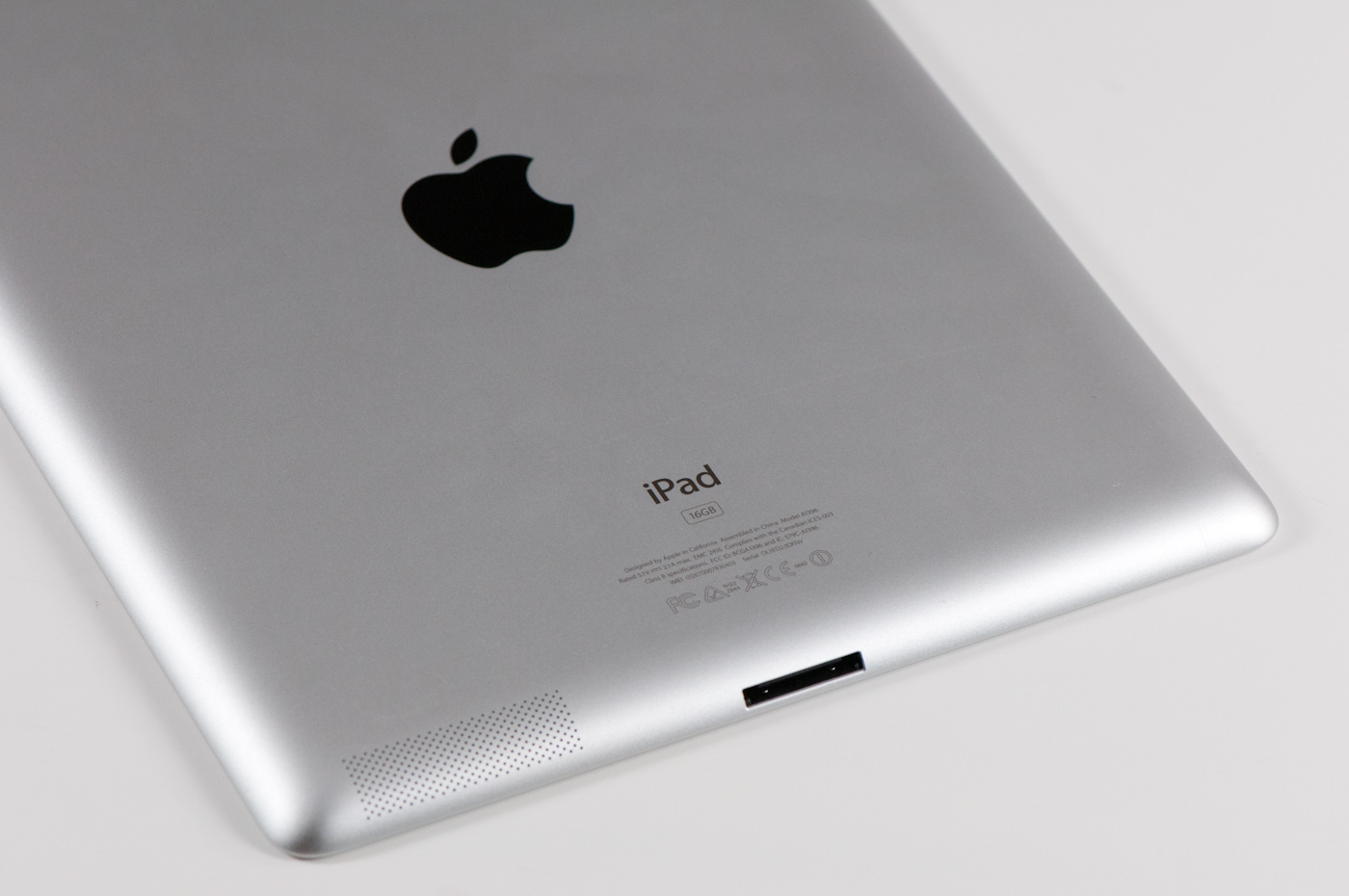
The iPad 2 is slightly lighter but easier to hold than the previous generation. Laying in bed and reading is probably where the difference becomes most apparent. The gentle curvature running around the edge makes the in-hand feel surprisingly different, as does the considerably thinner profile. I'm actually shocked at how dramatic the difference is.
The downside to the very large radius curvature on the outside is that the dock connector is now awkwardly exposed. It's very similar to how the iPod Touch looks, with about 2 mm of exposed connector visible viewed from the back.
The previous generation dock connector was the subject of constant criticism for being way too tight. Apple has over-corrected with the iPad 2 and now the dock connector is too loose. Just browsing the Apple store, I noted several units whose dock connectors appeared plugged in, but had come just loose enough to not charge.
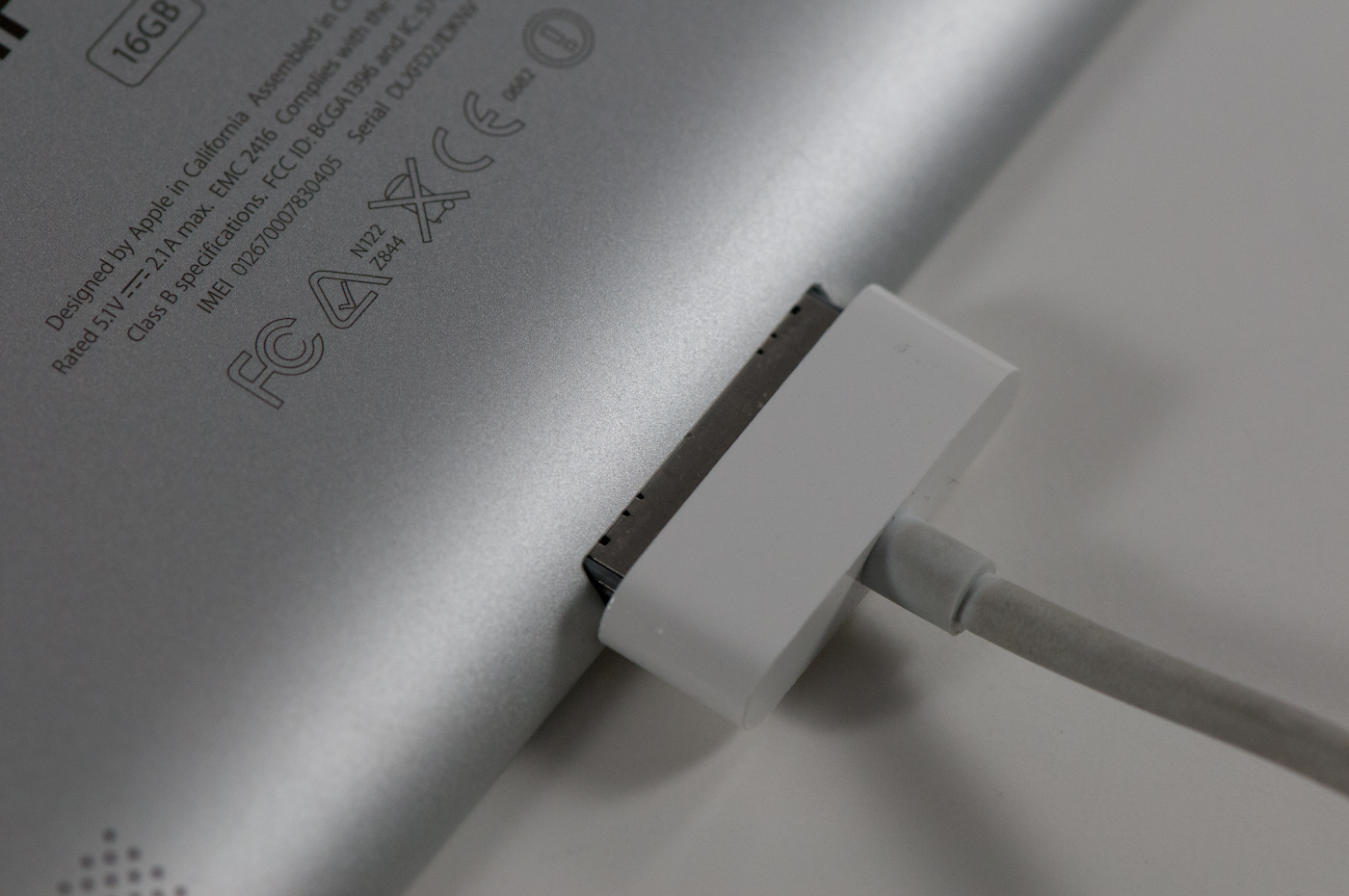
When connecting 30-pin dock cables, there's not too much resistance holding the cable in place, and the port itself is difficult to locate without flipping the thing over or viewing it from below.
Another welcome change - the return of the white iDevice. After the no-show that was the white iPhone 4, I was pleased to see Apple ship the white-bezeled iPad 2 on time with no production hitches. I was also wrong about how good white would look. Instead of being overwhelming or busy, the white bezel actually has one notable advantage over black - it doesn't show fingerprints or dust. That alone was what constantly drove me crazy about the previous generation - it always looked dirty. Shockingly, white seems to actually make sense.

Other hardware chances are the addition of front and rear facing cameras for FaceTime and taking pictures, but unfortunately, they seem to be pieces lifted from the iPod touch and nothing near the iPhone 4's 5 megapixel shooter. We'll talk about what this means for picture quality overall later on in the preview. The switch on the side can now be configured to either be a device silencer or a rotation lock switch, and there is now a large speaker on the bottom right corner of the device.
Overall, the new design really works - the iPad 2 feels good in hand, and instantly makes its predecessor feel a little clunky. But we didn't just pause our testing to talk about design, there's a lot under the hood of the iPad 2 that demands attention.


 Facebook
 Twitter
 RSS
RSS


82 Comments
View All Comments
ltcommanderdata - Saturday, March 12, 2011 - link
Just divide out whatever whatever graphical benchmark result by resolution to get a relative power per pixel measure.On this subject, hopefully Anand can update this Preview with GLBenchmark results as soon as they are available rather than waiting for the Review. This will be a very interesting result and I think the SGX543MP2 can potentially be 3 times faster than Tegra 2 if the drivers are well optimized.
slickr - Saturday, March 12, 2011 - link
Please Adand could you tell me the point of this device?You can't carry it in the pocket, its not a gaming device, its not a texting/writing device, its not a office device, its worse than PC and laptops for everything and too big to have over a phone and not to mention no phone connectivity.
So it seems to me its just a huge, bulky web surfing device and even mobile phones have a better camera so its not good even for pictures.
stealthy - Saturday, March 12, 2011 - link
This is exactly the device what I'm seeking. As most of the time in the evening I'm just websurfing/chatting with my girlfriend in Japan or emailing.I dont need to have a full blown pc to comfortably do this,
The ipad is fully supported by my cable provider. I can program the digital box with the device and watch a second program in parallel to my tv. Easy to follow two soccer matches :)
Apart from that I can control my home domotics system from my couch.
All this is the reason for getting the ipad.
Juzcallmeneo - Saturday, March 12, 2011 - link
Most people just use it as a toy..or a trend.The purpose is to bring things like reading books, browsing web, casual games, movies, etc..to a more mobile state than a bulky laptop with a giant keyboard attached. You can easily cradle it in your arms and walk around with it..sit in any position. Smartphones are more mobile, but not as comfortable to use in the sense that the Tablets have nice large screens.
They would be even more useful if they were all built like my new Eee Slate with the Wacom Digitizer technology on it. I do all of my computing on this thing now, especially all graphic & web design. The only downside is the battery life but it's good enough and worth it to have Office pro, CS5, and FL Studio on a tablet.
name99 - Saturday, March 12, 2011 - link
For me it's a device for reading technical PDFs. It does this far better than- a laptop (keyboard gets in the way)
- a kIndle (PDF display is crap for technical PDFs, not to mention SLOW)
- any Android device (faster, nicer screen, apps that handle the details, like margin cropping, well)
If you doesn't do what you need, why not just STFU? I don't run around the web sites for fancy camping equipment saying "Well, who really needs this equipment? Why don't you just stay at home where it is more comfortable?"
CAR67 - Saturday, March 12, 2011 - link
LOL, thanks for making me laugh.I always think along the same lines as your reply when people piss and moan about how something is useless to them, so no body else should want one and so it should cease to exist.
Azethoth - Saturday, March 12, 2011 - link
Speaking purely of my original iPad :1) It paid for itself by replacing my NY Times habit at Starbucks with various free news apps (NY Times & BBC being my favorites).
2) It made me fork over $100 for an Economist iPad subscription, doh. I really like the solid reporting they do.
3) It controls both of my Squeezebox Touch music players with nice touch interfaces and glorious album covers ($10 SqueezePad app).
4) Using the Calorie Counter app I have lost 10 pounds in the last 2 months. I could use it on the iPhone in theory but in that small a form factor ... just not gonna happen. Same on my comp, I am just not gonna run to the computer room every time I eat something, especially when not even at home. Another 20 pounds lost and I will be at a healthy weight: priceless.
5) I love reading, a lot. But my place cannot handle more paper books. I have read books using iBooks and the Kindle app. The iPad is fantastic for reading at night or twilight. I even read outside in the Sun, but not with the sun relfecting off the pages. But thats ok, I do not read regular books with the Sun bouncing off their pages either. The only scenario not supported is reading in a nice warm bath: I cannot have my iPad get wet.
6) Home automation. It is a niche thing but the iPad is a breakthrough interface in this arena. I am just getting started but I can control the furnace, a/c and fireplace so far.
7) Free phone calls using skype & wifi.
8) I use a small leather backpack to lug it around along with my coffee mug, water etc.
9) It is a gaming device. My favorites are Plants vs Zombies, Infinity Blade and Osmosis. I have played more games on it than my XBox, although Kinect is changing that. It does not replace PC gaming, but it enables games not possible on the PC.
slickr - Saturday, March 12, 2011 - link
So it other words its just an expensive, huge and bulky device just for web surfing.In better times we would call people that purchase these things stupid, laugh at them for making a bad choice and educate them how to recognize true value for money and make a smarter purchase tomorrow.
Guess times have changed for the worst, where the unacceptable is acceptable and the worthless is cool and trendy.
Whats next they are going to invent a Stone 2.0 with WiFi and an apple picture of the back of it and people are going to shell out hundreds of dollars for the cool rock 2.0.
Amazing, just freaking amazing.
AlexTheUkrainian - Sunday, March 13, 2011 - link
Sniff, sniff... can anyone else smell an angry troll?slickr, I am sure you're just trolling, or deeply jealous, but if not, just buy an iPad and see for yourself. It's frankly a device you can hear about a million times and never get it till you use it. There's just something magical about software always working, having an app for just about everything you can think of, and enjoying superb mobility, etc. Cooking? Just attach it to your kitchen cabinet and watch a video instructing how to make a dish. Taking notes in class - perfect companion! Want to connect to your windows pc remotely from your couch and still enjoy touch screen? Done.
And yes, the games rock. And they'll rock 10 times as much once they learn to use iPad 2's power.
TO ALL OTHERS: I just got hdmi adapter for this and I have to say, it's amazing for gaming! Now I can play and girlfriend can watch on big screen. But it's even better with games that don't require use of touch screen, such as Real Racing which can use just the accelerometer. Sooo recommend it. It's becomes a mobile xbox almost ha
Shadowmaster625 - Monday, March 14, 2011 - link
Yeah I'm sure slickr is just jealous. He wants to be a dumb yuppie. Some people live and die by these money black hole devices. As soon as you start paying for something due to its "coolness" factor, it's all over... Bottom line is these are $200 devices. They offer nothing vs an ipod touch, except the ability to hold it a bit further from your face.