



Operating Systems

Microsoft is betting big on artificial intelligence and generative AI at all levels of the company, from servers and Azure down to individual Windows PCs. And that big bet is about to become a lot more visible on Windows machines in the future, as Microsoft has instructed Windows OEMs to change their keyboard layouts to include a dedicated key for their Copilot AI service. Replacing the Menu key (or equivalent) on Windows 11 laptop keyboards, the repurposed key will instead provide direct access to Copilot, launching Microsoft's hub application for on-system AI. The Copilot key's primary function is to activate the Copilot generative AI assistant in Windows 11, provided that it the system has Copilot installed and logged in to a Microsoft account. Otherwise, on...
What to Expect with Windows 11: A Day One Hands-On
Tomorrow, Microsoft is officially launching Windows 11, the next installment of their operating system which underpins the majority of PCs in use today. Windows 10 has an install base...
96 by Brett Howse on 10/4/2021
Windows 10 May 2019 Update Feature Focus: Light Themes And Sandboxes
This week, Microsoft officially rolled out the Windows 10 May 2019 Update to the world. However, due to some recurring issues over the last couple of updates, the company...
71 by Brett Howse on 5/24/2019
A New Approach To Updates: Windows 10 May 2019 Update Available Today
For those eager to get the latest and greatest production build of Windows 10; good news. For those who would rather watch from the sidelines until the kinks are...
44 by Brett Howse on 5/21/2019
Microsoft’s Windows XP Finally Dead: Last Embedded Version Reaches EOL
Microsoft this week ended support for the very last Windows XP-based operating system, essentially marking the end of the platform and an era. Being one of the longest living...
24 by Anton Shilov on 4/11/2019
Microsoft Brings DirectX 12 To Windows 7
Sometimes things happen that are unexpected – just ask Ned Stark. In a far less fictional event, Microsoft has posted an update on their DirectX Blog announcing that they’ve...
51 by Brett Howse on 3/12/2019
The Windows 10 October 2018 Update (1809): Let's Try This Again
Back on October 2nd, Microsoft announced general availability for the latest update to Windows 10, the Windows 10 October 2018 Update. The new naming is improved over what they’d...
88 by Brett Howse on 11/14/2018
Windows 10 October 2018 Update Now Available
This afternoon at the Microsoft Fall 2018 event, Microsoft announced that the latest Windows 10 Update, version 1809, is now generally available for those that want to download it...
29 by Brett Howse on 10/2/2018
The Windows 10 April Update (1803): The Littlest Big Update
We’re about three years into Windows 10, and we’ve seen a lot of changes to the OS, as well as the servicing model, in those three years. The move...
164 by Brett Howse on 5/25/2018
Microsoft Build 2018: Developing Around Windows
This morning is the kickoff for Microsoft’s annual developer conference, with keynotes highlighting the next year in Microsoft. In the last several years we’ve seen the Redmond based company...
48 by Brett Howse on 5/7/2018
Windows 10 April Update Set For May Rollout
Microsoft has officially made available the Windows 10 April Update today, with a broader rollout to start on May 8th. Originally set to launch a couple of weeks ago...
12 by Brett Howse on 4/30/2018
Microsoft Announces Q2 FY 2018 Earnings
This afternoon, Microsoft announced their earnings for the second quarter of their 2018 fiscal year. The company had revenues of $28.9 billion for the quarter, which is up 12%...
6 by Brett Howse on 1/31/2018
Microsoft Launches Windows 10 On ARM: Always Connected PCs
This morning at the Qualcomm Snapdragon Summit in Hawaii, Microsoft’s EVP of Windows and Devices, Terry Myerson, is announcing the introduction of the first Windows 10 PCs to be...
59 by Brett Howse on 12/5/2017
HEVC and the Windows 10 Fall Creators Update
The Windows 10 Fall Creators Update (FCU) came with a host of welcome changes. One of the aspects that didn't get much coverage in the tech press was the...
38 by Ganesh T S on 11/30/2017
The Windows 10 Fall Creators Update Feature Focus
Windows 10 has finally settled into a groove. We are just over two years from the initial release of Windows 10. Part of the promise of Windows 10 was...
95 by Brett Howse on 11/10/2017
Microsoft Announces Fall Creators Update SDK Availability And Is Accepting App Submissions
This morning, Microsoft is live-streaming their Windows Developer Day, where they are showcasing some of the new APIs and features coming to the Windows 10 Fall Creators Update, due...
13 by Brett Howse on 10/10/2017
Windows 10 Fall Creators Update Coming October 17
This morning at IFA in Berlin, Terry Myerson, EVP of the Windows and Devices Group at Microsoft, announced that the next Windows 10 update will be launched worldwide on...
76 by Brett Howse on 9/1/2017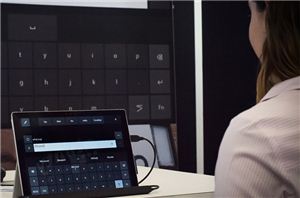
Microsoft to Enable Eye Control in Windows 10
Microsoft CEO Satya Nadella this past week announced plans to add support for eye tracking to one of the upcoming Windows 10 versions, in a bid to enable disabled...
33 by Anton Shilov on 8/7/2017
The Microsoft Build 2017 Recap: What To Expect When You’re Expecting Windows
Microsoft’s Build conference is one of their most important shows of the year, with a developer focused discussion that provides some guidance on the direction of Microsoft and its...
85 by Brett Howse on 5/19/2017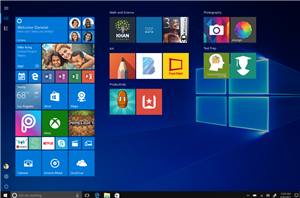
Microsoft Announces Windows 10 S: RT Redux
Alongside the new Surface Laptop announced today in NYC, Microsoft also unveiled their next play with Windows 10. Windows 10 S launches as a fresh take on an old...
73 by Brett Howse on 5/2/2017
 Facebook
 Twitter
 RSS
RSS


