



Kindle Fire
Earlier today Amazon revealed four new Kindle devices: a new Touch e-reader called the Kindle Paperwhite; the latest update to the Fire (not the Fire 2, just Kindle Fire); the Kindle Fire HD 7", and Kindle Fire HD 8.9". You can read the "liveblog" covering the event here. Amazon's full-on assault against tablets and e-readers doesn't come as much of a surprise, but their announcements regarding actual hardware are interesting. Sure, everything's thinner, lighter, with a better battery and plenty of new software features. But all of the tablet devices are also running on TI's OMAP chips. In order, the Fire (2012) uses the 4430, Fire HD 7" has the 4460, and the 8.9" has the 4470. Benchmarking was wholly restricted, so I was really...

Live from Amazon's Press Conference
In about an hour and a half minutes I'll be updating live from Amazon's press event here in Santa Monica, CA, where it's expected the company will show off...
32 by James Pikover on 9/6/2012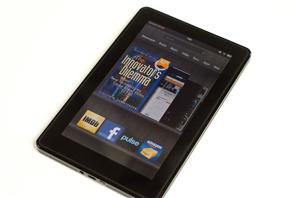
Performance-Fixing Kindle Fire Update Due in Less Than Two Weeks
Amazon will be releasing an over-the-air software update for its Kindle Fire tablet in less than two weeks, company spokesman Drew Herdener revealed to the New York Times yesterday...
11 by Andrew Cunningham on 12/12/2011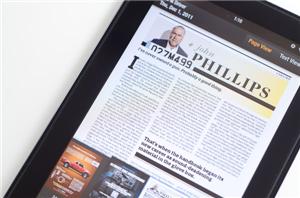
Amazon Kindle Fire Review
I'll be honest here (I always am?): I don't understand the iPad comparison. The Kindle Fire and iPad 2 couldn't be more different. They are vastly different sizes, shapes...
70 by Anand Lal Shimpi & Vivek Gowri on 11/29/2011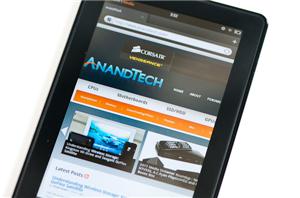
Amazon's Silk Browser Acceleration Tested: Less Bandwidth Consumed, But Slower Performance
We've been working on our Kindle Fire review over the weekend but I thought I'd break out a particularly interesting section of the review for release a bit early...
49 by Anand Lal Shimpi on 11/21/2011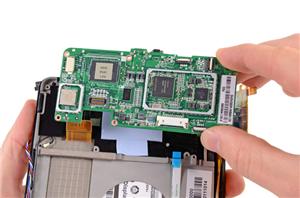
Amazon Kindle Fire Teardown
Thanks iFixit for the image! As we work on our Kindle Fire review, iFixit dissected Amazon's first entry into the tablet space. The internals aren't surprising - there's an OMAP...
7 by Kristian Vättö on 11/16/2011
Amazon Kindle Fire: A $199 Kindle Tablet
In a move that has been anticipated for sometime, Amazon has introduced their own branded Android tablet, the Kindle Fire. Though based on Android, you won't be confusing this...
81 by Jason Inofuentes on 9/28/2011
 Facebook
 Twitter
 RSS
RSS


