



Inside Microsoft's Xbox 360
by Anand Lal Shimpi, Kristopher Kubicki & Tuan Nguyen on November 16, 2005 5:09 AM EST- Posted in
- Systems
Disassembling the Xbox 360 HDD unit
The Xbox 360's HDD unit only currently comes if you purchase the $399 Xbox 360 system. For those who purchase the core system, no hard drive is included. However, if you are interested in finding out just exactly what Microsoft has offered in terms of storage, the following are instructions on how to disassemble the Xbox 360's HDD module.
Start off by first removing the HDD unit from the Xbox 360 main console and lay it flat with the connector side facing upwards. You will see 3 screws. The 4th screw is located underneath the silver "Microsoft" sticker -- removing this sticker instantly voids your HDD unit's warranty.
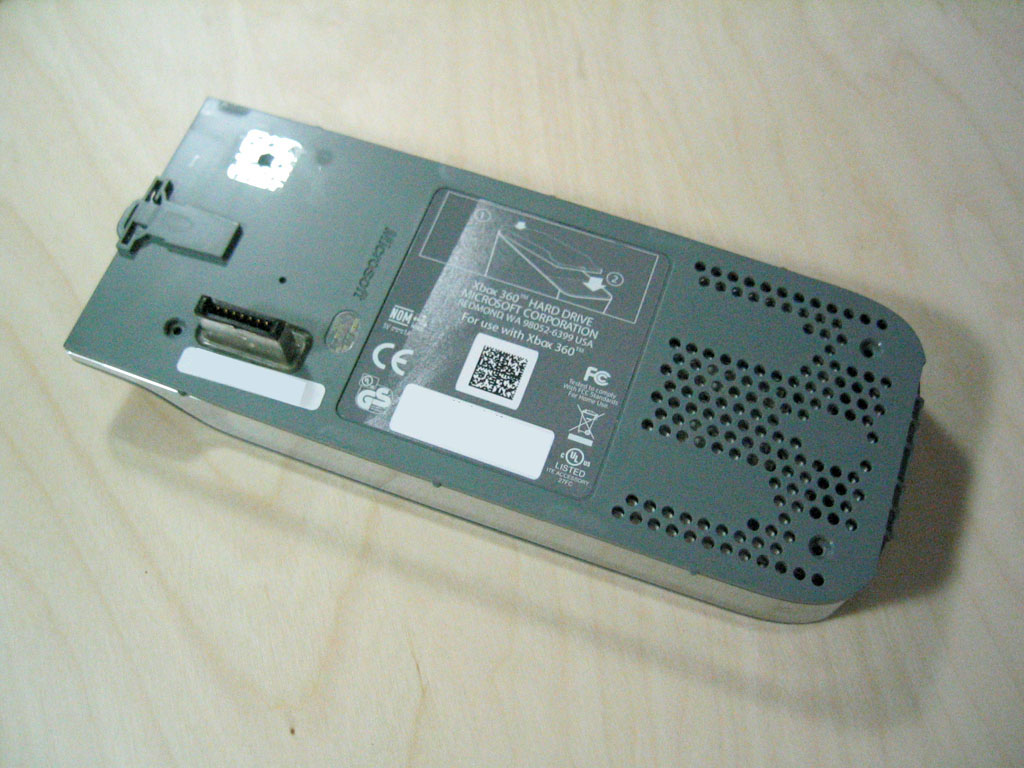
Once you have removed all 4 screws, lift up the plastic cover while being careful that it is latched onto the button-release end of the unit. You'll want to be careful as not to pop the spring loaded button and lose the tiny spring.
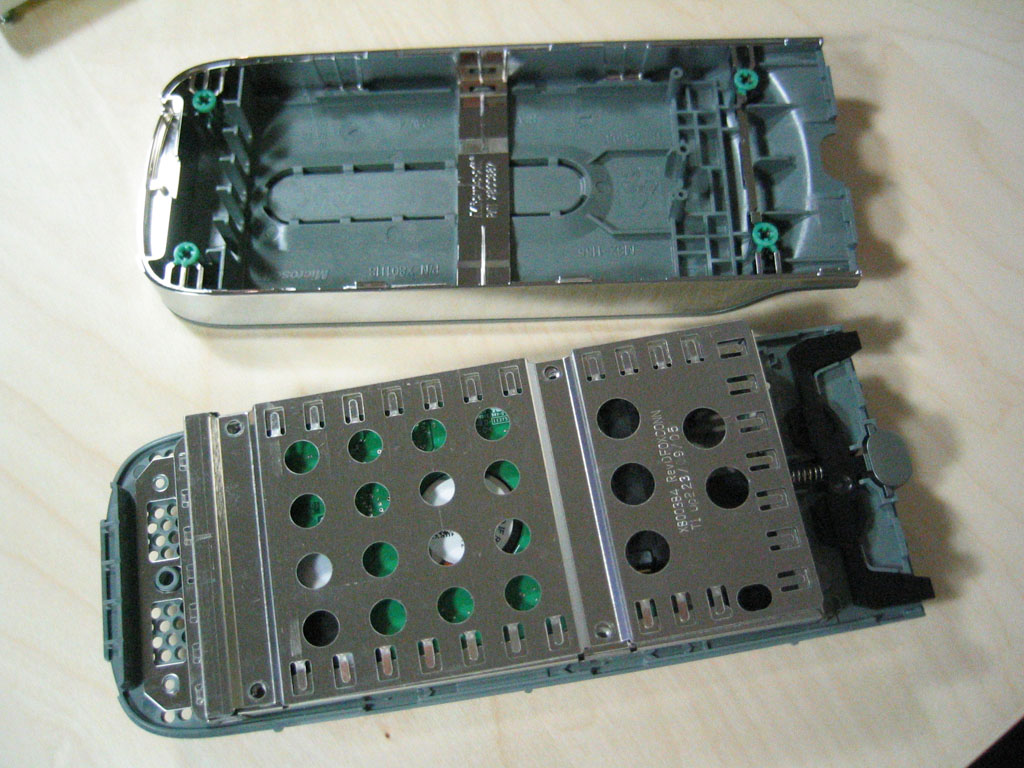
Once open, you will see the 2.5" Serial ATA notebook hard drive encased in a metal shell. Lift off the cover of the protective shell by first removing the four black screws holding it down. To proceed further you will need to have a thin knife. The metal casing is attached to the plastic shell by a very strong adhesive, and to remove the actual hard drive from the housing, you must first pry off the plastic shell from the metallic HD casing. Simply insert a thin knife and slowly "saw" away at the adhesive. Shortly after you will be left with the following:
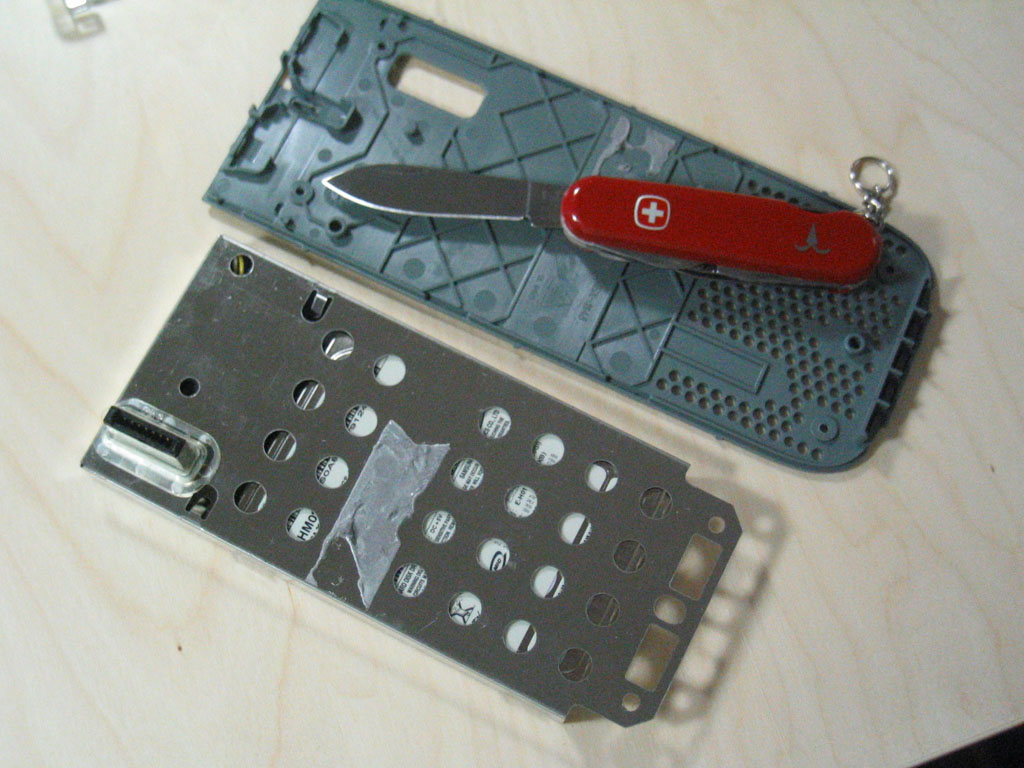
Once this is done, you can simply remove the attached Serial ATA data cable from the HD and slide out the drive.
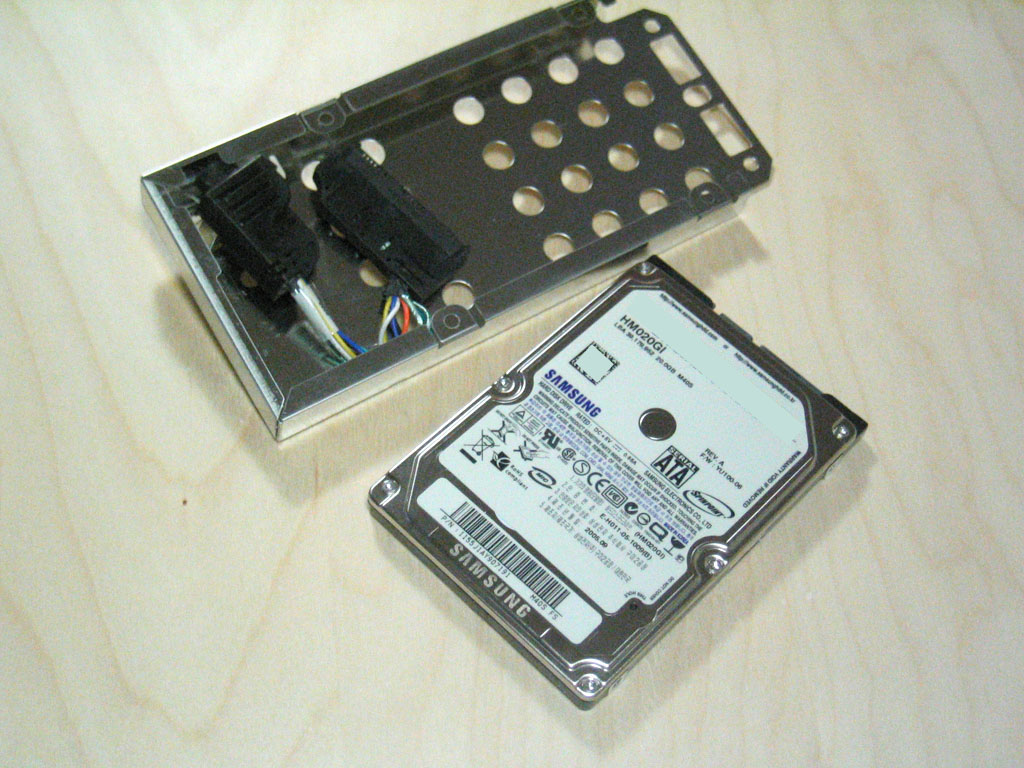

Microsoft previously used a regular 3.5 inch desktop drive in the old Xbox but this time has chosen a smaller unit that is separate from the main console. We're quite certain that this move allows them to offer upgrades for those who want to add more storage capacity to their systems as upgrades become available. Currently, the HDD that ships with the Xbox 360 Premium package is a 20GB drive running at 5400RPM. The drive is manufactured by Samsung although it isn't listed on their website as it is an OEM drive for the Xbox 360. The drive itself uses a standard Serial ATA connector (both data cable and power cable) so attaching other drives or the Xbox 360 drive to a computer for data transfer is very possible.


 Facebook
 Twitter
 RSS
RSS


91 Comments
View All Comments
preciousstone - Wednesday, May 13, 2009 - link
this is nice, i found this tutorial via a wholesaler whom is selling this item at very attracting price.thanks!
preciousstone - Wednesday, May 13, 2009 - link
in case u will need the site address?http://www.volumerate.com/details.vr/sku.6116">http://www.volumerate.com/details.vr/sku.6116
covert0001 - Tuesday, October 14, 2008 - link
I have just replaced the "x" clamps on a friends board after previously repairing 2 others with 3"rlod".I used this method-
Removed x clamps and heat sinks
Cleaned dice and sinks thoroughly with methanol and cotton buds
Put a spot of artic silver on the dice
Mounted heat sinks with m5 machine screws, nylon washers and washers
Let the board warm up till the 2 red lights came on and then let it cool
This method worked a treat on both others
The problem with this one is it plays a game for about 5-10 minutes then just freezes up. If i switch it off then back on it comes up with the 3 reds again. I can manage to get it to work again but the screen eventually freezes again and 3 reds. Any ideas what could be causing this or to solve this would be greatly appreciated
steveyoung123456789 - Friday, December 9, 2011 - link
NO ONE KNOWS WHAT THE FUCK YOUR TALKING ABOUT!xBublizZ - Sunday, April 1, 2012 - link
I know!JoeMontana1616161616 - Friday, July 5, 2019 - link
Shut the fuck up and go sit your ass back on the bench, Steve.itsmyfallt - Wednesday, December 14, 2005 - link
i was going to paint my 360, but dont want to screw over my warranty, is there any way that you can take the outer shell apart and not leave any visible evidence(besides the color change) that you have taken the shell off and tooled around with it?xboxrox - Wednesday, November 23, 2005 - link
here are a few more details of the insides -http://www.teardown.com/press/Port_Xbox_360_PR_112...">http://www.teardown.com/press/Port_Xbox_360_PR_112...
jugaaru - Friday, November 18, 2005 - link
I guess the anandtech server is getting hammered, I guess its the first full blown review. Nice work anyway.kmmatney - Thursday, November 17, 2005 - link
Just google "cpu dice" - I found this quote right away:"AMD is not in a position to move its product line to dual-core until it brings on an additional fab--either it's own Fab 36 or a foundry," Kevin Krewell, an analyst for In-Stat and editor of the Microprocessor Report, said Thursday. "Dual core equals two regular CPU dice, so it's not cost effective for AMD to ship dual-core [chips] for the same price as single-core. AMD needs to keep dollars per wafer growing, and aggressive pricing of dual-core would reduce it."
Looks like many people use to term dice. So for you guys bitching and moaning for Anand to chaneg it - guess what - No Dice!