



ASUS MK241H Specifications and Appearance
| ASUS MK241H Specifications | |
| Video Inputs | DVI with HDCP support HDMI Analog (VGA) |
| Panel Type | TN (ACI 24A1) |
| Pixel Pitch | 0.270mm |
| Colors | 16.7 million (6-bit with dithering/interpolation?) 130% color gamut |
| Brightness | 450 cd/m2 |
| Contrast Ratio | Up to 3000:1 (Dynamic) |
| Response Time | 2ms GTG |
| Viewable Size | 24" diagonal |
| Resolution | 1920x1200 |
| Viewing Angle | 170 horizontal/160 vertical |
| Power Consumption | <130W max stated 74W max, 29W min measured |
| Power Savings | <2W |
| Screen Treatment | Matte (non-glossy) |
| Height-Adjustable | No |
| Tilt | Yes - 30 degrees back/5 degrees forward |
| Pivot | No |
| Swivel | No |
| VESA Wall Mounting | 100mm x 100mm |
| Dimensions w/ Base (WxHxD) | 23" x 18" x 9.6" (WxHxD) |
| Weight w/ Stand | 19 lbs. |
| Additional Features | Integrated 1.3MP webcam and mic (USB connection to PC required) |
| Audio | 2 x 2W Speakers Audio in, Line out |
| Limited Warranty | 1-year parts and 3-year labor |
| Price | Online starting at ~$530 |
ASUS claims an impressive 130% color gamut for the MK241H. That seems rather high, and some of you may be wondering how exactly a display can be higher than 100%. The reason is quite simple: color gamut is usually measured against the NTSC standard, which is getting a little long in the tooth. Modern technology is thus able to exceed that standard, though it requires the use of an appropriate color space in order to do so. Naturally, we'll see whether there's any truth in the 130% claim.
Most of the remaining features are typical of an entry-level 24" monitor. The MK241H includes DVI, HDMI, and VGA inputs and it has built-in speakers (that as you might expect don't sound particularly good, but they'll get the job done if all you need is basic audio). In other areas, the ASUS LCD is more spartan. It lacks height, tilt, and pivot functionality; none of these are absolutely necessary, but we appreciate them nonetheless. The MK241H also lacks any USB ports, but it makes up for this by including an integrated webcam and microphone. That last is one of the few things that sets this LCD apart from other offerings.
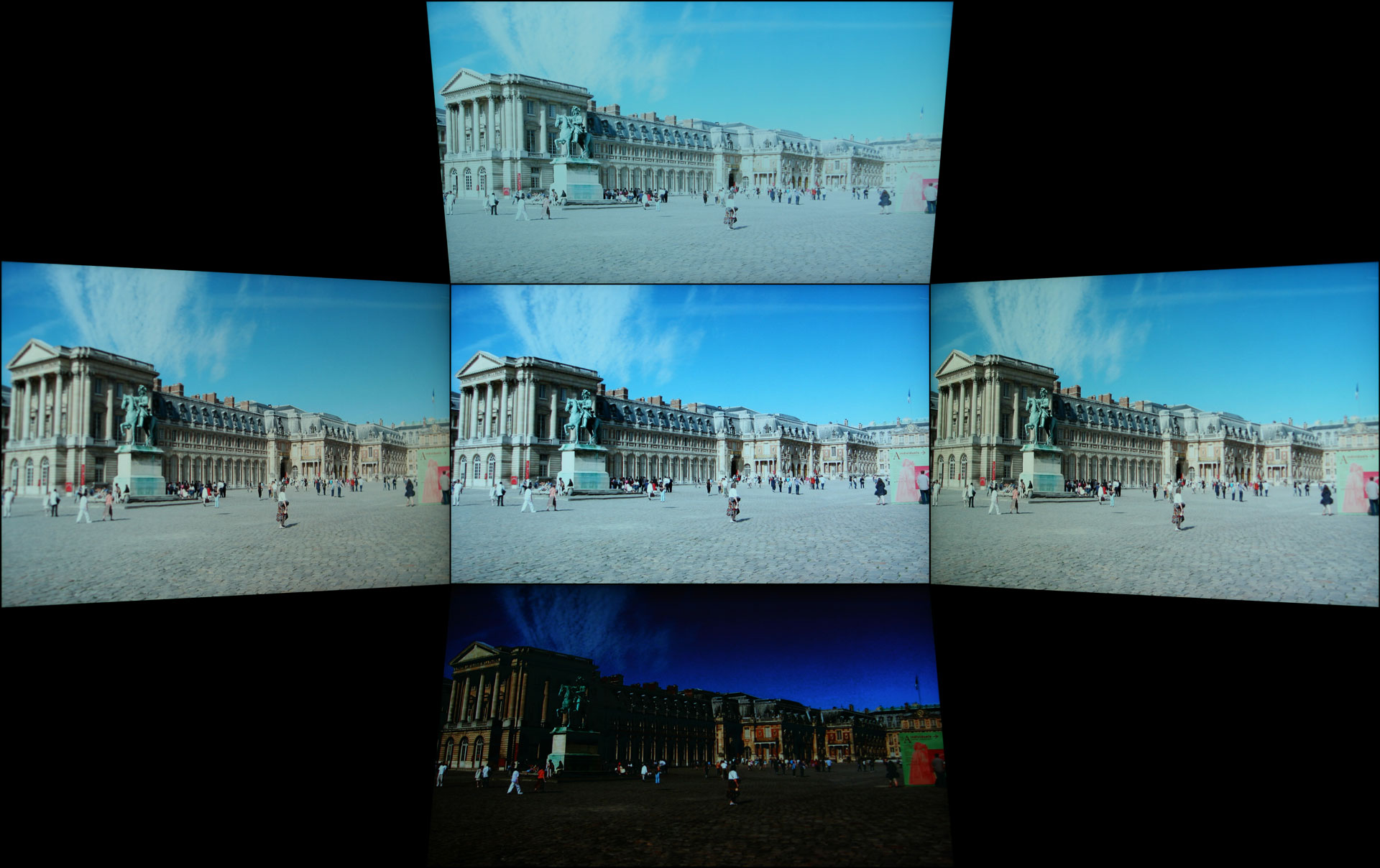 |
The MK241H uses a TN panel, and the biggest drawback to such a panel is the limited viewing angles. TN panels have improved over the years, to the point where many people are no longer bothered by the viewing angle limitation. Still, they are clearly inferior in this area to PVA and IPS panels. Looking at TN panels from below is the worst-case scenario, and in fact they are practically unusable from this angle. However, this should not be a problem for most users unless you tend to work on your computer while lying down.


The MK241H is a reasonably nice looking LCD whose appearance is marred by the presence of many stickers proclaiming the various features it comes with. It's possible to remove most of the stickers with a bit of effort, but we would prefer not to have to look at marketing material every day we use an LCD. Most of the information would make more sense on the packaging material -- though of course it's already there as well. While the LCD does not come with a full-featured base stand, it's not quite as flimsy as some of the cheapest LCDs we've seen on the market are. It is a little odd that ASUS includes a "warranty void if seal damaged" sticker on the stand, however, as anyone wanting to use a VESA wall mount will definitely want to take the stand off.


 Facebook
 Twitter
 RSS
RSS


89 Comments
View All Comments
Bolas - Friday, July 31, 2009 - link
Anand,Any chance of a 30" monitor roundup for those of us wanting to buy an extreme HD monitor to go along with the new high end gaming computer we're buying around Christmas time?
I'm not sure which is best between the stuff currently on the market (or things coming out in the near future, say by Christmas). I've heard of:
Dell 3007WFP
Dell 3008WFP
HP LP3065
Gateway XHD3000
Samsung Synchmaster 305T
Apple Cinema 30"
Am I missing any 30" monitors currently available? Which is the best, regardless of price? Which is the best in terms of bang-for-the-buck? Which is "future-proof", with good connectivity? I plan to use it to play Starcraft II and Warcraft III and maybe some Everqeust.
I just turned 40, so as part of my mid-life crisis, I'm buying a high end gaming computer, probably a CyberPower Black Mamba or a Digital Storm of some kind, depending on how the stock market does.
Basically an overclocked Core i7 with three-way or quad SLI. My computer budget is $4000 to $6000, not including monitor price, and I can get a nicely configured Cyberpower for about $5400 last I checked. But what to use to display all that computer goodness? I figure to spend $1000 to $2000 on a 30" monitor, but which one?!?
Thanks!
-Bolas
szore - Tuesday, June 23, 2009 - link
I bought this for about $269 free tax and shipping and I love it for gaming.jpp - Monday, September 15, 2008 - link
Hi,First of all a big thank you for these reviews - they are top notch.
I'm currently trying to decise between the Samsung and the Dell. I'm not into gaming, so latency doesn't bother me. Nor for that matter do the plethora of inputs both provide - I'll just be using with the one DVI input at native resolution.
Living in PAL country, I would be delighted if either of these monitors do 50Hz FR. I doubt it very much, but thought it worth asking. I know that my large Samsung 405T wasn't specified at 50Hz, but it is able to do it natively nevertheless which makes for judder free PAL DVD and FTA TV program watching on the screen.
So, apart from this probably undefined/untested aspect, which would be the better choice, given as I say that I am not interested in gaming?
I bring this comparison up here as this review does not list the Samsung in its comparison table. The Dell was the editor's choice, but the Samsung was reviewed after this 24in line up, so I was wondering if it could be included somewhere in the ranking?
Thansk again for the tremendous effort that goes into the testing and reporting.
Phil.
jpp - Monday, September 15, 2008 - link
As I can't edit my previous post, just a correction wrt the timing of the 2 reviews.The Samsung review was done before the 24in panel review, yet it's not listed in this review. That seems a bit odd and I was wondering why that is the case?
billingsgate - Monday, May 26, 2008 - link
I can't find reviews anywhere of Eizo LCD monitors. Eizo has a great reputation, but that's all I seem to be able to go on. A salesman gave me a really good pitch for the Eizo FlexScan S2401W. It's a Samsung TN panel (he claims), but somehow being an Eizo it's much better for color quality than any Samsung in the price range. It seems to be a good candidate for balancing accurate color and minimum input lag. But I can't be sure, since I can't test it in the shop for any of those things, plus the shops where I live are all little cubby holes in computer centers, with minimum choice in each shop, so it's impossible to do any side-by-side comparisons between Eizo, Samsung, NEC, etc., since they're never together in the same place.Any thoughts on Eizo's (relatively) budget line of FlexScans?
silvajp - Sunday, May 25, 2008 - link
Today I bought a Samsung 2693HM for $600 - $50 rebate and I am blown away. It looks great - very bright and vibrant. I am wondering if it has the same low input lag as the 2493HM. The resolution is 1920x1200 so at 25.5" it's got bigger pixels which is just fine for my poor tired eyes.billingsgate - Thursday, May 15, 2008 - link
Can someone help me with a recommendation? After reading billions of reviews of monitors I am confused as hell? is there a "best compromise" LCD monitor for both color accuracy and least lag time?I am not a gamer. I am an animation professional, and I heavily use Wacom tablets for drawing, loose and freehand, with Photoshop, Flash, and various professional animation programs. I've always used a CRT monitor and never once have experienced any lag between my stylus movement and lines on screen. I do own a Compaq tablet PC, and when I draw on-screen, the lag is perceptible enough to make the drawing very unnatural and inhibited. I just can't draw freehand that way.
As my beloved, expensive flat screen Samsung CRT monitor is now dying after 7 years of heavy use, I'm in the market for an LCD. In my business I need both excellent color accuracy and zero or minimal lag time for stylus input. Where I live (Hong Kong) there isn't a single shop that would ever allow me to test such a setup, so it's a lottery for me. Plus, their in-store demonstrations for color "accuracy" are geared for Asian tastes, which is heavy HEAVY on oversaturated red (while westerners prefer oversaturated green).
After poring through all the reviews, particularly on this site, I can't even narrow down the choices to 4 or 5 candidates. The Dell 2408 looks amazing except for lag time. The Samsung XL20 (not widescreen, but I don't really care) looks great for color and no lag time, but it has a noisy fan (irritating!) and is a bit smaller than I want.
Can someone seriously help me to narrow the potential choices for something that has good or great color and minimal input lag? I won't ever use it for gaming or for TV or video viewing.
hjkelly - Thursday, May 15, 2008 - link
I'm in a similar spot - into editing photos and watching movies. I was almost set on the Dell 2408, but then I found out it has about four frames of lag, which wouldn't be fun for movies (or drawing with a Wacom tablet, I'm sure). I've finally settled on DoubleSight's DS-263N. If you want a quick summary, it's like an Apple Cinema display, but 26" and with a polarizer to get rid of the white haze at wider angles. It's also very fast, less than one frame's delay, I believe. It's around $700, but the catch is that it's hard to find in stock, so you'll have to be on your toes to get one. But isn't that just a sign of quality, really? =)JarredWalton - Friday, May 16, 2008 - link
Surely you know someone over there that can let you borrow an LCD to test out? Honestly, I don't think you'll experience problems with input lag - we're talking about 50ms or so relative to a CRT, so 1/20 of a second. What you've noticed on a tablet PC probably has a lot more to do with the lack of processing power and other differences. All you really need to do is find someone with an S-PVA 24" LCD and you can see if you notice lag. I can game fine on the 2408WFP - the lag is just barely perceptible at times, but not enough to cause me problems. But I'm not a competitive gamer.As for DoubleSight, their 26" LCD is about to be phased out apparently - I asked them for a review sample and they said it was at EOL. It may become even more difficult to find in stock shortly.
Anyway, I hear good things about a few MVA panels (that I haven't ever seen let alone tested), or if money isn't a serious concern just pick up something like the HP LP3065. For professional use, I have a hard time finding anything I would prefer to a nice S-IPS 30" LCD. And the 2560x1600 gaming resolution is nice as well.
billingsgate - Friday, May 16, 2008 - link
Actually, I don't know anyone with an LCD screen to borrow, other than my son's cheap one which is fine for gaming but not even close to being color accurate, so not exactly a good example. I can tell you that I tried a Wacom Cintiq tablet, which is essentially an LCD screen you can draw on. It was connected to a G5 Mac, so no lack of processing power. The lag on that was a fraction of a fraction of a second. But I kept finding my hand slowing down to let the line catch up to the stylus, which sucked all the spontaneity out of my drawing. In other words, for a "sensitive artist", even a small lag is noticeable. With the Cintiq I attribute it to the signal having to travel round trip on a USB connection. But I am now quite concerned about buying the wrong LCD and being stuck with it. This isn't the USA. Once you buy something and leave the shop, there is no such thing as returning it.So, to repeat my question: can you or someone help to recommend a shortlist of monitors that are both good to great for color accuracy, and minimal for input lag?