



Holiday Case and Power Supply Guide
by Wesley Fink on December 16, 2008 12:00 PM EST- Posted in
- Guides
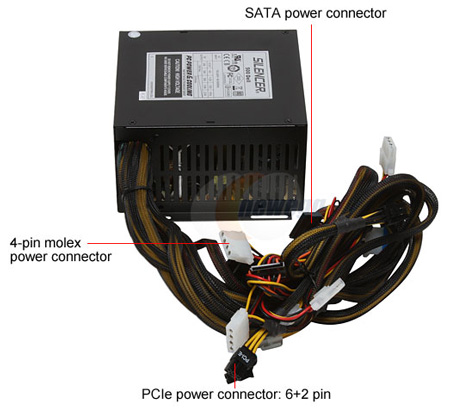
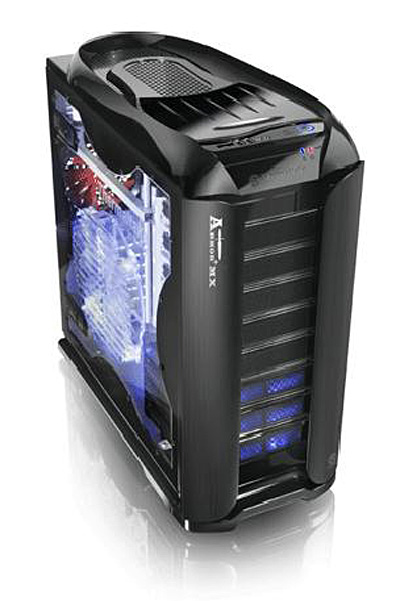
Computer Component suppliers normally sell the case and power supply as a combined purchase. The prices often seem to be a good value, but our experience has been that it is often tough to determine the source and quality of the Power Supply used in the package. Combo cases are often the cheapest and thinnest metal you can possibly buy. These combo Case/PS may be great for a retailer building entry systems for resale, but they are rarely high enough in performance or durability to meet the needs of the Computer Enthusiast. They also may work fine initially, but the cheap kit power supplies are often the first things to go in a system.
For all these reasons we recommend the separate selection of a case and power supply for a new system build, or to replace the case you now have. The price and performance range among current cases and power supplies is huge, so we have zeroed in on some typical price points for knowledgeable shoppers looking for a new case or power supply.


 Facebook
 Twitter
 RSS
RSS


32 Comments
View All Comments
nukeman8 - Wednesday, December 17, 2008 - link
bit harsh on the comments, its hardly a bad guide.I personally dont agree on the case section especially the higher end of it and recommending a PSU that isn't out yet is a bit iffy but its all down to opinions.
Christoph Katzer - Wednesday, December 17, 2008 - link
Yeah sorry about that. Actually Enermax wanted to have it ready right after our review but things got tight up and the PSU was delayed. But why not recommending it? It comes in a week or two, or three so why buying a crappy one now?SphinxnihpS - Thursday, December 18, 2008 - link
It's a holiday buying guide. What use is there to including products no one can buy for the holidays?Also, I have read both this site and HardOCP for years. You guys should simply stay out of the PSU reviewing business. Over the years you have recommended quite a few PSUs based on the box specs rather than actual testing, and even when you do test, your methods are thoroughly unsound and resoundingly un-thorough.
I take extreme issue that you would include high end cases without even making reference to Lian LI. Even Tagan puts out a massive aluminum beast that outpaces the Silverstone you put up there. Which begs the question, were you paid for this recommendation?
Finally, I am astonished with a supposedly "professional journalist's" inability to write well. If you want to make a living from writing you should at least be able to do it well.
You think my crit was harsh? My crit would be harsh if this was some casual review site being run out of the basement of a teenager, but many many people trust and respect AT, and expect to be able to take the recommendations here to the store without further research. AT is a professional organization, but this article lacks that professionalism its patrons have come to expect.
Apparently too, I am not alone. There are several negative comments attached to this piece. I may just have less superego than most people, but that doesn't mean what I am saying isn't being thought by many.
My crit is my present to you. You should say, thank you. You're welcome!
StraightPipe - Wednesday, December 17, 2008 - link
I agree. While I dont really agree with the recommendations, the article is still somewhat useful.There are a couple areas where it really needs improvements.
(I mentioned earlier how the PSU recommendations go from 300W, 400W all the way to 750W, then recommend a bigger unit that's not even on the market, as if you'll be able to use it this holiday season)
But I dont really agree with the way the case recos are laid out either.
For example, budget cases dont have to be Small Form Factor. Personally, I see the case as a pretty low priority when building an enthusiast system for playing games. I prefer tool-less because I'm changing out components regularly, but I still dont see myself paying more that $100 for a full size case. die cut aluminum is nice, but why on earth do i need a $200+ box to hold my system? HTPC's are a bit different as they often implement LCD displays or remote controls, but for you average gaming rig, it just needs god airflow and a simple layout.
I think Anandtech is doing a great job, I just like to add constructive criticism. One of the reasons I love AT is the fact that they tell it like it is. they're not afraid to review a product and say "well the manufacturer had a great ideal, but they screwed it up bad by failing to implement XXXXXX."
Keep up the good work!
StraightPipe - Wednesday, December 17, 2008 - link
I guess what I'm trying to say is if you're going to make a guide for PSU's, try to cover power supplies on a regular interval from high to low. Getting 80+ effeciency and a power rating that is appropriate shold be the first concern, and the price tag should be secondary.If you're going to make case reccomendations, why not break it down by form factor. If you want to subdivide by price too, that's cool.
I've never met anyone that went out and said, "I really need a case that is in the $100-200 range." Instead they say, "I need a case that can hold all my gear, it's gotta be fullATX" or "it's gotta be microATX." Then they go looking at whats available, usually looking at features like: toolless, airflow, PSU included (hopefully not), front panel, design, etc. That said, I'm from the camp that prefers plain simple cases, not dayglow see-through flashy cases.
I just think the PSU guides should be broken down by power supplied, and cases should be broken down by form factor.
SphinxnihpS - Tuesday, December 16, 2008 - link
also... COMMAS!SphinxnihpS - Tuesday, December 16, 2008 - link
this has to be my favorite part..."When it becomes available it will be one of the best performing high-end power supplies in the market.
wtf
you guys have a few things to learn from (it did NOT used to be this way)
amtbr - Tuesday, December 16, 2008 - link
I like the article but its a little over one week until christmas. Why so late?SphinxnihpS - Tuesday, December 16, 2008 - link
worst review i have ever read hereever
your mid and high end recommendations are astonishing
are you guys now paid for your reviews? srsly
v12v12 - Thursday, December 18, 2008 - link
***My Apologies for the rant...***I would like to see a review of the ACTUAL COST of production and marketing of these so-called "performance" cases. These boxes are simply that: CHEAP arse, LOW GRADE aluminum (recycled not even T6xxx) that are pressed and stamped with a few plasma cut-outs. Yet NOOBS will shell out $100s for a stupid box with cheap PLASTIC tool-less "innovations?" Some LEDs and even cheaper quality case fans... Please! It's always the fanboys (dullards), the rich (unconcerned), the spoiled brats (braggarts) that ruin things for all of us. They fuel the market for this overpriced junk.
This is no diff in the PSU market: The ever growing demand for UBER wattage ratings, completely UNnecessary! 90% of you are NOT going to use a damn 750W PSU with in 70% of it's rated spec. Yet that's all that constantly gets reviewed: Kilowatt PSUs? It's 2008—why in the WORLD is the demand for PC power increasing Vs technological innovation decreasing the demand? Because people (stupid ones) WILL continue to pay for what they are falsely told they "need."
Don't believe me? Check the previous charts from 3-5-7 years past and you'll see case and psu prices rising sharply. Partial blame directed toward the "new" "wonder" metal—Aluminum! Lian-Li leading the way from years past with near $200 cases. So ridiculous... You people know who you are, so please chill with the quick-to-take-offense flames. If you're a smart shopper, none of this vitriol applies to you... if you're a SHEEP, then baaaaahaaaa away and flame.
Lets get a REAL review of the industry producing this mess, please. Notice nearly NONE of these cases/PSU etc are "made in America" so you KNOW the production costs are DIRT cheap, like a pair of nike shoes... $7 Jordan's made in Taiwan sold in USA for $170 and idiots gladly pay up! Lmfao, have a happy capitalistic Christmas.