



Laptop Buyer's Guide: 14-inch and Smaller
by Vivek Gowri on July 19, 2010 12:01 AM ESTAll-rounder: ASUS U30Jc/U33Jc/U35Jc
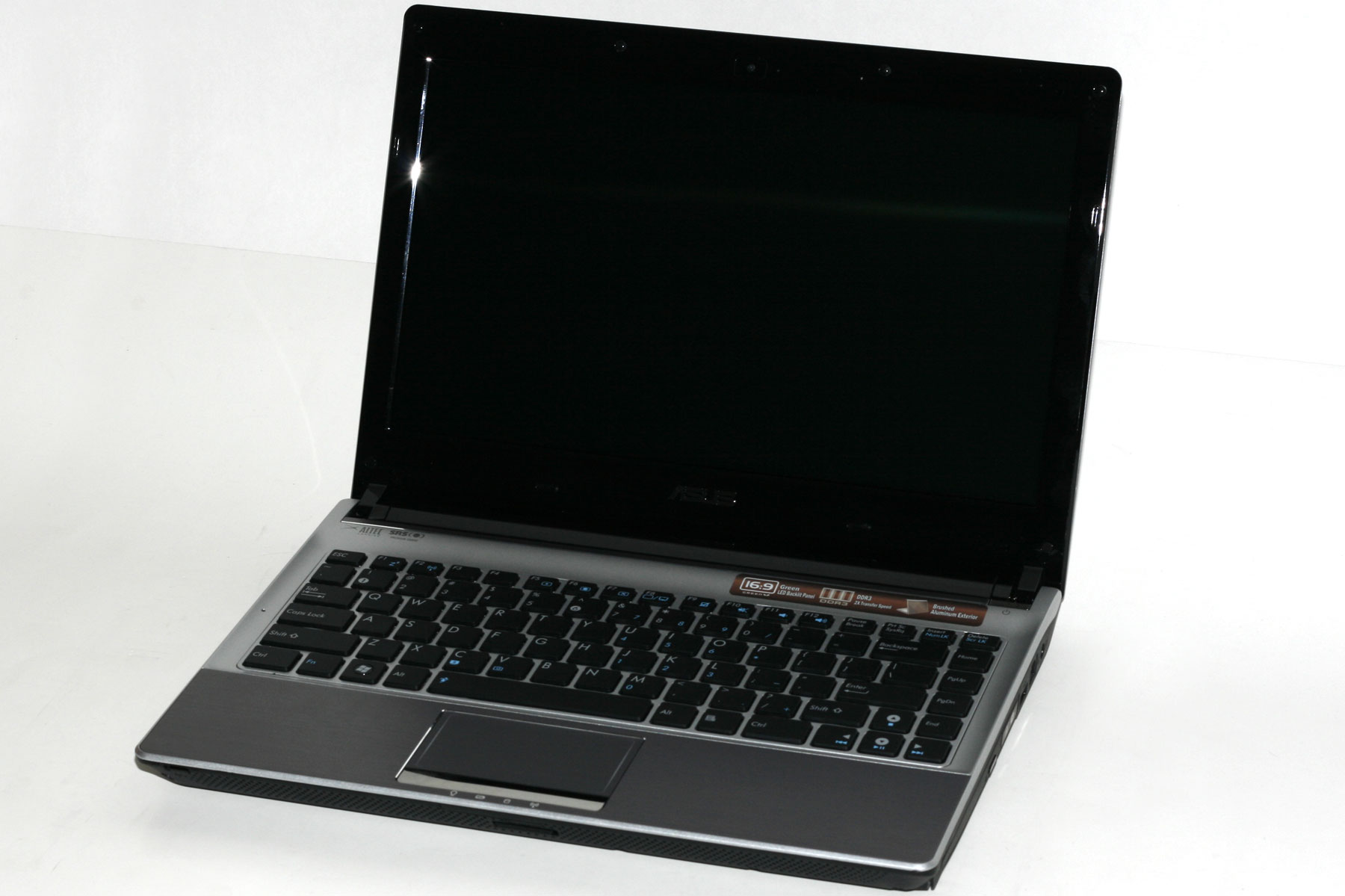
For all around competence, we start with the recently reviewed and Bronze Editor’s Choice winning ASUS U30Jc. We find that 13” notebooks offer the best compromise between performance and portability, being more powerful and more usable than 11” and 12” ultraportables and not as bulky and heavy as 14” and larger notebooks.
The U30 has a standard voltage Core i3 processor, the NVIDIA GeForce 310M + Optimus combo, and a huge battery. It packs in all the power and features that a larger system would, including a DVD drive, in a thin and light package that offers nearly 10 hours of battery life. Add to that the aluminum casing, solid build quality, $890 street price, and ASUS’ growing reputation for producing reliable performance notebooks, and you have the makeup of a winner. However, at 4.8lbs, the U30 chassis weighs the same as the larger 14” UL80 chassis (which we’ll get to in a second) and is heavier than many other 13” notebooks. Not that 4.8lbs is terribly heavy, especially when the battery life is good enough to forgo carrying the AC adapter, but still, it’s one of the few areas that ASUS could improve on (along with the LCD quality, a constant sticking point with any midpriced notebook.)
And improved they have, with the U33Jc and U35Jc. The U35 has all the aluminum-encased, Core i3 + Optimus + 10 hour battery goodness of the U30, but omits the optical drive for the purpose of a much thinner and lighter chassis. With a thickness of 0.6”-1” and a 3.74lb carrying weight (including the massive 84 Wh battery), the U35 is pretty astoundingly svelte for having a standard voltage processor and a dedicated graphics card. So long as you don’t require a DVD drive, you lose nothing relative to the U30Jc. And it’s $70 cheaper to boot. So, to recap, it’s just as powerful, a quarter of an inch thinner, 22% lighter, and a bit cheaper. That’s relative to what was already one of the best performance/portability/price compromises on the market.
But what of the U33Jc, you ask? The U33 starts with the U35 base and adds Intel’s Wireless Display technology, a USB 3.0 port, and - get this - bamboo paneling over the lid and palmrests. According to ASUS, the bamboo paneling lets you show off your ecologically friendly side in style. I’m not sure I buy the environmentally friendly stuff (the wood they use would have to be chemically treated to resist the thermal expansion and warping caused by a notebook’s power output), but it’s definitely a more luxurious direction for laptop aesthetics. I must say, I like the way it looks, but I care about industrial design more than a lot of people. There is an associated price increase with the U33, to the tune of $80 more than the U30. Now, that extra money does get you the WiDi and USB 3.0, so it’s not like the U33 is a bad buy (it is, after all, still a sub-4lb thin and light with a standard voltage CPU, dedicated graphics card, and 10 hours of battery life), but it isn’t as good a value as the others and you do end up paying a premium for style.
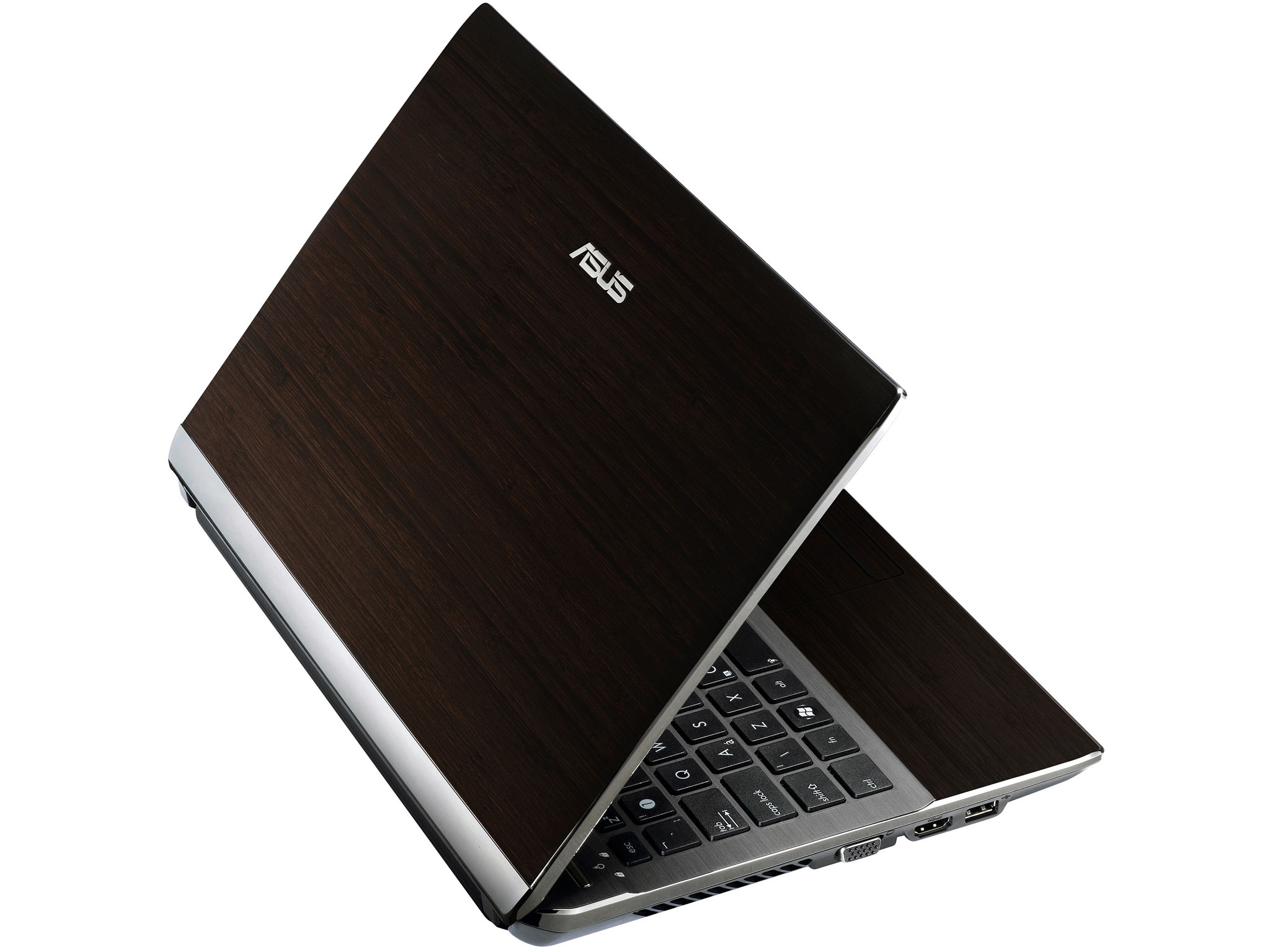
But in the end, all three of these notebooks share the same core values: a lot of performance, a bit of style, oodles of battery life and great value in a thin and light package. Not to say that they’re flawless - the display quality is definitely something that could be improved (as with all mainstream notebooks), and the keyboard is fairly mediocre. However, these are merely nits to pick, and overall, the U30Jc, U35Jc, and U33Jc are some of the most complete portable notebooks on the market.
Alternative: ASUS UL30/50/80Jt
The UL80Jt is the Arrandale refresh of the much loved and Silver Editor’s Choice winning UL80Vt. As such, it comes with a proven platform and suitably high expectations. The UL80Jt is nearly as good an all-rounder as the U30Jc, with the main hardware difference being the use of the Arrandale Ultra Low Voltage processor, but keeping the NVIDIA G 310M, Optimus, and the 84 Wh battery. The Core i3/i5/i7 version of CULV is slightly more power hungry than the Core 2 Duo CULV platform we’ve come to know and love, so the UL80Jt likely won’t be able to match the astounding 13.2 hours of battery life that the UL80Vt put up, but it should be able to exceed the already excellent 10 hour figure put up by the U30. We’d expect a best case scenario of 12 hours, and at least 8 hours in normal usage. The UL80Vt is otherwise similar to the U30, with a slightly larger screen, an integrated optical drive, and the same 4.8lbs carrying weight. While only the 14” UL80Jt is out currently, the 13.3” UL30Jt and 15.6” UL50Jt should also be shipping in the near future. Between the UL series and the U30, the choice ends up between performance and battery life - the U30/33/35 should outperform the UL series handily, with its standard voltage Core i3 processor, but offers around 20% poorer battery life on the same size battery.


 Facebook
 Twitter
 RSS
RSS


79 Comments
View All Comments
neothe0ne - Monday, July 19, 2010 - link
I feel like you did the Envy 14 an injustice by not even mentioning switchable graphics. And I don't believe the opening page with "NVIDIA dominates the portable market" - all Dells, most Sonys, all HPs, and then some are using ATI cards now.ExodusC - Monday, July 19, 2010 - link
Also, I'd like to note that from the users that have gotten their Envy 14s already, they have stated that it does not get uncomfortably hot (like the Envy 15 was known to). It apparently stays relatively cool, even while gaming (not sure about something super intensive like 3DMark or Furmark).KZ0 - Monday, July 19, 2010 - link
In very many of the reviews I've read here, it has been commented on how the screen sucks, as usual. When there finally is an affordable notebook with a great 1600x900 14" screen, it's not even commented on? Why? I know some models (non US-factory, the Amazon model, etc) have a 1366x768 display, but the HD+ screen is even included in the base 1099 USD factory price!When there's no review model available, at least use what info there is (user reviews) instead of speculation! And the i7 quad option isn't even a reasonable upgrade for most people, killing battery life (not having an integrated GPU to use the switchable graphics, and higher power consumption), making more heat / noise, and not providing much of a performance increase for most people.
A review or analysis on Anandtech is generally very good, and I've been following the site for quite some time now (though not posting), but this disappoints me.
JPForums - Monday, July 19, 2010 - link
Don't be disappointed. This is Anandtech. They don't claim to be perfect, but they do accept feedback. If you bring up legitimate concerns, they are pretty good about fixing it for future articles. You may even get an update to a current article.That said I'd like to voice my opinion that 1600x900 or better resolution screens in a 14" or smaller notebook is a very compelling feature. Such a screen may be worth the trade off in battery life and/or cost as there are cases where the increased desktop real estate results in a significant increase in productivity. This productivity boost is not easy to measure, but at least warrants a word.
TareX - Friday, March 4, 2011 - link
My Envy 14 has a Radiance 900p screen that simply blows away every other 14" Laptop screen in the market.It is NOT plagued by the older generation Envy laptops' issues with heat.
I am quite perplexed by this Anadtech article. If they didn't review it, they could have at least read the impressions of other sites whose editors actually used the new Envy 14.
VivekGowri - Monday, July 19, 2010 - link
By "the portable market" I was meaning laptops smaller than 14" (which this buyer's guide was focusing on) as distinct from the more mainstream and desktop replacement markets.How many 12" and 13" non-AMD laptops can you name with ATI graphics? Off the top of my head, the Sony S series has an optional ATI HD 5470 card, and the Lenovo U450p that had an HD 4330 switched to Nvidia when it got bumped to Arrandale. Other than that, a lot of the really portable notebooks tend to use Nvidia GPUs. Cases in point: the entire Asus portable lineup, the M11x, the VAIO Z, the Lenovo U460, etc etc etc. So I think it was a fair term.
Once you start getting to 14" and larger notebooks, you start seeing a lot of ATI GPUs, yes, but not in notebooks smaller than that.
ExodusC - Monday, July 19, 2010 - link
I should have stated I don't necessarily agree with neothe0ne. I replied to his comment as it was related to the Envy 14. I have to agree with you, actually, that NVIDIA has dominance with their mobile parts. From what I understand, AMD is gaining ground, in that market segment though, are they not?I mainly wanted to question the Envy 14 getting hot-- from everything I've read, it really doesn't get that hot (maybe in a lap, if the vents are covered? I figure anyone using the dGPU will be gaming, and therefore plugged into an outlet and on a desk).
Most importantly, Vivek, is AnandTech planning a review? Last I heard it was hard to get a review unit, but I'm really curious if AT has heard anything from HP about it. The Envy 14 seems to be gaining a lot of popularity as a MBP-alternative, as many people have an anti-Apple stigma.
ExodusC - Monday, July 19, 2010 - link
Oh, and one last thing, the Envy 14's battery may be sealed in, but it's easily removable by flipping a simple switch. I know it's a minor thing, but when I read the article, it seemed to suggest the battery was non-removable, like the MBP.:)
ExodusC - Monday, July 19, 2010 - link
Well, after a second look some users report it getting hot, others say it doesn't get hot. I guess it depends what kind of load it's under.Visual - Monday, July 19, 2010 - link
The HP tm2 uses ATI 4550, and it being a tablet convertible has better portability than any of the ones included in this "guide", while not being far in performance too. I'm actually surprised it was not mentioned.