



Value Midrange Common Components
While AMD and Intel architectures differ in sockets and sometimes memory configurations, there is more that is the same in the two systems than there is that is different. For that reason the Intel and AMD Value Midrange Systems share a number of common components.
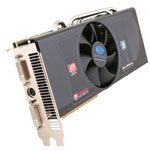 |
For video card best value we have paired the Sapphire Radeon HD 4870 1GB with both the Intel and AMD systems. As pointed out in the recent Holiday 2008 GPU Guide, the 4870 1GB is the minimum card we use internally for gaming comparisons. The Sapphire was our guide choice, but $230 seems the going rate for the 4870 1GB these days. It is available from MSI, Diamond, ASUS, HIS, Power Color, and others so you can shop for the best buy.
On the Intel system, the Gigabyte GA-EP45-UD3P motherboard provides a second PCI x16 slot. Video performance can be improved even further by adding a second Radeon HD 4870 1GB in CrossFire mode. You can also start with two 4870 512MB video cards that are now available for as little as $180 each from Power Color. This will provide 4870 CrossFire for a video card cost for both cards of just $360 total. The motherboard choice for AMD is the Foxconn A79A-S, which also provides multiple x16 slots for CrossFire. The same video options apply to the AMD Value Midrange system.
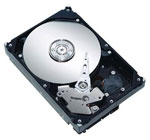 |
Hard drive capacity continues to grow, as you can see in our selection of the Seagate Barracuda 1TB drive (1000GB). While the Seagate 1.5TB drive was plagued with problems at its release, the performance and reliability of the 1TB Seagate has been excellent in our testing so far. For a price of around $100 the value is incredible. While there are differences between hard drives, outside of running benchmarks most people aren't likely to notice the difference in performance between Western Digital, Seagate, Samsung, Hitachi, and other major brands. All are worthy of consideration if the price per gigabyte (or terabyte) is right.
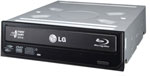 |
We feel the optical drive for a best value midrange system needs to play Blu-Ray disks. The flexible LG GGC-H20LK has the ability to read both Blu-Ray and HD format disks. It also can burn DVDs at 16x speed in single or dual-layer formats. It cannot, however, burn 25GB/50GB Blu-Ray disks; adding that capability raises the cost to around $200 to $250. BD burners like the $200 LITE-ON 4X BD-R 12X DVD+R 4X Blu-ray DVD-ROM or the $230 LG 6X Blu-Ray Burner GGW-H20LK are good choices.
 |
Cases are often very personal choices when it comes to features, but the Cooler Master RC-690-KKN1-GP is one of our favorites and it is also very well regarded by our readers. It comes standard with three 120mm fans for excellent cooling and low noise, and the power supply mounts in the bottom of the case. Audio, USB, Firewire, and eSATA ports are on top of the case, which we find an ideal location. The front bays are also ventilated metal mesh for cooling and appearance. If you prefer a more traditional case configuration, the Cooler Master Mystique, also selling for $80, mounts the PSU on top, provides font panel jacks, and is loaded with expansion ports and two 120mm fans.
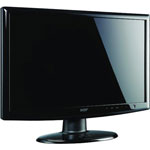 |
The last major component to discuss is the display, and here the tilt was toward best value at full 1080p HD (1920x1080) resolution. The new class of 16:9 21.5" LCD monitors provide true 1080p resolution at the break-through price of just $199. That stellar value shows just how far LCD technology has progressed. If your budget allows, or you just prefer a slightly bigger screen at the same resolution, you can move up to a 24" 16:9 1080p LCD that is selling today for around $300. Alternately, you can downgrade the resolution to 1680x1050 for slightly larger pixels (i.e. more readable text) if you purchase a 22" LCD and save a bit of money.
While the Creative Sound Blaster X-Fi Xtreme Audio is not the best sound card on the market, it is definitely tops in game compatibility. This Creative X-Fi card does a good job with audio, won't break the bank at $50, and it is a great choice for either set of powered speakers. Some would argue that onboard sound is all you need for a $1500 system, and if you are inclined to agree or have a really tight budget, you can save $50 on either the Intel or AMD Value Midrange builds just by using onboard sound.
|
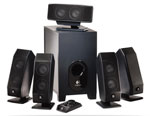
The Logitech X-540 has been a perennial favorite of users as a reasonably priced but good performing, powered 5.1 computer speaker system. It will certainly not challenge the performance of a separate Dolby amplifier powering audiophile speakers, but it will provide surprisingly good sound for the price.
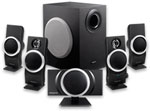 |
The Creative Inspire T6100 76 Watts 5.1 Speaker System is a similar powered speaker system that is selling at Amazon for just $57. The Creative speaker system is our choice in the AMD Value Midrange system, but either speaker system is a good choice for these Value Midrange builds.
Our choice for the top of the midrange is the well-regarded Logitech G51 system. This is mentioned only because the G51 is now just $90 after a $40 rebate, so if you want a better speaker system your net cost for choosing the G51 instead is just $10 more than the Logitech X-540 or $33 more than the Creative Inspire T6100.
 |
These are clearly desktop systems, so the keyboard and optical mouse are the basic Microsoft OEM kit. If you have more specific needs or a favorite gaming mouse you likely know exactly what you prefer. The Microsoft pair is very capable for most. For greatest compatibility, we have chosen Microsoft Vista Home Premium OEM as the Operating System. Unless you have specific networking and special enterprise security needs there is no real reason to pay the extra for Vista Ultimate. We personally recommend the 64-bit version now, but a select few applications still need a 32-bit OS (i.e. Dragon NaturallySpeaking and GameTap to name just two).


 Facebook
 Twitter
 RSS
RSS


77 Comments
View All Comments
aenagy - Sunday, February 1, 2009 - link
I can't find the Xigmatek HDT-D1283 on the Xigmatek web site for thier air cooling products (http://www.xigmatek.com/product/aircooling.php)">http://www.xigmatek.com/product/aircooling.php) or by Googling (http://www.google.ca/search?hl=en&q=site%3Axig...">http://www.google.ca/search?hl=en&q...k.com+D1...Is the author referring to the Dark Knight-S1283V/Dark Knight-S1283? Which one?
If so, what is the difference between the S1283V and S1283. Even after downloading the manuals I have not been able to figure it out. Maybe its the difference between the push-pin mounting vs. screws?
Joe Schmoe - Monday, January 26, 2009 - link
Hi folks!!I love this site and it was an excellent article.
I have a slightly different (perhaps warped) perspective on this topic. It's based on too many years of living in poverty so I could keep my hyperfast, sweet internet connection going.
I'm in the USA so EU readers don't laugh at my appalling slow connection.
I think your midrange systems might be specced a little bit high.
It's exactly what I might buy today but, when I was still in college and money was a little tighter my gaming rigs were a little more.. rickety.
Do that many midrange rigs have blue ray drives?
Speaking from my heart..
I think I'm a midrange builder. A midrange PC doesn't have to start off so... well rounded....
No matter what we tell ourselves or how much we plan it. There are situations when we usually blow all our money on the new CPU (whether its rational or not) and upgrade the rest of the system bit by bit over the next year.
Practically all the CPU's on the market today are fast enough that's almost an undisputed fact.
But we have the I7 and the Phenom 2!! brand new!! for sale!! new chips!!
It's almost impossible to buy anything else. I couldn't bring myself to buy a e8600 instead. I can get a blue ray drive next month. I'd swap one dvd drive between two computers for 6 months if I have too to price in . (I've done that many times)
If you grabbed a regular DVD drive for now and used the onboard sound for a while. Those are things are easy upgrades-- two paychecks. You saved about $150 which you can through at the processor and board.
If you drop down to a 4850 (i know it hurts a little) and now can get an I7 920 and the x58 board. Within 6 months you buy a 2nd 4850 and you're golden.
The same setup for a Phenom 2 build.
My X-fi Extreme card passes from system to system like its a family hierloom.
By summer time I'd have the blue ray drive and probably crossfire 4850's.
My next computer is probably going to be:
One of the new processors.
New motherboard.
My current graphics card.
My current 4 gigs or RAM 6 gig of ram four of which I own already.
It's sad but true..
Well maybe not this time..
7Enigma - Wednesday, January 21, 2009 - link
Well wanted to thank everyone in the comments section, this and other articles for piecing together my upgrade system. Pretty much replaced everything except for the HD and case. Wanted to give a quick rundown of how it went and my initial impressions of the components:-E8500 CPU- You can tell it's been a while since I've built a system. Not seeing pins ON the chip kind of threw me for a loop. :)
-XIGMATEK HDT-S1283 120mm Rifle CPU Cooler was very annoying. Currently @35C idle at stock speeds on the E8500. The push pins suck, absolutely, positively suck. I had serious concerns I had damaged the CPU because some of the pushpins refused to stay down and would pop back up rocking the heatsink. The backplate accessory was $15 which would have increased the price of this cooler to top cooler territory. I will have to wait and see how this pans out because I do not have a good feeling about the longevity of those pins (imagine if they were to release when upright and on, that would be a disaster). I will never purchase a pushpin design again that is for sure. Also have quesetionable faith in the design of the base plate that has the heat pipes directly at the base. There are significant ridges that will not contact the cpu core. I used a bit more thermal paste than normal to hopefully fill in these ridges. Oh and this thing is HUGE. I literally sat there for 20min trying to decide which direction I wanted the fan/heatsink to face. There was NO clearance issues (thank you so much Mr. Fink!), which made the decision harder since I was not constrained by the mobo design. I ended up going with the heatsink moving air from the ram towards the back of the case (from right to left if looking at the tower sitting upright). I had originally wanted to go from the bottom of the case to the top, but I was concerned the GPU would block airflow.
-Gigabyte GA-EP45-UD3R - As the article mentioned I have no plans on SLI/X-fire and so went with the R model instead. Very nice piece, installed without a problem, retaining bracket for the CPU is well designed/made. I have zero complaints except for the short IDE connectors. Forced me to use a SATA DVD burner since the single one included could not stretch to hit both the HD and the burner even when I moved them closer together. Funny thing: I tried to find the VGA monitor cable on the mobo to do a test run before plugging in the expensive gpu only to realize it has no onboard video! :) Don't need it, but I hate firing up the system for the first time, and like to have the least amount of components in case something fries (never happened yet to me but I still worry).
-Tuniq Potency 550w PSU - On recommendation by Mr. Fink I grabbed this new PSU. Let's hope it makes the 500-550w PSU roundup that hoepfully will be coming out soon. Seems very high quality for the cheap price ($40 after $40 rebate), not modular which is annoying to me after coming from a modular PSU, but at least sleeved. I have a full tower (I think) and unfortunately the connectors are relatively short and so I had to move my HD closer to the PSU which isn't a big deal and would be a non-issue with a smaller mid-tower.
-SAPPHIRE 512MB Radeon HD 4870 VapoChill- This is a kickass card. Factory OC'd, very nice heatpipe tech, and while not completely externally exhausted outside of the case, a fantastic design. To top it off with the rebate it was actually $10 CHEAPER than the stock Sapphire 512MB card. Don't have temp numbers yet as I haven't installed Vista and Catalyst drivers. Extremely pleased with this purchase and highly recommend it. There is nothing like being able to keep a video card stock and still being able to OC it more if needed (I hate changing out the coolers on GPU's).
-OCZ Reaper 4GB (2 x 2GB) DDR2-1066 Dual Channel Kit- This one had me really concerned. Firstly because the package came slightly damaged and I was concerned it may have been damaged (it's just a clamshell blister pack), and secondly because with the heatpipe it is VERY tall for ram. I was concerned the CPU cooler would not clear the ram, but again a massive thanks for Mr. Fink for making sure his components were compatible. Solidly designed, they have some massive heatsinks on them and feel like you could throw them across the room. Let's hope the added weight doesn't cause issues with the socket over time however.
OK that's about it. One more time thank you very much for the article and followup advice! Now off to game!
7Enigma - Wednesday, January 21, 2009 - link
Forgot to mention all parts were purchased from either Zipzoomfly (Vista and E8500) or Newegg (everything else). Ended up with about $100 in rebates if I so choose to fill them all out (some are $10 and probably not even worth the effort).7Enigma - Tuesday, January 20, 2009 - link
Quick question. What is the rational behind only 4GB of ram in the non-i7 systems? With DDR2 ram prices so rediculously low and using Vista X64, isn't there a benefit to higher ram amounts?Just wondering because I am building a C2D rig and only got 4GB and wondering if I should grab another kit at these cheap prices.
robl - Sunday, January 18, 2009 - link
First off, great article and good suggestions on the components. I'm itching to pull the trigger on an i7 upgrade with lots of memory and can't wait for your i7 motherboard roundup.I started pricing the intel midrange, and it looks like the motherboard only has 4 memory slots, yet you suggest a triple channel kit. Perhaps just 2x2GB or 4x2GB should be recommended for this board instead?
Do you have any suggestions for a good overclockable i7 MB for ~$200 that has 6 memory slots?
Thanks again!
7Enigma - Tuesday, January 20, 2009 - link
Triple-channel as the name implies means 3. So you get multiples of 3 for the ram amounts. Typically this is 3GB (1X1X1) for the budget builds (I don't know whom would choose this if they are already spending a good bit on a new system), or the much more common 6GB (2X2X2) setup as the guide recommends.HTH
StormyParis - Thursday, January 15, 2009 - link
I think value starts to drop sharply after two cores. Does anyone have stats on CPU utilization over a typical day, with 1/2/3/4 cores ?4 gigs is also debatable. To me, it's definitely more 'comfort' than 'value'. Even today's bloated software/OS does not really need that much, in most cases. Running WoW, a browser with 10 tabs, and a handful of other apps in 2gigs causes little to no disk thrashing.
Also, I don't understand why the monitor is included. There's no need to change monitors when you change PCs, and monitor choice is very dependant on use (purely PC work vs films vs games ...).
Wesley Fink - Thursday, January 15, 2009 - link
Our Intel mid-range value system is in fact a Core 2 Duo - two cores. As we detailed in the Guide going for 2GB instead of 4GB will generally save you around $15 in today's market with commodity memory pricing. If saving $15 is that important to you then go for it.When we do not list a monitor in system builds many readers complain about the ommission. If including a monitor disturbs you then just subtract out that price from the build.
smacfarl - Thursday, January 15, 2009 - link
The big news in pc performance has got to be the ssd drive.I fully expected that you guys would be incorporating $60 sata II flash drives as the boot drives in all these systems in the mid range. Really they should be in the under $1000 systems as well. Sure you can then get a second traditional 500-1RB HDD drive for your movies, music, photos, whatever but even a 32GB flash drive is more than enough to run your OS and main apps from flash. Boot time goes way down and performance up. That's without even using the SSD upgrades announced at CES.
Seriously where is your head guys? I figure this first review post CES would usher in the new era, but it looks like you guys are sadly behind the curve hear at AnandTech. I am kind of sad because I have always looked at you guys as the leader in terms of system reviews. For example your comment that $300 budget boxes were now feasible minus OS and monitor is right on the money, though many other sites don't want to recognize this reality.
Wake up Anandtech! Post another guide review with the sdd drives before some else becomes the self-build system review leader.