



Alienware Area-51 m9750: Power Gaming on the Go
by Jarred Walton on August 24, 2007 8:00 AM EST- Posted in
- Laptops
Introduction
Alienware is a company whose name is likely familiar to most gaming enthusiasts, often drawing both stares of lust as well as scorn - lust for the performance being offered, but scorn for the typically high price tags. Originally founded in 1996 and headquartered in Florida, Alienware has built their reputation on offering no-holds-barred performance levels, customized and unique looking computers, and of course gray headed creatures with almond shaped eyes. They made headlines in March of last year when they were purchased by Dell, but besides a redesigned web site it doesn't seem like much has changed. While they have grown quite a bit from their humble beginnings, they remain committed to building some of the fastest computers around. For people that don't want to spend the time and effort assembling and tweaking their own PC, companies like Alienware essentially provide a way to buy into the enthusiast level performance market.
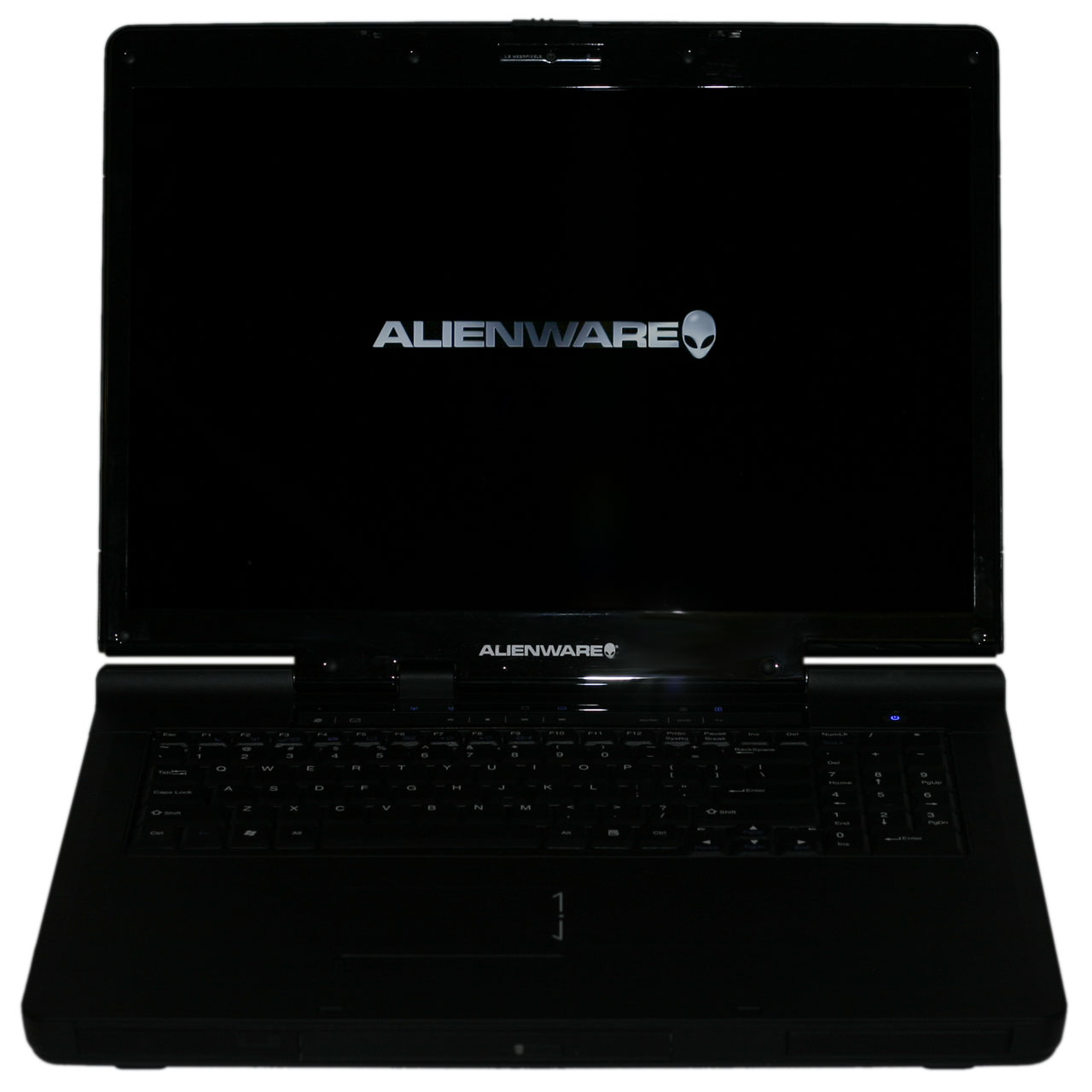
A few months ago, Alienware asked us if we would like to take a look at their new top-end laptop, the Area-51 m9750. We were naturally interested to see what they might be able to offer, and we spent the past several weeks putting the laptop through its paces. Make no mistake: this laptop is blazing fast! It's also pretty large, and portability rather than mobility seems to be the focus. The base level m9750 starts out at around $2100, but purchasing an entry level Alienware m9750 would be a lot like picking up a sports car but only getting a four-cylinder engine, four speed automatic transmission, and basic Goodyear tires. Since we're enthusiasts at heart, we wanted a little bit extra and Alienware obliged.
Flash back with us for a moment to one year ago, and imagine putting together a high-end gaming desktop computer. Core 2 Duo wasn't on the market yet, so you would have been looking at an Athlon X2 AM2 setup. As most gamers know, of course, graphics processing power is generally far more important to frame rates than getting the fastest CPU on the planet. GeForce 8800 cards weren't an option yet either, so your choices for top-end graphics consisted of two NVIDIA 7900 GTX cards running in SLI or a couple of ATI's X1950 XTX cards running in CrossFire, with an appropriate motherboard depending on your choice. Put in a couple Gigabytes of RAM, two hard drives in RAID 0, and a few other accessories and you're pretty much done. Pick up a basic display, speakers, and input devices and you'd probably be looking at spending somewhere in the vicinity of $3000 - though you could easily spend more - for such a computer. Fast forward to today, and while a few things have changed you can now get essentially the same type of system in laptop form.
Of course that's not the whole story. While it's more or less true that last year's top-end desktop hardware is now available in laptops, the price is quite a bit higher. You also miss out on some of the newest technologies that have become available - one year ago we were on the cusp of several technology updates. Quad core processors? Sorry, Intel doesn't offer those yet in their mobile line. DirectX 10 graphics? Sure, you can find laptops that have DirectX 10 hardware, but you're not going to find any 8800 GTS/GTX or HD 2900 XT GPUs in any laptops just yet. 10,000 RPM hard drives and 1TB storage capacities are also missing. So not only do you have to deal with a higher price than a comparable desktop system, but you're also giving up one year's worth of technological advances. Still, some people are willing to make such sacrifices.
The system we were sent for review sells for approximately $5,000, and that's going to be a pretty major hurdle for most people to get over. That's especially true when you consider that you can get a very good notebook for about $2000 and spend another $3000 on a quad core, DirectX 10 desktop system. You'd still have to figure out a way to carry around a large desktop if you want to get gaming performance on the go, but otherwise we would have to say that purchasing a separate desktop and laptop setup makes more sense for the majority of people with $5000 to spend on computers. If you're still willing to live on the bleeding edge of desktop replacement notebooks, though, read on as we take the Alienware Area-51 m9750 for a test ride.
Alienware is a company whose name is likely familiar to most gaming enthusiasts, often drawing both stares of lust as well as scorn - lust for the performance being offered, but scorn for the typically high price tags. Originally founded in 1996 and headquartered in Florida, Alienware has built their reputation on offering no-holds-barred performance levels, customized and unique looking computers, and of course gray headed creatures with almond shaped eyes. They made headlines in March of last year when they were purchased by Dell, but besides a redesigned web site it doesn't seem like much has changed. While they have grown quite a bit from their humble beginnings, they remain committed to building some of the fastest computers around. For people that don't want to spend the time and effort assembling and tweaking their own PC, companies like Alienware essentially provide a way to buy into the enthusiast level performance market.
A few months ago, Alienware asked us if we would like to take a look at their new top-end laptop, the Area-51 m9750. We were naturally interested to see what they might be able to offer, and we spent the past several weeks putting the laptop through its paces. Make no mistake: this laptop is blazing fast! It's also pretty large, and portability rather than mobility seems to be the focus. The base level m9750 starts out at around $2100, but purchasing an entry level Alienware m9750 would be a lot like picking up a sports car but only getting a four-cylinder engine, four speed automatic transmission, and basic Goodyear tires. Since we're enthusiasts at heart, we wanted a little bit extra and Alienware obliged.
 |
Flash back with us for a moment to one year ago, and imagine putting together a high-end gaming desktop computer. Core 2 Duo wasn't on the market yet, so you would have been looking at an Athlon X2 AM2 setup. As most gamers know, of course, graphics processing power is generally far more important to frame rates than getting the fastest CPU on the planet. GeForce 8800 cards weren't an option yet either, so your choices for top-end graphics consisted of two NVIDIA 7900 GTX cards running in SLI or a couple of ATI's X1950 XTX cards running in CrossFire, with an appropriate motherboard depending on your choice. Put in a couple Gigabytes of RAM, two hard drives in RAID 0, and a few other accessories and you're pretty much done. Pick up a basic display, speakers, and input devices and you'd probably be looking at spending somewhere in the vicinity of $3000 - though you could easily spend more - for such a computer. Fast forward to today, and while a few things have changed you can now get essentially the same type of system in laptop form.
Of course that's not the whole story. While it's more or less true that last year's top-end desktop hardware is now available in laptops, the price is quite a bit higher. You also miss out on some of the newest technologies that have become available - one year ago we were on the cusp of several technology updates. Quad core processors? Sorry, Intel doesn't offer those yet in their mobile line. DirectX 10 graphics? Sure, you can find laptops that have DirectX 10 hardware, but you're not going to find any 8800 GTS/GTX or HD 2900 XT GPUs in any laptops just yet. 10,000 RPM hard drives and 1TB storage capacities are also missing. So not only do you have to deal with a higher price than a comparable desktop system, but you're also giving up one year's worth of technological advances. Still, some people are willing to make such sacrifices.
The system we were sent for review sells for approximately $5,000, and that's going to be a pretty major hurdle for most people to get over. That's especially true when you consider that you can get a very good notebook for about $2000 and spend another $3000 on a quad core, DirectX 10 desktop system. You'd still have to figure out a way to carry around a large desktop if you want to get gaming performance on the go, but otherwise we would have to say that purchasing a separate desktop and laptop setup makes more sense for the majority of people with $5000 to spend on computers. If you're still willing to live on the bleeding edge of desktop replacement notebooks, though, read on as we take the Alienware Area-51 m9750 for a test ride.


 Facebook
 Twitter
 RSS
RSS


26 Comments
View All Comments
Guspaz - Saturday, September 1, 2007 - link
Anybody considering buying a gaming notebook should refuse to purchase one until nVidia gets their act together and starts releasing notebook drivers with regularity.I myself am a notebook gamer, with a modest Dell Inspiron 9400, Core 2 Duo 2.16GHz, and aGeForce Go 7900gs. I run Vista.
Well, nVidia currently DOES NOT OFFER Vista notebook drivers at all. Not a one, nada. Your only options are to either use Dell's driver, which is an ancient beta missing support for most features of the GPU, or a hacked desktop driver (which still is missing many features under Vista, and lacks PowerMizer support).
Under XP, the situation isn't much better. nVidia's latest notebook drivers for XP are 84.63, released over a year ago on July 5, 2006.
Your notebook manufacturer MIGHT provide newer drivers, if you're LUCKY. For Dell's part, their XP drivers are still ancient and stuck in the 90 series, and they only ever released ONE driver for Vista, probably thinking "Well, they have drivers now, that's good enough."
In order to play BioShock on a notebook, you have NO other option but to hack the desktop drivers.
This is NOT an acceptable situation. As notebook gamers, we should REQUIRE nVidia to SUPPORT THEIR PRODUCT and release regular updates for their cards. The fact that their desktop drivers work so well on notebooks with a simple INF tweak should show you how EASY it would be for them to release official notebook drivers. They give us this bullshit story about how driver updates need to come from the notebook manufacturers due to differences between notebooks. This is bullshit. I don't get my desktop graphics drivers from Abit because they happen to have made the motherboard.
So what do I plan to do? I have no choice. I'll keep using hacked desktop drivers for lack of ANY other option.
monitorjbl - Saturday, August 25, 2007 - link
Yay, a William Gibson reference!
JarredWalton - Saturday, August 25, 2007 - link
Bonus points if you actually played the old Neuromancer game by Interplay. Cue Devo...Some
Things
Ne-ver
Change
....
:)
strafejumper - Friday, August 24, 2007 - link
i never understood the concept of all these laptops such as this alienwarethe idea of a laptop to me is it is portable
however if the battery only last 60 mins it is not really that portable
for $5000 i would want to be able to for example watch a dvd
however this cannot even do that seemingly simple task!
battery life to me is so much more useful than the extra cpu and gpu cycles
when watching a dvd, browsing the internet, playing cards, backgammon, chess or other simple games, listening to music, typing documents, emailing, messengering etc. etc. the extra horsepower of the cpu and gpu are not even being used.
battery life > some extra frames in the latest game (which is better on a desktop probably anyway with bigger screen, full keyboard + mouse, desk, speakers, etc.)
Inkjammer - Saturday, August 25, 2007 - link
I am one of the people who have bought, buy and will buy workstations like these. People like me don't buy them as a "laptop" but as a "portable desktop replacement" (DTR).Some of the justifications:
Lugging an entire system to LAN parties can be frustrating, especially since I have a 24" monitor, large keyboard. I'm also using a Coolermaster 830 CM Stacker case, which weighs a ton, and breaking it down, setting it up can take far, far too long.
I also tend to take my DTR notebooks systems with me to work, where I can game during nightshifts. I'm also stationed overseas, so being able to easily transport a FULL system, even if contains in a laptop, is invaluable. I also do high end art and 3D animation, and need the additional power for job and hobby.
The tradeoff for portability and battery life on a notebook is fairly steep, but there's not much in the way of compromise.
And yes, I have a second laptop for my "on the go" needs.
yyrkoon - Friday, August 24, 2007 - link
Some people do not have room for a desktop(or a desk), and use nothing but laptops. Others may travel, staying in hotels nightly, having a plug available, but do not want to tote around a desktop with them. Other people like truckers may be able to use an AC inverter for power, but have limited room in their sleepers for a computer.Having said that, I have been a trucker, and kept a full sized desktop in my sleeper, and I have also worked over the road, staying in a hotel nightly, and used a desktop during this time as well. Not everyone is like me however, and some of these people may preffer something smaller, and easier to carry around, or maybe just smaller to maximize their given 'alotted space' where ever they may be. I wouldnt buy one though . . .
wolfman3k5 - Saturday, August 25, 2007 - link
Well, how about there east bound, you got your ears on? I totally know what you mean, how ever I never had time for gaming. Battery life was always more important to me. I'm also an ex trucker, God, it's a lonely job. Anyway, just wanted to say hi:)yyrkoon - Monday, August 27, 2007 - link
Myself, for 2 years(and around 200k miles) I would typically drive 8HRs/day, 2-3 months at a time. Plenty of down time, and plenty of time to game, even in the early to mid 90's ;) Of course back then, there was nothing like this availible, and I was probably one of the first drivers to have a full blown desktop in their cab(IMB compatable 386SX-25 with 4 MB of ram YEEE HAAW!) lol . . .yyrkoon - Monday, August 27, 2007 - link
IBM compatable . . .JarredWalton - Monday, August 27, 2007 - link
IBM compatible you mean? :)