



Gigabyte goes "Green" with DES software
by Rajinder Gill on January 23, 2008 10:00 AM EST- Posted in
- Motherboards
Our initial reaction to Gigabyte's DES (Dynamic Energy Saver) software was stated in the GA-X48T-DQ6 review a few weeks ago. Although we had toyed with this new software from Gigabyte, time constraints led us to skimming the surface of its full potential during our testing. DES software will be available on all Gigabyte motherboards that are Intel 45nm processor compatible. Currently there are plans for six models - from the budget range P35 boards, right up to the flagship GA-X48T-DQ6 motherboard that we are using as our platform for testing today.
As Gigabyte is putting quite a bit of energy (excuse the pun) into the launch of DES, we decided that a small breakout article about this technology would be interesting. We wanted to see if DES brings anything exciting enough in the way of power savings to get Al Gore's green seal of approval for AnandTech's test lab. However, if Al does arrive, we are sure he will be less than pleased with our gaggle of quad-core processors, 8800 Ultra cards, and extreme benchmarking equipment. To be more precise, the cascade coolers we utilize send our watt-meter off the scale during initial switch-on surge. Stable power draw is in the region of 2200W when both units have reached cooling capacity. In case anyone is wondering just how much power it takes to send a watt-meter off the scale, it's around 3588W (UK 220V -13 amp sustained maximum).
Needless to say, we are "green enough" not to subject our wallets or the planet to this kind of power abuse on a regular basis. Perhaps DES will help remove some of our guilt. We hope that it will. However, once we switch on those big power-guzzling cascades, using DES would be like eating a hearty 1500 calorie "everything is fried" breakfast and then topping it off with a sprinkle of bran flakes to claim that we are monitoring our long-term health. Actually, scrap that statement - every little bit helps right?
Owning a power consumption meter can be a remarkably enlightening experience; you either find out you are drawing way more power than you thought you were, or that you are drawing a lot less power than you had been lead to believe. Either way, we are constantly being reminded by those around us that we should do our utmost not to waste electricity.
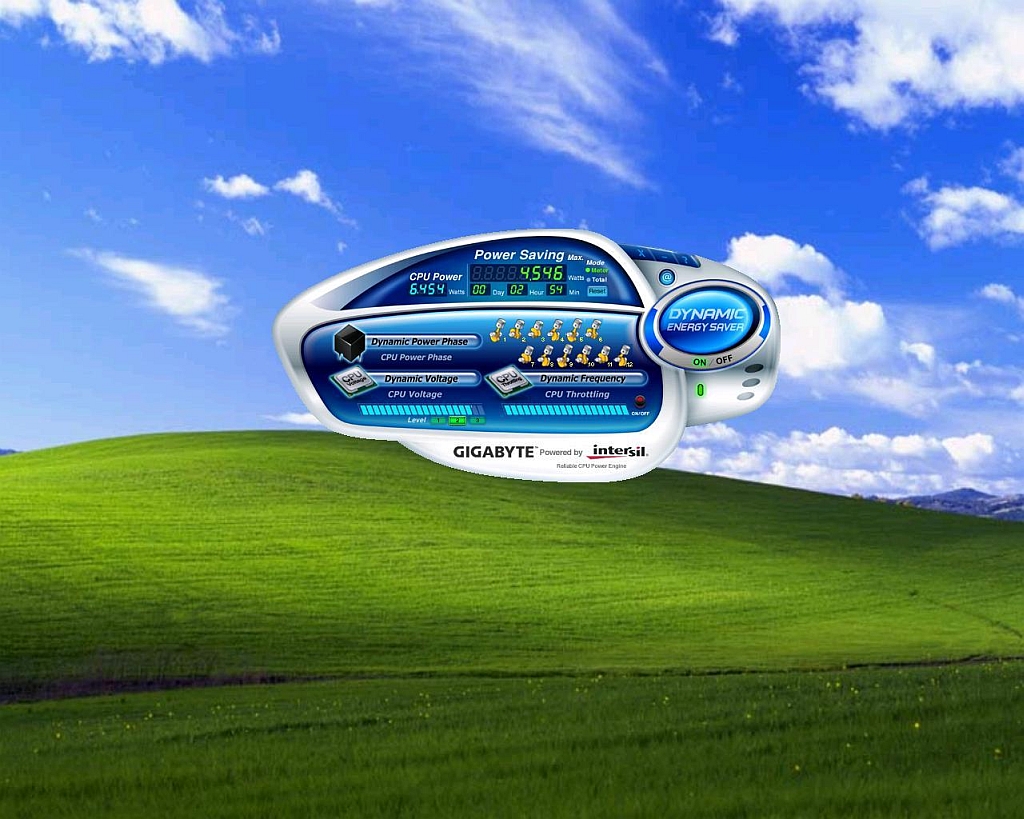
Before we begin testing the merit of DES's purported 1-touch power saving capabilities, we must point out that the features used by DES are all made possible by Intel's VRM 11.1 specification, which has been designed specifically for Intel's Hafnium based 45nm processor technology. Firstly, VRM 11.1 allows the PWM controller to receive a signal from the processor to shut down PWM phases during low load or idle processor states. Secondly, the PWM is able to receive a signal from the processor to modulate core frequency that creates a throttling type effect, further reducing power consumption during light processor loading situations. Both of these functions require an operating system driver to operate - basically the software tells the CPU when to send the phase switching/VID control/modulation signal to the PWM controller, which in turn sends a signal back to the processor to throttle down or up.
Over the past week, we ran a series of load and idle tests monitoring for power draw and potential savings, both using DES and by manual manipulation of voltage settings via Gigabyte's Easy Tune 5 software. We aim to find out just how much power one click of the DES user interface button allows and if we can match these savings by manual manipulation of the processor's voltage settings in the BIOS. Let's take a look at how much power DES allows us to save on a high end X48 board.


 Facebook
 Twitter
 RSS
RSS


16 Comments
View All Comments
Nihility - Thursday, January 24, 2008 - link
Doesn't EIST offer better power savings over what DES does?The Q9650 has a multiplier of 9 meaning that when EIST is on, its clock speed will be reduced by 1000 Mhz. I'm just curious if that's not a better power saving option for a computer that is mostly idle (internet, word processing mentioned in the article). As I understand it, EIST needs to be shut off.
Rajinder Gill - Thursday, January 24, 2008 - link
Not really, these processors are now so efficient at idle that the core speed reduction does little to save extra power. Gigabyte have sorted out the EIST/C1E and DES issue in the latest BIOS. You can now have all 3 on simultaneously. Unlike the previous releases..regards
Raja
Cardio - Thursday, January 24, 2008 - link
Rather he would do his Lemming imitation.emenk - Wednesday, January 23, 2008 - link
You said at the very top "Our initial reaction to Gigabyte's DES (Dynamic Energy Saver) software was stated in the GA-X48T-DQ6 review a few weeks ago." Where exactly did you say that? What did you say?I've searched for any mention of it, and I can't find it. I've even used Google!
I'm getting the impression that this is yet another example of Anandtech bullshitting us by saying they said something that they didn't say. If I just can't read, then point out where you said something about the DES software in GA-X48T-DQ6 review. Otherwise, stop printing bullshit. I'm sick of wasting my time trying to track down stuff that you claim you said in different articles.
emenk - Wednesday, January 23, 2008 - link
Nevermind. I just found it on the second page. You called it by the wrong name, though. No wonder I couldn't find it! So did you screw up or hadn't Gigabyte settled on the name yet?If you called it by the wrong name, why didn't you point that out or fix it? Even if Gigabyte changed the name, why didn't you point out that you used the old name in the previous article?
Rajinder Gill - Thursday, January 24, 2008 - link
Emenk,I have corrected the misname in the last review. In terms of trying to deceive readers - i think you could not be further from the truth. We are human and sometimes mistakes do slip through. In this case the results of the mistake are not likely to have caused a massive misconception that brings harm to the end user. I have searched the web for both GA-X48T-DQ6 reviews and DES write ups. Needless to say, the depth of our articles is far in excess in all instances and actually tells the truth as we see it. I have not seen anyone else get to grips with the DES or the BIOS in a way that we have managed at Anandtech. Sorry for the mistake, thanks for pointing it out.
regards
Raja
emenk - Friday, January 25, 2008 - link
Sorry, I did not mean to suggest that you were intentionally deceiving your readers - just that you were being careless with the mundane, simple facts. I'm not as experienced as some of your readers, but little mistakes can cause big problems for me trying to get started understanding the articles.I don't doubt that. For me, your article starts out too deep, though. (Well, actually, it starts out with fluff about Al Gore, etc., then suddenly goes too deep.) Someone in the forums pointed me to http://www.tweaktown.com/articles/1272/gigabyte_s_...">this TweakTown article, which is a good introduction for me. Maybe you are targeting readers who would already know everything that was said in that article, but I didn't. Now that I have read that article, I am in a much better position to understand yours. I wasn't before.
I was frustrated earlier because I had been hoping to find basic background information about DES in the previous Anandtech GA-X48T-DQ6 review, but couldn't find the comment about DES (due to the mistake in the software's name) at first, then found it wasn't that helpful to me once I did find it.
I'm sorry if the mark-up codes I'm using here aren't the correct ones. I'm uses the same mark-up codes that work in the forum. The javascript isn't inserting them here for me.
slashbinslashbash - Wednesday, January 23, 2008 - link
Why is it that motherboard manufacturers' overclocking software must always look like it comes out of a 3rd-rate sci-fi movie? Bulbous, way too colorful, with all kinds of buttons in odd places and not at all looking like a normal program that a normal person would want to use. It looks SO amateurish. All of the "real" software companies realized long ago that as long as we have 2D displays, it's going to be most efficient to have windows in the shape of rectangles instead of circles or other odd shapes. Give me a simple gray box with a few sliders, and the close/minimize/etc. buttons in their right positions, please!legoman666 - Wednesday, January 23, 2008 - link
I agree whole heartedly. Enough of these "slick" apps. I want a box with some sliders and dials.mindless1 - Wednesday, January 23, 2008 - link
I third that notion, though Gigabyte seems to be worse in this respect than some others.