



Value Case Roundup: A Look at the Affordable
by Purav Sanghani on February 1, 2005 12:35 AM EST- Posted in
- Cases/Cooling/PSUs
Benchmark - Thermal
Describing the cooling equipment that comes with a case just doesn't cut it for us. We need to see how it actually performs, to determine if it is actually as effective as what the manufacturer's say. We have hand-picked a full system that we believe is the current system setup for the average user.
| PC Mid-Tower Test Bed | |
Chaintech VNF3-250 |
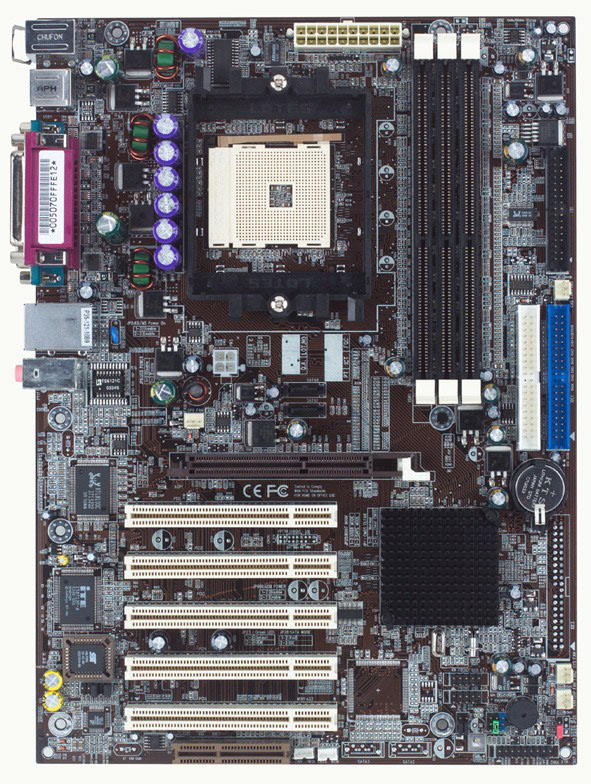 Click to enlarge. |
The thermal readings for the key components and points on the motherboard during operation were as follows. The numbers in each square represent the temperature of that particular section of the case in degrees celsius.
|
|
| Hold your mouse over each case to see hardware. | |


|
|
| Hold your mouse over each case to see hardware. | |


|
|
| Hold your mouse over each case to see hardware. | |


|
|
| Hold your mouse over each case to see hardware. | |


|
|
| Hold your mouse over each case to see hardware. | |


|
|
| Hold your mouse over each case to see hardware. | |


|
|
| Hold your mouse over each case to see hardware. | |


|
|
| Hold your mouse over each case to see hardware. | |


 Facebook
 Twitter
 RSS
RSS


58 Comments
View All Comments
paulsiu - Wednesday, February 16, 2005 - link
On the recommendation Anandtech, I actually purchased the Codegen 6290 case. Initially, I was as surprise by the features: tool-less case entry, tool-less slots, cpu cooling duct, etc. When I attempt to install the case, my impression changed:1. Only one 5-1/4" bay is usable, the other bay is blocked by a metal grill that takes up space. I can only install one optical drive.
2. The spring on the optical drive broke on the first use.
3. Several of the 3-1/2" drive bay was blocked by the fan enclosure.
Ironically, my old case was totally no frill and had no parts to break or malfunction. Perhaps some of these extra features like drop down CD-ROM doors should not be used in value cases. Stick with the minimum stuff...
VirtualLarry - Monday, February 14, 2005 - link
I posted most of my criticisms in [L=this HotDeals thread]http://forums.anandtech.com/messageview.aspx?catid...[/L] that mentioned this review, but I have to fully agree with #49's post. The review was rather sloppy. If they had taken time to actually screw in the HDs, they would have discovered the most serious defect in their "editor's choice" Codegen case's design - that if one chooses to mount a front intake fan in front of the internal HD bays, then those bays are unusable! (If you require proper mounting of the HDs, using all four screws, as I highly recommend.)I also have to agree with #42's criticism of the front-panel USB ports. Due to the fact that they are just simple unshielded wires, I cannot see how they would be considered usable with USB 2.0.
Note that I am speaking from experience here, I have been running a mid-range AMD Athlon XP2000+ rig, 3 HDs, 4 opticals, R9200 AGP, MSI KT4V-L mobo, and various other things on a Codegen
6049 model case, with the included "350W" PSU, for several years without incident. I thought that the tool-less design was nice at first, but in truth, those plastic card-slot retainer clips wear after a while, and the cards are no longer held in securely. I original envisioned using this case for LAN-party use, but due to the thinner construction and a number of other factors, I wouldn't recommend it for that use.
Interestingly, the [L=current Codegen 6049 model]http://www.codegengroup.com/03_products/index.asp?...[/L] appears to be revised compared to the one that I own. They show multiple optical-drive cover bezels, additonal side-panel fans and a CPU air-duct, and the description does indeed claim front-panel USB 2.0 x 2 support. So perhaps they have switched to using shielded cables. If not, then their description is highly misleading.
On the positive side, I'm glad to see AT reviewing some more mundane things like "budget" cases, not everyone feels like dropping $200 on an aluminum Lian-Li case. I just wish that the review was a bit more thorough with pointing out the HD-mounting issues with the Codegen. If you had, I question whether they would have recieved the "editor's choice", although I do agree with the sentiment, that they are still a decent value for money, and the Codegen PSU is "less bad" than the PSUs included with the other cheap cases. (The included 350W in mine showing a combined +5V/+3.3V of 180W, meeting AMD's "recommended" PSU guidelines for an XP2000+.)
I also strongly disagree with the "no sharp edges" comment in regards to the Codegen; AT must have been sent a specially-prepared review unit IMO.
fbrdphreak - Monday, February 7, 2005 - link
Dunno if its been said or not, but add like $15 shipping to all of these and suddenly they aren't so hot for the $unclebud - Friday, February 4, 2005 - link
why not review the cs200 builders tha compusa is selling for $24.99? i bought one and like itand bring on the budget psu reviews (again :))
AtaStrumf - Thursday, February 3, 2005 - link
Thanks for answering Purav! I can understand the cables, but no screws? That's a bit weird. You can't put a case with no screw in its typical upright position. If you don't than the temps your read are not typical eihter, because as I'm sure you know, hot air rises. I don't wonna nit pick, but I was just wondering. The times you state it took you to put together a case is also at least a bit on the short side (I used to build up to 15 PCs a day and I never put one together in 10 minutes), which kind of goes along with the no screws thingy. Again, just wondering!#53 Considering this is a hardware site full of hobbiest, I'm not so sure this article is very helpful. Most of us are willing to spend a little more to gain better features and quality.
But most of us also have friends who don't care much for fancy cases and prefer to save a few $$$.
I would like to stress that you REALLY should a least try the supplied PSU. Just to see if it can provide sufficent power for your system and to report on the noise it makes. That would really be helpfull, because it can save you a lot of money to not have to buy a separate PSU. Again, PSU can have quite an effect on the thermal readings. I know that would make it next to useless for comparisons, but I think it would provide a much more useful data to the potential buyer.
Anyway, keep up the good work!
Nessism - Thursday, February 3, 2005 - link
People complaining about the cases in this article need to keep in mind that these are CHEAP cases; the most expensive one was the $34 Chenming. Of course there are lots of better cases on the market, but they cost more money.Considering this is a hardware site full of hobbiest, I'm not so sure this article is very helpful. Most of us are willing to spend a little more to gain better features and quality.
Please consider another article looking at medium low cost cases - the type most of us actually use. A couple of suggestion include the Evercase 4252, Compucase LX-6A19, Antec SLK3000/3700 (based on the LX-6A19 chassis), and Inwin C720.
Thanks for your consideration and keep up the great work!
Ed
kmmatney - Wednesday, February 2, 2005 - link
Great review! I bought my 6 year son old one of the RAIDMax 268SWP units, with its own 300 Watt power supply, and its a great case.unclebud - Wednesday, February 2, 2005 - link
oops, i took too long to get in here!well, i wanna say that i appreciated the article completely, as well as the sempron and celeron d articles. i also enjoy the budget user guide out of any of the other system guides.
the power supply commnts? didn't they just have a ps comparo three or four months ago? those are discontinued? if so, why not couldn't they just buy their newer versions?
because that would mean that all these yokels wouldn't have anything to complain about?
that's what it looks like
keep on reviewing! i enjoyed it
i'm going to build another machine anyday now.
truly appreciating the effort of providing info for budget users
peace
PuravSanghani - Wednesday, February 2, 2005 - link
#44: What we mean by "average user" is that the comnination of our selected components is not one that creates an extremely high end system (ATI X800/GF6800, AthlonFX/P4 3.4Ghz, 400GB HD, etc.) nor is it a low end system (ATI 8500LE/GF420, AthlonXP 1500+/P4 1.5Ghz, 20GB HDD, etc.) but more of a middle ground between the two ends of the spectrum.#49: We leave the power cables disconnected for the pictures to show what the hardware will look like installed in the cases. We do not want the wiring to get in the way of a look at anything so we moved the bundle from the power supply off to the side as you can see from the pictures.
After the necessary pictures have been taken we DO connect all of our hardware and run tests in windows such as playing an encoded movie or a game to simulate a working system where the CPU, HDD, video card, psu and memory all heat up to typical "running system" temperatures.
Hope that helps!
Purav
AtaStrumf - Wednesday, February 2, 2005 - link
Do you even put together these cases or just pose them for a photo? I haven't seen a single screw tightened or one PSU cable connected. What's up with that?? How can you evaluate them then? How do you do your thermals with nothing connected? What's going on?